 Webhooker
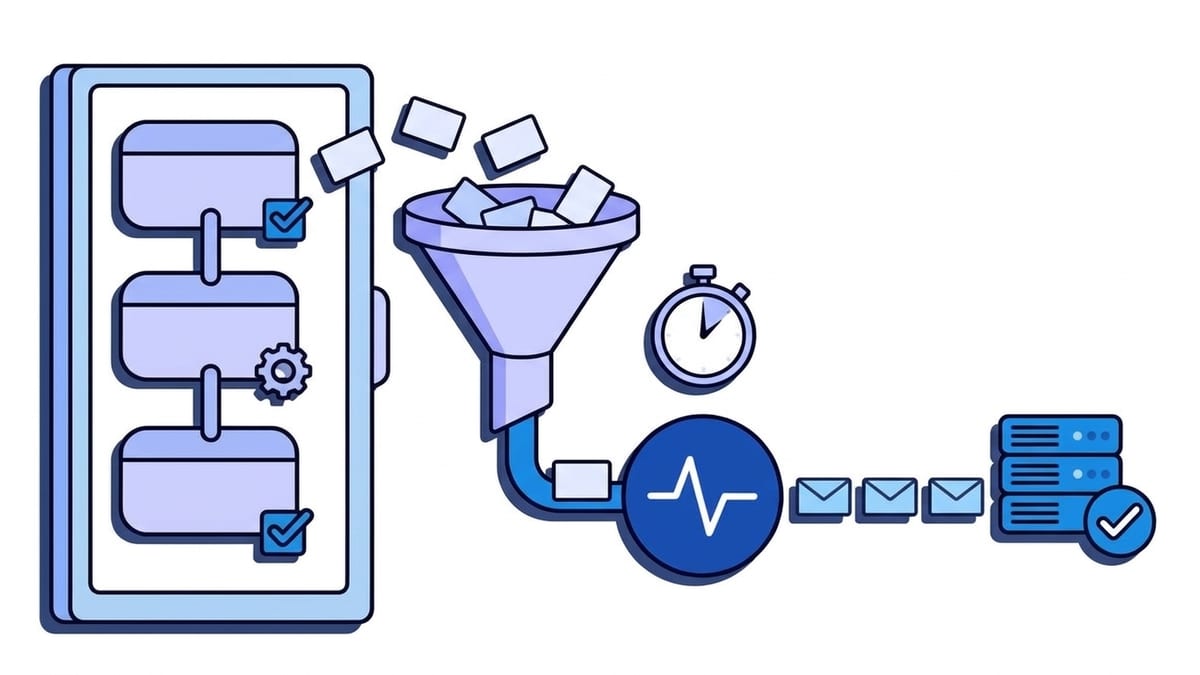
Jira webhooks are HTTP POST requests that Jira sends to a URL you register when something changes: an issue is created, updated or deleted, a comment is added, a sprint starts, a version is released. Each request carries the event name in the JSON body as webhookEvent (for example jira:issue_updated), a unique id in the X-Atlassian-Webhook-Identifier header, and, if you set a secret, an HMAC-SHA256 signature in X-Hub-Signature. Jira Cloud treats only HTTP 200 as success. On 408, 409, 425, 429, any 5xx, a timeout or a refused connection, it retries up to five times, 5 to 15 minutes apart.
Two things make Jira different from the other providers we have covered. Admin webhooks can be narrowed with a JQL query, so the filtering happens in Jira instead of in your code. And Jira Cloud gives administrators no delivery log: there is no page listing what was sent and what failed. This guide covers the three ways Jira sends webhooks, how to create one in the UI and through the API, what arrives in a delivery, which events exist, how to verify the signature, and how to build a receiver that does not lose events. Every Jira fact links to Atlassian’s documentation, checked on 26 October 2026. It is about Jira Cloud unless a section says Data Center. If your code also lives on GitHub or GitLab, the GitHub webhooks guide and the GitLab webhooks guide cover those platforms the same way.
Admin webhook, app webhook or Automation: which one do you need?
Jira can send an HTTP request on an event in three ways, and they differ more than the shared name suggests.
| Method | Who sets it up | Filtering | Signature | Best for |
|---|---|---|---|---|
| Admin webhook | A Jira admin, in Settings > System > WebHooks or through the admin REST API | JQL on issue, comment, worklog and attachment events | X-Hub-Signature, if a secret is set | Your own service that should hear about everything in a site, or one project |
| App webhook (Connect or OAuth 2.0) | An app, declared in its descriptor or registered through /rest/api/3/webhook | A restricted JQL subset | JWT in Authorization for OAuth 2.0 apps; Connect apps use the app’s shared secret | Marketplace and internal apps that act for users |
| Automation Send web request | Anyone who can edit an Automation flow | The flow’s own trigger and conditions | None built in; you add your own header | A request in a custom shape to a third-party API |
The webhooks overview documents the first two. App webhooks registered through the REST API expire after 30 days unless the app calls PUT /rest/api/3/webhook/refresh, and an OAuth 2.0 app may register at most five per user per site (a Connect app, 100 per site). Connect is on its way out: Atlassian no longer accepts new Connect apps on the Marketplace and builds new features on Forge.
For your own backend, use an admin webhook. It never expires, it supports a secret, and an admin can see it in the UI. The rest of this guide is mostly about admin webhooks; Automation has its own section near the end.
How do you create a Jira webhook?
In the admin UI
You need the Administer Jira global permission. The steps: select Settings (the cog) > System, then under Advanced select WebHooks and Create a WebHook. The fields:
- Name and Description: labels for the list. Name the receiving service, not the event.
- URL: must be HTTPS with a certificate from a publicly trusted CA. Port 80 is not allowed, and only specific ports such as 443, 8080 and 8443 are. Jira follows up to five redirects.
- Secret: optional. Jira uses it to sign every request. Generate a long random value; Jira will not show it again, so store it before you save.
- Events: grouped into issue related, user related, Jira configuration related, project related and Jira Software related events. Tick only what your receiver handles.
- JQL: next to the issue related events. Leave it empty to receive events for every issue in every project.
- Exclude body: sends the POST with no JSON body. Useful when the URL alone tells your service what to fetch, as shown under URL variables.
A webhook can also be disabled from its details panel without deleting it, which is the safe way to pause one. A deleted webhook is gone, along with its secret.
With the REST API
Admin webhooks have their own, older REST resource, /rest/webhooks/1.0/webhook, separate from the /rest/api/3/webhook resource that apps use. On Jira Cloud, authenticate as an admin with an email address and an API token:
curl --request POST \
  --user "$JIRA_EMAIL:$JIRA_API_TOKEN" \
  --header "Content-Type: application/json" \
  --data '{
    "name": "deploy-tracker",
    "description": "Issue changes in project OPS",
    "url": "https://example.com/hooks/jira",
    "events": ["jira:issue_created", "jira:issue_updated", "comment_created"],
    "filters": { "issue-related-events-section": "project = OPS" },
    "excludeBody": false,
    "secret": "<long random string>"
  }' \
  "https://your-site.atlassian.net/rest/webhooks/1.0/webhook"
The same resource takes GET to list webhooks, and PUT or DELETE on /rest/webhooks/1.0/webhook/{webhookId}. The response includes isSigned: true when a secret is set; the secret itself is never returned. To remove a secret, send null or an empty string on update. Connect apps cannot use this resource.
What does a Jira webhook delivery look like?
An issue moving from To Do to In Progress, as it arrives at your endpoint with a secret configured (header values and body shortened):
POST /hooks/jira HTTP/1.1
Host: example.com
Content-Type: application/json
X-Atlassian-Webhook-Identifier: 4mL7Y2qPk9
X-Atlassian-Webhook-Flow: Primary
X-Hub-Signature: sha256=9b1f0c6d...e41a

{
  "timestamp": 1792999800123,
  "webhookEvent": "jira:issue_updated",
  "issue_event_type_name": "issue_generic",
  "user": {
    "accountId": "5b10ac8d82e05b22cc7d4ef5",
    "accountType": "atlassian",
    "displayName": "Jane Doe"
  },
  "issue": {
    "id": "10042",
    "key": "OPS-128",
    "fields": {
      "summary": "Rotate the payment API key",
      "status": { "name": "In Progress" },
      "project": { "key": "OPS" }
    }
  },
  "changelog": {
    "id": "10331",
    "items": [
      { "field": "status", "fromString": "To Do", "toString": "In Progress" }
    ]
  }
}
The payload section describes the parts:
webhookEventis the event. Route on it. Unlike GitHub and GitLab, Jira does not put the event name in a header.timestampis in milliseconds since the epoch.issue_event_type_nameappears on issue events and adds detail, such asissue_genericfor a workflow transition.useris a short form of the user who caused the event: no email address, no groups, withaccountTypeset toatlassian,apporcustomer(a Jira Service Management portal customer).issuehas the same shape as the Get issue REST response without expansions, so every field the issue has, custom fields included.changelogis only present onjira:issue_updatedand lists what changed, each item withfield,fromStringandtoString.commentis added on comment events.
The headers are fewer than on other platforms:
| Header | What it carries | Use it for |
|---|---|---|
X-Atlassian-Webhook-Identifier | One id per webhook, unique within the site and the same across retries | Deduplication |
X-Atlassian-Webhook-Retry | The retry number. Absent on the first attempt | Spotting retries in your logs |
X-Atlassian-Webhook-Flow | Primary for direct actions, Secondary for bulk and cascading changes | Knowing which delivery target applies |
X-Hub-Signature | sha256=<hex HMAC>, only if a secret is set | Authentication |
One warning from the same page: webhooks are sent “without a specific user context”, so all issues are available to them. An admin webhook with an empty JQL filter sends issues from restricted projects too. If the receiver posts to a shared channel, narrow the JQL or filter on your side.
Which Jira webhook events can you subscribe to?
The full event list is long. The ones most integrations use:
| Area | webhookEvent values | Typical use |
|---|---|---|
| Issues | jira:issue_created, jira:issue_updated, jira:issue_deleted | Syncing to another tracker, deploy gates, chat notifications |
| Comments | comment_created, comment_updated, comment_deleted | Chat-ops, mirroring discussion |
| Worklogs | worklog_created, worklog_updated, worklog_deleted | Time tracking and billing |
| Attachments | attachment_created, attachment_deleted | Virus scanning, archiving |
| Issue links | issuelink_created, issuelink_deleted | Dependency graphs |
| Sprints | sprint_created, sprint_started, sprint_closed, sprint_updated, sprint_deleted | Reports, release notes |
| Versions | jira:version_created, jira:version_released, jira:version_unreleased, jira:version_updated, jira:version_moved, jira:version_deleted | Release automation, changelogs |
| Projects | project_created, project_updated, project_deleted, project_archived, and others | Provisioning |
| Users | user_created, user_updated, user_deleted | Account sync |
There are also events for issue properties, issue types, filters, boards and system settings. Three behaviours from the known issues list tend to cost a day of debugging:
- Deleting a project does not send
jira:issue_deletedfor its issues. - Attachments added in the Create issue dialog do not fire
attachment_created; they appear in the attachment field ofjira:issue_createdinstead. - Merging one version into another sends
jira:version_deletedwith amergedToproperty, not a merge event.
Does a status change send its own event?
No. A workflow transition arrives as jira:issue_updated, with the status change in changelog.items (field: "status"). To act on “moved to Done”, check the changelog, not just the event name:
def moved_to_status(payload: dict, target_status: str) -> bool:
    if payload.get("webhookEvent") != "jira:issue_updated":
        return False
    changelog_items = payload.get("changelog", {}).get("items", [])
    return any(
        item.get("field") == "status" and item.get("toString") == target_status
        for item in changelog_items
    )
Workflow post functions offer a second route: a Trigger a Webhook post function on a transition fires an admin webhook only for that transition. Two caveats from Atlassian: a post function on the Create transition does not fire (use jira:issue_created), and a webhook that has both events ticked and a post function fires twice for one transition, so untick its events.
How do JQL filters work?
The JQL field limits issue, comment, worklog, attachment and issue property events to issues that match. project = OPS AND issuetype = Bug is a common one. The filter runs for every event, so Atlassian warns that slow JQL, for example on some custom fields, delays delivery. Sprint, version, issue link and most other events ignore the filter and arrive for every board and project, so filter those in your receiver.
App webhooks get a stricter subset: only the issueKey, project, issuetype, status, priority, assignee and reporter clauses, indexed issue properties, and the operators =, !=, IN and NOT IN.
URL variables
An admin webhook URL can contain variables that Jira fills in per event, such as {issue.key}, {project.key}, {comment.id}, {sprint.id} and {version.id}:
https://example.com/hooks/jira/{project.key}/{issue.key}Combined with Exclude body, this gives a lightweight design: Jira tells your service which issue changed, and the service fetches the current state through the REST API. That keeps issue data out of logs on the way and always gives you the latest version, which helps with the ordering problem described below. Variables only work for events about their own entity, so {sprint.id} is empty on an issue event.
How does Jira handle failed deliveries?
The retry policy is short and has one rule that surprises people:
| Condition | What Jira does |
|---|---|
Your endpoint answers 200 | Delivered. Any other status, including 201, 202 and 204, counts as unsuccessful |
408, 409, 425, 429 or 5xx, a timeout, or a failed connection | Retries up to 5 times, each 5 to 15 minutes (randomised) after the previous attempt |
Any other 4xx, such as 400, 401 or 404 | Not retried |
| No successful response for 30 minutes | Only one attempt per webhook from then on, until a delivery succeeds |
Read the first row twice. A framework that answers 202 Accepted or 204 No Content by default is, by Atlassian’s definition, failing. Return 200 explicitly.
The last row is the one that loses events during outages. After half an hour of errors, Jira stops spending retries: each new event gets a single attempt, and if your service is still down, that event is not retried. Recovery is not automatic for the events in between.
Atlassian’s Jira Cloud documentation does not publish a response timeout. Figures such as “5 seconds to connect, 20 seconds to respond” circulate in third-party guides, but the official page only says that a timeout counts as a failure, so answer within a few seconds and do the work from a queue. What Atlassian does publish are delivery targets: Primary webhooks, from a direct user action, should arrive within 30 seconds; Secondary ones, from bulk edits and cascading changes, within 15 minutes. Concurrency is capped at 20 parallel requests per site and receiving host for primary webhooks and 10 for secondary ones. A bulk change to 2,000 issues is therefore 2,000 webhooks, queued behind those limits. Payloads over 25 MB are not delivered.
Where do you see failed Jira webhooks?
For admin webhooks, nowhere in the UI. Jira Cloud has no delivery log for them. The suggestion to add one has been open since 2014 with the status “Gathering Interest”. The only failure record is the Get failed webhooks operation, GET /rest/api/3/webhook/failed, which lists deliveries that exhausted their retries in roughly the last 72 hours, and only Connect apps may call it.
In practice that means your receiver has to be the log. Record the X-Atlassian-Webhook-Identifier, the event and the outcome of every request you accept. If you need to know whether Jira sent something at all, send the same events to a second endpoint that stores them, which is also what Atlassian’s own troubleshooting article does with a request bin.
Duplicates and ordering
Atlassian says plainly that some webhooks “might be delivered more than once”, for example when your 200 is lost on the way back. Deduplicate on X-Atlassian-Webhook-Identifier, which stays the same across retries. The idempotency keys guide shows a pattern that survives concurrent duplicates.
Ordering is not promised. With retries spaced 5 to 15 minutes apart, the event for “In Progress” can arrive after the one for “Done”. Compare issue.fields.updated with what you have stored and ignore older states, or fetch the issue fresh, as in the URL variables pattern above. The ordered delivery post covers both approaches.
How do you verify a Jira webhook signature?
When an admin webhook has a secret, Jira computes an HMAC-SHA256 over the raw request body with the secret as the key and sends it as X-Hub-Signature: sha256=<hex digest>. The documented steps: read the method from before the =, compute the HMAC of the raw body (as UTF-8 bytes), and compare in constant time. In Python with Flask:
import hashlib
import hmac
import os

from flask import Flask, abort, request

app = Flask(__name__)

JIRA_WEBHOOK_SECRET = os.environ["JIRA_WEBHOOK_SECRET"].encode()


def jira_signature_is_valid(raw_body: bytes, signature_header: str) -> bool:
    method, _, received_digest = signature_header.partition("=")
    if method != "sha256" or not received_digest:
        return False
    expected_digest = hmac.new(JIRA_WEBHOOK_SECRET, raw_body, hashlib.sha256).hexdigest()
    return hmac.compare_digest(expected_digest, received_digest)


@app.post("/hooks/jira")
def receive_jira_webhook():
    raw_body = request.get_data()
    if not jira_signature_is_valid(raw_body, request.headers.get("X-Hub-Signature", "")):
        abort(401)

    webhook_id = request.headers.get("X-Atlassian-Webhook-Identifier", "")
    enqueue_for_processing(webhook_id, request.get_json())
    return "", 200
Atlassian publishes a test vector you can put in a unit test: the secret It's a Secret to Everybody and the body Hello World! give sha256=a4771c39fbe90f317c7824e83ddef3caae9cb3d976c214ace1f2937e133263c9.
The format matches GitHub’s, with one difference: GitHub sends SHA-256 in X-Hub-Signature-256 and keeps X-Hub-Signature for its legacy SHA-1 digest, while Jira puts SHA-256 in X-Hub-Signature. Code copied from a GitHub receiver needs the header name changed, or every Jira request fails. The GitHub signature guide explains the shared mechanics, and the general signature verification guide explains why you must sign the raw bytes, not re-serialised JSON.
Jira does not sign a timestamp, so a captured request stays valid if someone replays it. Deduplicating on X-Atlassian-Webhook-Identifier blocks exact replays; for the wider problem, see replay attacks and timestamp tolerance.
Two other checks are available. App webhooks for OAuth 2.0 apps carry a JWT in the Authorization header, signed with the app’s client secret. And Jira Cloud sends from Atlassian’s published IP ranges, which you can allowlist as an extra layer. They are shared by every Atlassian customer, so an IP match proves the request came from Atlassian, not from your site.
How is Jira Data Center different?
Jira Data Center has admin webhooks in the same System > WebHooks place, with the same events, JQL filters and URL variables, but the delivery engine is different. According to Atlassian’s Data Center troubleshooting article:
- Since Jira 10.0, webhooks are always sent asynchronously. Jira 9 sent them synchronously unless you opted in.
- Repeated failures trip a circuit breaker that delays further attempts to that webhook. Jira never disables a webhook automatically, whatever the number of failures.
- Every attempt is recorded in the
AO_A0B856_HIST_INVOCATIONdatabase table, with success, failure or error, so a Data Center admin can see deliveries that a Cloud admin cannot. - The dispatch queue holds 500 in-flight requests by default. When it is full, new events are dropped, with “a maximum of 500 dispatches are already in flight” in the log.
- From Jira 10, URL variables no longer accept the
$character (${issue.key}becomes{issue.key}), and the webhook REST resource moved. - Data Center webhooks also run on your network, so a receiver on an internal address works without the Cloud HTTPS and port rules.
Jira Automation: Send web request and Incoming webhook
Automation is often the quicker path, and it works in both directions.
Send web request is an action in an Automation flow (Atlassian now calls rules “flows” and issues “work items” in parts of the UI). It sends a request to any URL with a body in Jira format, Automation format or a custom format built from smart values such as {{issue.key}}. You can add your own headers and mark a value as hidden, which masks it once the flow is saved. That is how you authenticate: put an API key in a hidden header, and check it on the receiving side. There is no signature. Anyone who can edit the flow can change the URL, so Atlassian recommends restricting who can edit flows that send data out.
The Incoming webhook trigger works the other way: it gives a flow a URL and a secret, and a POST to that URL runs the flow. The setup article says to send the secret in an X-Automation-Webhook-Token header, or, if the sender cannot set headers, to append it to the URL after a slash. The header is the safer choice, because URLs end up in logs. The payload is available in the flow as {{webhookData}}.
A common setup joins the two: an admin webhook or a flow in one Jira site posts to an Incoming webhook in another. If you point an admin webhook at an Automation URL, leave the admin webhook’s secret empty and use the URL form of the token, since admin webhooks cannot add custom headers.
How do you test Jira webhooks locally?
Jira Cloud only sends to public HTTPS URLs with a trusted certificate, so localhost needs something in front of it. Jira also has no Test button for admin webhooks: to fire one, you change an issue. Create a test project, narrow the webhook’s JQL to it (project = WHTEST), and edit issues there.
- A request bin. Point the webhook at a temporary inspection URL to see real headers and bodies before writing code. Atlassian’s own articles do this with public bins; the webhook tester does it in your browser. Use test data only, since public bins are readable by others.
- A tunnel. ngrok, Cloudflare Tunnel and similar tools give your machine a public HTTPS URL on port 443. Free tunnel URLs often change on restart, which means editing the webhook each time; the tunnel alternatives post compares them.
- A gateway with a CLI. A stable public URL that stores every event, plus a CLI that forwards events to a local port, so the webhook stays the same and events sent while your laptop was closed are still there.
Test the failure path as well. Return 500 from your local receiver, note the time, and watch the retries arrive 5 to 15 minutes apart with X-Atlassian-Webhook-Retry set. Then return 202 and confirm that Jira treats it as a failure too. The webhook testing guide covers fixtures and replaying real payloads in automated tests.
Putting a gateway in front of Jira
We build Webhooker, so treat this section as a vendor describing its own product.
The weak spots above are an outage longer than 30 minutes, which reduces every event to a single attempt, and a Cloud admin who cannot see what was lost. A webhook gateway takes the receiving side off your service: it answers Jira at once, stores the event, and delivers it to your service on its own schedule.
With Webhooker you create a source and paste its ingest URL (https://app.webhooker.eu/in/<token>) into the webhook’s URL field. Webhooker answers 200 by default, which is the only status Jira accepts, so leave the source’s custom response status at 200 if you change the body. Every request is stored before delivery starts, and delivery to each destination gets up to six attempts over about five hours with exponential backoff. Events that exhaust them wait in a dead-letter queue until you replay them, one at a time or in bulk. Payloads and delivery history are kept for 14 days on the free plan and 30 or 90 days on paid plans, which gives a Jira Cloud site the delivery log it does not have. Filters on the body can route by webhookEvent or by project key, for example only jira:version_released to a release-notes service.
Three limits to know first. Webhooker does not yet verify Jira’s X-Hub-Signature: its GitHub preset reads X-Hub-Signature-256, and its generic HMAC check does not strip the sha256= prefix. Webhooker also delivers with its own headers rather than Jira’s, so the signature does not reach your service either. Until that changes, the unguessable ingest URL is the shared secret on the Jira side, and your service checks Webhooker’s own signature on the delivery. For Automation flows you can add an API key header and have the source check it at ingest. Second, because Jira’s headers are not forwarded, route on webhookEvent in the body, not on X-Atlassian-Webhook-Identifier; deduplicate on Webhooker’s event id or on issue.id plus timestamp. Third, request bodies are capped at 1 MB, against Jira’s 25 MB, so an issue with a very large description is rejected at ingest.
Jira payloads carry names, account ids and the text of issues and comments, often more sensitive than code events. Webhooker keeps ingest, storage and delivery inside the EU, and the free plan covers 10,000 events a month. To try it, create a free account, follow the quick start, and add a second admin webhook with a narrow JQL filter next to your existing one. For local work, the Webhooker CLI forwards events from a source to a port on your machine.
Frequently asked questions
How do I create a webhook in Jira?
With the Administer Jira permission, go to Settings > System > WebHooks > Create a WebHook. Enter a name and an HTTPS URL, set a secret, tick the events and, optionally, add a JQL filter for issue events. Through the API, send POST /rest/webhooks/1.0/webhook with name, url, events and optional filters and secret, authenticated as an admin.
Does Jira retry failed webhooks?
Yes, Jira Cloud retries up to five times, 5 to 15 minutes apart, when your endpoint returns 408, 409, 425, 429 or 5xx, times out or refuses the connection. Other 4xx codes are not retried. If your endpoint has not succeeded for 30 minutes, Jira makes only one attempt per new webhook until a delivery succeeds.
What is the Jira webhook timeout?
Atlassian does not publish a response timeout for Jira Cloud webhooks. Its documentation only says that a timed-out request is retried like a 5xx, and that primary webhooks should be delivered within 30 seconds of the event. Respond with 200 within a few seconds and process the event asynchronously.
Why does Jira treat my 202 response as a failure?
Jira Cloud counts only HTTP 200 as a successful delivery. Atlassian’s documentation says all other response codes should be treated as unsuccessful, so 201, 202 and 204 count as failures. Return 200 explicitly, even when you queue the event for later processing.
How do I verify a Jira webhook?
Set a secret on the admin webhook. Jira then sends X-Hub-Signature: sha256=<hex>, an HMAC-SHA256 of the raw body keyed with your secret. Compute the same HMAC over the unparsed bytes and compare with a constant-time function such as hmac.compare_digest. Note the header name: GitHub uses X-Hub-Signature-256 for the same scheme.
Where can I see Jira webhook delivery logs?
Jira Cloud has no delivery log for admin webhooks. Connect apps can call GET /rest/api/3/webhook/failed for deliveries that exhausted their retries in about the last 72 hours. Otherwise, log every request in your receiver or put a gateway in front that stores events. Jira Data Center records attempts in the AO_A0B856_HIST_INVOCATION database table.
How do I trigger a Jira webhook only for one project or status?
Add a JQL filter such as project = OPS AND status = Done to the admin webhook. It applies to issue, comment, worklog, attachment and issue property events; sprint and version events ignore it. To react to a status change, subscribe to jira:issue_updated and check changelog.items for field: "status".
Can a Jira webhook send a custom JSON body?
Admin webhooks cannot: they send Jira’s own payload, or no body with Exclude body. For a custom body, use the Automation Send web request action with a custom format built from smart values such as {{issue.key}} and {{issue.summary}}, and add your own headers there.














