 Webhooker
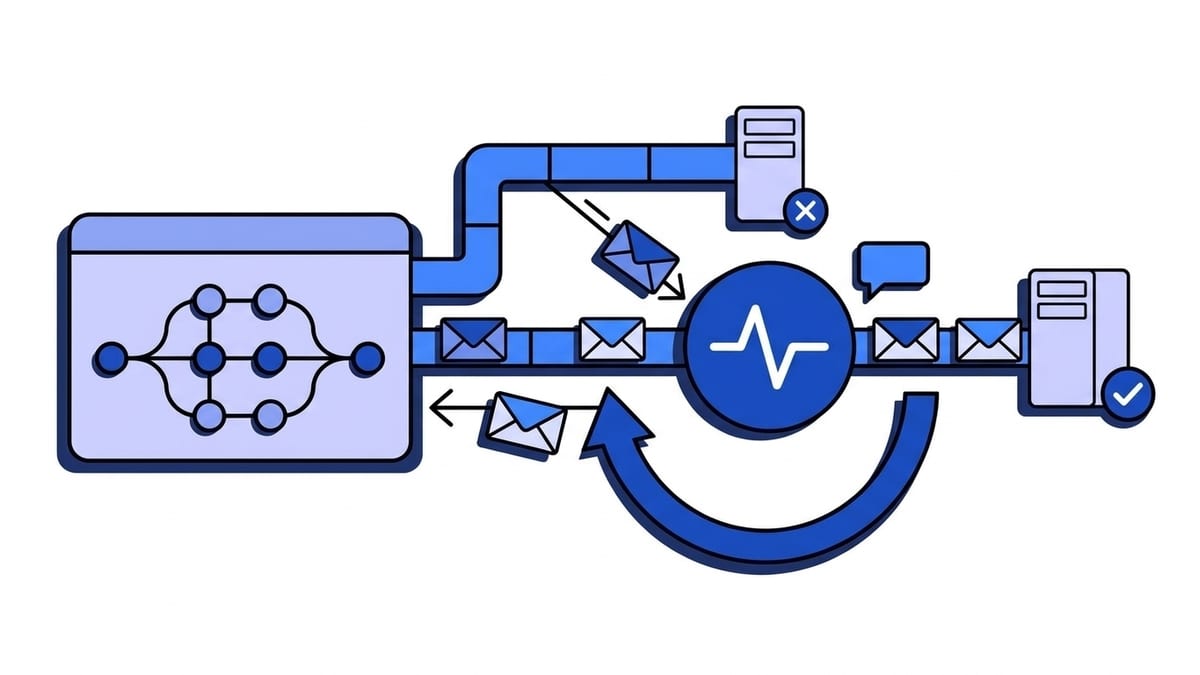
GitHub webhooks are HTTP POST requests that GitHub sends to a URL you configure when something happens in a repository, an organization or a GitHub App installation: a push, a pull request, a finished workflow run. Each delivery names its event in the X-GitHub-Event header, carries a unique X-GitHub-Delivery id, and is signed with your webhook secret in X-Hub-Signature-256. Your server has 10 seconds to answer with a 2xx. If it does not, GitHub records the delivery as failed and does not retry it. You can redeliver it by hand or through the REST API, but only for three days.
That last point separates GitHub from providers like Stripe, which retries for days. It also shapes the rest of this guide: the webhook types, what arrives in a delivery, which events to subscribe to, and how to build a receiver that does not lose events while it is down. Every GitHub fact links to its page on docs.github.com, checked on 21 September 2026. Signature verification has its own deep dive, so it only gets a summary here.
Repository, organization or GitHub App webhook: which one do you need?
GitHub documents several types of webhooks. Three of them cover almost every integration.
| Type | Scope | Who manages it | Limits |
|---|---|---|---|
| Repository webhook | Events in one repository | Repository owner or anyone with admin access | Up to 20 webhooks per event type |
| Organization webhook | Events in every repository of the organization, plus organization events such as a new member | Organization owner | Up to 20 webhooks per event type |
| GitHub App webhook | Events in the repositories and organizations the app has been granted access to | Configured in the app’s settings or through the REST API | One webhook per app, created by GitHub; it can be deactivated but not deleted |
For one project, start with a repository webhook. That covers a deploy trigger or a chat notification. An organization webhook saves you from adding the same webhook to fifty repositories. A GitHub App fits when other people install the integration, and the events it can subscribe to depend on the permissions it requests. GitHub Marketplace and GitHub Sponsors webhooks also exist and are out of scope here.
How do you create a GitHub webhook?
In the web interface
For a repository, the documented steps are: open Settings, click Webhooks in the sidebar, then Add webhook. Five fields in the form matter.
- Payload URL is the HTTPS URL that receives the POST. GitHub rejects
localhostand127.0.0.1. Do not put API keys in the URL; GitHub’s best practices warn against it and point to the secret instead. - Content type decides how the body is encoded.
application/jsondelivers the JSON payload as the request body.application/x-www-form-urlencodedsends the same JSON as a form parameter calledpayload. Pickapplication/jsonunless an old consumer forces the other. - Secret is a random string with high entropy, used as the HMAC key for the signature headers. The form treats it as optional. Your process should not.
- Under “Which events”, choose Let me select individual events.
- Active controls whether deliveries start right away.
Organization webhooks use the same form under the organization’s settings. A GitHub App has a Webhook URL and Webhook secret in its settings, and its event list lives under Permissions & events.
With the REST API
The same webhook through the REST API:
curl -L -X POST https://api.github.com/repos/OWNER/REPO/hooks \
  -H "Authorization: Bearer $GITHUB_TOKEN" \
  -H "Accept: application/vnd.github+json" \
  -d '{
    "name": "web",
    "active": true,
    "events": ["push", "pull_request"],
    "config": {
      "url": "https://example.com/webhooks/github",
      "content_type": "json",
      "secret": "'"$GITHUB_WEBHOOK_SECRET"'",
      "insecure_ssl": "0"
    }
  }'
Classic personal access tokens and OAuth app tokens need the write:repo_hook or repo scope. Organization webhooks use POST /orgs/{org}/hooks with the same body.
Two defaults in this endpoint catch people out. config.content_type defaults to form, not json, so a script that omits it gets form-encoded bodies and the JSON parser sees payload=%7B%22ref.... And events defaults to ["push"]. Set both explicitly, and leave insecure_ssl at 0 so GitHub keeps verifying your certificate.
What does a GitHub webhook delivery look like?
GitHub’s events and payloads reference gives this example request, shortened here:
POST /payload HTTP/1.1
X-GitHub-Delivery: 72d3162e-cc78-11e3-81ab-4c9367dc0958
X-Hub-Signature: sha1=7d38cdd689735b008b3c702edd92eea23791c5f6
X-Hub-Signature-256: sha256=d57c68ca6f92289e6987922ff26938930f6e66a2d161ef06abdf1859230aa23c
User-Agent: GitHub-Hookshot/044aadd
Content-Type: application/json
X-GitHub-Event: issues
X-GitHub-Hook-ID: 292430182
X-GitHub-Hook-Installation-Target-ID: 79929171
X-GitHub-Hook-Installation-Target-Type: repository

{"action": "opened", "issue": {"number": 1347}, "repository": {"full_name": "octocat/Hello-World"}, "sender": {"login": "octocat"}}| Header | What it carries | What you do with it |
|---|---|---|
X-GitHub-Event | The event name, such as push or pull_request | Route to the right handler |
X-GitHub-Delivery | A GUID that identifies the delivery | Deduplicate; it stays the same on a redelivery |
X-Hub-Signature-256 | HMAC-SHA256 of the request body, keyed with your secret, as sha256=<hex> | Verify before parsing |
X-Hub-Signature | The SHA-1 version, kept for old integrations | Ignore |
X-GitHub-Hook-ID | The id of the webhook that produced the delivery | Use it in REST API calls for deliveries and redelivery |
X-GitHub-Hook-Installation-Target-Type and -Target-ID | The kind of resource the webhook was created on, and its id | Tell repository, organization and app deliveries apart |
User-Agent | Always starts with GitHub-Hookshot/ | Useful in logs; easy to forge, so not a security check |
Both signature headers are only sent when the webhook has a secret.
The event name is in the header, not in the body. Most bodies have a top-level action key that narrows it down: a pull_request delivery can be opened, synchronize, closed and about twenty other actions. GitHub adds new events and actions over time, so check both, and make the default branch of your switch a no-op rather than an error.
Which GitHub webhook events should you subscribe to?
GitHub’s advice is to subscribe only to the events you need. “Send me everything” is convenient on day one, and then every label change and CI status lands on an endpoint built to handle pushes. These are the events most integrations use:
| Event | Fires when | Typical use |
|---|---|---|
push | Commits or tags are pushed, a branch or tag is deleted | Trigger deploys and builds, mirror repositories |
pull_request | A pull request is opened, closed, updated with new commits (synchronize), labelled, marked ready for review | Review bots, preview environments, merge tracking |
issues | An issue is opened, closed, edited, labelled, assigned | Sync with a tracker or a support tool |
issue_comment | A comment is created, edited or deleted on an issue or a pull request | Slash-command bots, notifications |
release | A release is created, published, edited or deleted | Publish packages, announce versions |
workflow_run | A GitHub Actions workflow run is requested, in progress or completed | CI dashboards, deploy after a green run |
check_run and check_suite | Activity on checks reported through the Checks API | Apps that report or react to CI results |
ping | A webhook is created | Confirms the configuration works |
installation | A GitHub App is installed, uninstalled, suspended or gets new permissions | Provision and clean up tenants in your app |
The reference hides a few details that are easy to miss. issue_comment covers comments on pull requests too, while review comments on a diff are a different event, pull_request_review_comment. Repository and organization webhooks only receive the created and completed actions of check_run, and only completed for check_suite; the other actions go to GitHub Apps with write access to checks. And installation exists for GitHub Apps only: every app receives it by default, and you cannot subscribe to it by hand.
What is the ping event?
Right after you create a webhook, GitHub sends a ping event to confirm the configuration works. Its payload has a zen string, the hook_id and the hook configuration. Verify it like any other delivery, answer 2xx, and do nothing else. POST /repos/{owner}/{repo}/hooks/{hook_id}/pings sends another one, which makes a quick smoke test after a firewall change.
How large can a GitHub webhook payload be?
Payloads are capped at 25 MB. If an event would produce a larger payload, GitHub does not deliver it at all. The push event has limits of its own:
- The
commitsarray holds at most 2,048 commits. For a bigger push, fetch the rest through the Commits API using thebeforeandafterSHAs. - No
pushevent is created for tags when more than three tags are pushed at once. - No events are created when more than 5,000 branches are pushed at once.
The tag limit is the one that bites. A release script that pushes four new tags with git push --tags produces no push webhook for them, and the deploy waiting for a tag never starts. Push release tags one at a time, or trigger on release.
How fast does your endpoint have to respond?
Within 10 seconds, with a 2xx. After that GitHub terminates the connection and marks the delivery as failed. GitHub’s own recommendation is to acknowledge the delivery and process the payload asynchronously from a queue.
Ten seconds stops being plenty when the handler clones a repository, calls the GitHub API and posts to a chat tool before it answers. Do the minimum inline: verify, store, respond.
The Recent deliveries tab of a webhook shows the request, the response and the error for each delivery. The troubleshooting guide maps the errors to causes:
| Error in Recent deliveries | What it means | Usual fix |
|---|---|---|
failed to connect to host | The hostname did not resolve, or a network rule blocked GitHub | Check DNS with nslookup; allow GitHub’s hook IP ranges |
failed to connect to network | Your server refused the connection | Check the firewall and that the service is listening |
timed out | No response within 10 seconds | Respond first, work later |
peer certificate cannot be authenticated | Self-signed certificate or incomplete chain | Serve the full chain; test with openssl s_client -connect HOST:443 |
invalid HTTP response | Your server answered 4xx or 5xx | Read your application log for that timestamp |
Deliveries are also not instant. GitHub says they can take a few minutes to arrive and to appear in the log.
Does GitHub retry failed webhook deliveries?
No. The documentation is direct about it: “GitHub does not automatically redeliver failed webhook deliveries, but you can handle failed deliveries manually or by writing code.” Say a deploy overlapped with a push, or a certificate expired overnight. Every delivery in that gap stays failed until someone acts.
Redelivering from the web interface
Open the webhook, go to Recent deliveries, click the GUID of the delivery, then Redeliver. For a GitHub App, the same list is under the app’s settings in Advanced. GitHub lets you redeliver deliveries from the past 3 days, and the delivery log itself only goes back 3 days. An outage that starts on Friday evening and gets noticed on Tuesday has already lost its first day.
Redelivering through the REST API
Clicking through a list does not scale. The REST API has the same two operations:
- List deliveries with
GET /repos/{owner}/{repo}/hooks/{hook_id}/deliveries - Redeliver one with
POST /repos/{owner}/{repo}/hooks/{hook_id}/deliveries/{delivery_id}/attempts
Organization webhooks have the same pair under /orgs/{org}/hooks/{hook_id}/deliveries, and a GitHub App uses /app/hook/deliveries. Each item in the list has an id, a guid (the X-GitHub-Delivery value), delivered_at, status, status_code, event, action and a redelivery flag. A redelivery shows up as a new item with the same guid, so a delivery needs another attempt only if no item with its guid has the status OK:
import os
from collections import defaultdict

import requests

DELIVERIES_URL = "https://api.github.com/repos/OWNER/REPO/hooks/HOOK_ID/deliveries"
REQUEST_HEADERS = {
    "Authorization": f"Bearer {os.environ['GITHUB_TOKEN']}",
    "Accept": "application/vnd.github+json",
}

response = requests.get(DELIVERIES_URL, headers=REQUEST_HEADERS, params={"per_page": 100}, timeout=10)
response.raise_for_status()

attempts_by_guid = defaultdict(list)
for delivery in response.json():
    attempts_by_guid[delivery["guid"]].append(delivery)

for guid, attempts in attempts_by_guid.items():
    if any(attempt["status"] == "OK" for attempt in attempts):
        continue
    redelivery = requests.post(f"{DELIVERIES_URL}/{attempts[0]['id']}/attempts", headers=REQUEST_HEADERS, timeout=10)
    print(guid, redelivery.status_code)
The redelivery endpoint answers 202 Accepted. This sketch reads one page; the list is paginated with a cursor taken from the Link header. GitHub publishes a complete version as a scheduled GitHub Actions workflow for repository, organization and GitHub App webhooks. It runs every six hours and remembers when it last ran. The built-in GITHUB_TOKEN cannot redeliver webhooks, so the workflow needs a personal access token with write access to repository webhooks, or a GitHub App’s credentials.
Either way, you now run your own retry system with a three-day window and a schedule set by cron. How a real retry schedule is built is in our piece on exponential backoff and jitter.
Are GitHub webhooks delivered in order, and only once?
Neither. GitHub states that it may deliver webhooks in a different order than the events happened, and tells you to use the timestamps inside the payload when the sequence matters. A pull_request closed can arrive before the synchronize that preceded it. Compare updated_at on the object with what you stored and ignore older states, or fetch the current state from the API. When strict sequencing is really needed, and what it costs, is covered in ordered webhook delivery.
Duplicates come from redelivery. A manual redeliver, the script above and any gateway in the path can hand you a delivery you already processed. GitHub keeps the X-GitHub-Delivery value identical on a redelivery, so use it as the idempotency key. Store it under a unique constraint and skip ids you have seen. It is also GitHub’s suggested defence against replayed requests, since the signature covers no timestamp. The storage side is in idempotency keys for webhook consumers, and the reasoning in at-least-once vs exactly-once delivery.
How do you verify the GitHub webhook secret?
GitHub computes an HMAC-SHA256 of the raw request body with your secret as the key and sends it as X-Hub-Signature-256: sha256=<hex>. You compute the same value over the exact bytes you received and compare the two in constant time. GitHub’s validation guide says never to use a plain ==, and reminds you to handle the payload as UTF-8, because payloads can contain Unicode.
Here is a receiver that verifies, deduplicates and answers before doing any work:
const crypto = require("crypto");
const express = require("express");
const { Pool } = require("pg");

const database = new Pool();
const app = express();

// Holds two comma-separated values only while a rotation is in progress.
const webhookSecrets = process.env.GITHUB_WEBHOOK_SECRETS.split(",");

function signatureMatches(rawBody, signatureHeader) {
  if (!signatureHeader) return false;
  const received = Buffer.from(signatureHeader);
  return webhookSecrets.some((secret) => {
    const digest = crypto.createHmac("sha256", secret).update(rawBody).digest("hex");
    const expected = Buffer.from(`sha256=${digest}`);
    return expected.length === received.length && crypto.timingSafeEqual(expected, received);
  });
}

app.post("/webhooks/github", express.raw({ type: "application/json" }), async (req, res) => {
  if (!signatureMatches(req.body, req.get("X-Hub-Signature-256"))) {
    return res.status(401).send("invalid signature");
  }

  // delivery_id is the primary key, so a redelivery inserts nothing.
  await database.query(
    `INSERT INTO github_deliveries (delivery_id, event_name, payload, status)
     VALUES ($1, $2, $3, 'pending')
     ON CONFLICT (delivery_id) DO NOTHING`,
    [req.get("X-GitHub-Delivery"), req.get("X-GitHub-Event"), req.body.toString("utf8")],
  );

  res.sendStatus(202);
});
express.raw() keeps the body as bytes. A global express.json() mounted before this route re-serializes the payload and the digest stops matching, the first of the six causes of a failed signature check. A worker then picks up pending rows, with FOR UPDATE SKIP LOCKED if several workers share the table, and dispatches on event_name and payload.action. The raw-body rules, the SHA-1 header and the common mistakes are in verifying GitHub webhook signatures.
How do you rotate a GitHub webhook secret?
A webhook’s configuration holds one secret. You change it by editing the webhook and clicking Update webhook, or with PATCH /repos/{owner}/{repo}/hooks/{hook_id}/config. GitHub’s documentation does not describe an overlap period in which both the old and the new secret sign deliveries, so the overlap has to live in your receiver:
- Deploy the receiver with both secrets accepted, as
webhookSecretsdoes above. - Update the secret on GitHub, send a ping and check that it verifies.
- Wait a few minutes for deliveries signed with the old secret, then deploy with only the new one.
Skip step 1 and every delivery until your next deploy fails with 401. GitHub will not retry any of them.
Should you allowlist GitHub’s IP addresses?
You can, as a second layer. GET /meta returns GitHub’s current IP ranges, and the hooks key lists the ones webhook deliveries come from:
curl -s https://api.github.com/meta | jq -r '.hooks[]'GitHub’s page about its IP addresses says the ranges change from time to time, that it does not recommend allowing by IP address, and that if you do, you should monitor the API regularly. In practice that means a scheduled job that refreshes the firewall rule from /meta, and an alert on failed to connect errors. The signature check remains the control that proves a request came from GitHub. The allowlist only cuts down noise from scanners.
How do you test GitHub webhooks locally?
GitHub will not deliver to localhost, so something public has to receive the delivery and pass it on. There are four ways to do that.
smee.io
GitHub’s own testing guide uses it. Start a channel on smee.io, use the channel URL as the payload URL, and run the client:
npm install --global smee-client
smee --url https://smee.io/YOUR_CHANNEL --path /webhooks/github --port 3000
Channels are not authenticated and smee.io says it is not for production, so keep it to test repositories.
GitHub CLI
The gh webhook extension creates a temporary webhook and forwards its deliveries:
gh extension install cli/gh-webhook
gh webhook forward --repo=OWNER/REPO --events=push,pull_request \
  --url=http://localhost:3000/webhooks/github
It works for repository and organization webhooks only, not for GitHub Apps. Only one person can forward for a given repository or organization at a time; the second gets Hook already exists.
A tunnel
ngrok, Cloudflare Tunnel and similar tools give your machine a public URL. Deliveries that arrive while the tunnel is closed fail, and since GitHub does not retry, you redeliver them by hand. Our comparison of ngrok alternatives for webhooks goes through the options.
A gateway with a CLI
The gateway’s URL stays registered in GitHub, deliveries are accepted and stored whether or not your laptop is awake, and a CLI forwards them to localhost while you work. Webhooker works this way.
Inspecting and faking deliveries
To just look at what GitHub sends, point a test webhook at our self-hosted webhook tester. To fire signed deliveries at a local handler without a repository, webhook-mock-sender computes X-Hub-Signature-256 and can send the same delivery id twice to exercise the dedupe path.
Test the failure path on purpose. Make the handler return 500, push a commit, confirm the delivery shows as failed, fix the handler and click Redeliver. The row in github_deliveries should appear once.
Putting a gateway in front of GitHub
We build Webhooker, so treat this section as a vendor describing its own product.
The weak spot in everything above is that a GitHub delivery only succeeds if your application is up and answers within 10 seconds at that moment, and nothing tries again. GitHub’s documentation points at the fix twice: a queue in front of your processing, and, for the 20-webhook limit, “a proxy that receives webhooks from GitHub and forwards them”. That is what a webhook gateway is.
With Webhooker you create a source, choose the GitHub verification preset and enter the webhook secret, then paste the source’s ingest URL (https://app.webhooker.eu/in/<token>) into GitHub’s Payload URL field with the content type set to application/json. The preset checks X-Hub-Signature-256 and ignores the SHA-1 header. A delivery with a bad signature gets 401, is kept for the audit trail and is never forwarded. A valid one is stored and acknowledged before delivery to your service starts, so GitHub’s 10-second clock no longer runs against your handler.
That adds the retry layer GitHub lacks. Delivery to each destination is retried six times over about five hours with exponential backoff, behind a per-destination circuit breaker. Events that exhaust their attempts wait in a dead-letter queue until you replay them, one at a time or in bulk. Payloads and delivery history are kept for 14 days on the free plan and 30 or 90 days on paid plans, against GitHub’s three. One source can fan out to several destinations, with filters on headers and body deciding which events each one gets, and every delivery carries a stable X-Webhooker-Event-Id to deduplicate on.
Two limits to know first. Webhooker accepts request bodies up to 1 MB, while GitHub allows up to 25 MB, so an unusually large push payload is rejected at ingest. And the dedupe check stays in your code, because retries and replays are at-least-once by design.
GitHub payloads carry usernames and the names and email addresses of commit authors, which makes them personal data under GDPR. Webhooker keeps ingest, storage and delivery inside the EU, and the free plan covers 10,000 events a month. To try it on one repository, create a free account and follow the quick start. GitHub allows several webhooks per repository, so you can add it next to your existing endpoint and compare.
Frequently asked questions
Does GitHub retry failed webhooks?
No. GitHub’s documentation states that it does not automatically redeliver failed webhook deliveries. A delivery fails if your server is unreachable, answers 4xx or 5xx, or takes longer than 10 seconds. You can redeliver it from the Recent deliveries tab or through the REST API, but only for deliveries from the past 3 days.
What is the GitHub webhook timeout?
10 seconds. Your server has to return a 2xx within 10 seconds of receiving the delivery, otherwise GitHub terminates the connection and records the delivery as failed with the error timed out. GitHub recommends responding first and processing the payload asynchronously from a queue.
What is a GitHub webhook secret and where do I set it?
It is a random, high-entropy string you enter in the Secret field when you create or edit a webhook, or pass as config.secret in the REST API. GitHub uses it as the key for an HMAC-SHA256 of the request body and sends the result in X-Hub-Signature-256. Your server recomputes the HMAC over the raw body and compares in constant time. The secret itself is never sent.
How do I test a GitHub webhook locally?
GitHub does not accept localhost as a payload URL, so use a forwarder: a smee.io channel with smee-client, the GitHub CLI extension (gh webhook forward --repo=OWNER/REPO --events=push --url=http://localhost:3000/webhooks/github), a tunnel such as ngrok or Cloudflare Tunnel, or a webhook gateway with a CLI. gh webhook forward does not support GitHub App webhooks.
What is the maximum GitHub webhook payload size?
25 MB. If an event would generate a larger payload, GitHub does not deliver it. The push event also lists at most 2,048 commits in its commits array, and no push event is created for tags when more than three tags are pushed at once.