 Webhooker
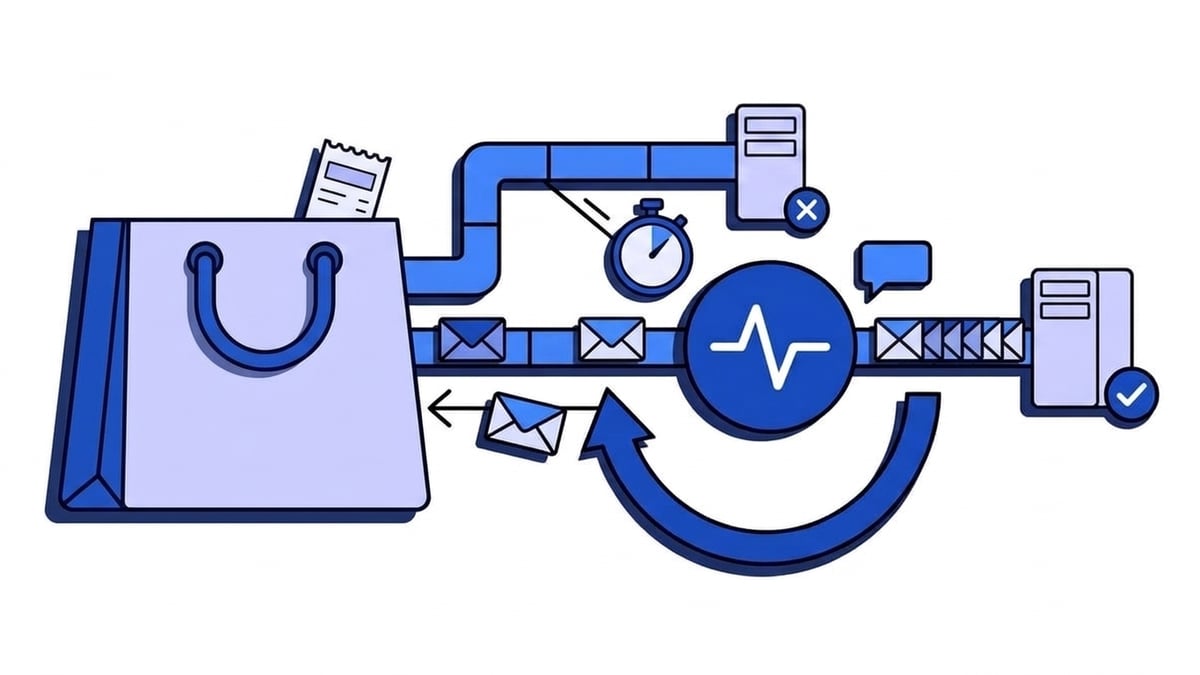
Shopify webhooks are HTTP POST requests that Shopify sends to your endpoint when something happens in a store: an order is created, a product changes, the app is uninstalled. Each delivery names its topic in X-Shopify-Topic, carries a unique X-Shopify-Webhook-Id, and is signed with a base64 HMAC in X-Shopify-Hmac-Sha256. Your endpoint gets one second to accept the connection and five seconds to answer with a 2xx. If it fails, Shopify retries up to eight times over four hours. If the failures keep going, Shopify removes the subscription.
That last part is what makes Shopify different from Stripe or GitHub. A long outage costs you more than a few events: the subscription itself disappears, and new orders stop arriving until someone notices. This guide covers how to subscribe, what a delivery contains, which topics are worth handling, and how to build a receiver that survives a bad afternoon. Every Shopify fact links to shopify.dev or the Shopify Help Center, checked on 26 September 2026. HMAC verification and the mandatory GDPR topics have their own article, so they get a summary here.
Admin, shopify.app.toml or GraphQL: how should you subscribe?
There are three ways to get webhooks out of Shopify, and they suit different people.
| Method | Who it’s for | Scope | Signed with |
|---|---|---|---|
| Shopify admin (Settings, Notifications, Webhooks) | A merchant wiring one store to a tool such as a spreadsheet, an ERP or Zapier | One store | A store-specific key shown in the admin |
App-specific subscription in shopify.app.toml | App developers; Shopify’s default recommendation | Every store that installs the app | The app’s client secret |
| Shop-specific subscription through the GraphQL Admin API | Apps whose topics, URLs or filters differ per store | One store per subscription | The app’s client secret |
Shopify’s guidance on choosing a subscription type is short: “Choose app-specific subscriptions unless your topics, delivery URIs, or filters need to vary between shops.” Most apps should follow it.
In the Shopify admin
The Help Center steps: go to Settings, then Notifications, click Webhooks, then Create webhook. Pick the event, the format (JSON or XML), the URL and the webhook API version, and save. Choose JSON unless something downstream only reads XML.
Shopify signs these webhooks with a key “unique to your store”, shown on the same page. It is a different secret from any app’s client secret, so a receiver that verifies admin-created webhooks needs that key. Each row has a Send test button that posts a sample payload to the URL.
One detail on that Help Center page is easy to skim past: if the destination “repeatedly returns a non-200 status response, then the webhook subscription is automatically deleted from your Shopify admin.” For a merchant, a URL that broke over the weekend means the webhook is gone on Monday.
In shopify.app.toml
App-specific subscriptions live in the app’s configuration file and are deployed with the Shopify CLI:
[webhooks]
api_version = "2026-07"

[[webhooks.subscriptions]]
topics = ["orders/create", "orders/updated", "app/uninstalled"]
uri = "https://example.com/webhooks/shopify"

[[webhooks.subscriptions]]
compliance_topics = ["customers/data_request", "customers/redact", "shop/redact"]
uri = "https://example.com/webhooks/shopify/compliance"
api_version decides the shape of every payload, and the X-Shopify-API-Version header on each delivery tells you which version was used. Bump it on purpose, together with the code that parses the payloads. App-specific subscriptions support every topic except three product feed topics (product_feeds/full_sync, product_feeds/full_sync_finish and product_feeds/incremental_sync), which need a shop-specific subscription.
With the GraphQL Admin API
Shop-specific subscriptions are created per store with the webhookSubscriptionCreate mutation:
mutation webhookSubscriptionCreate(
  $topic: WebhookSubscriptionTopic!
  $webhookSubscription: WebhookSubscriptionInput!
) {
  webhookSubscriptionCreate(topic: $topic, webhookSubscription: $webhookSubscription) {
    webhookSubscription { id topic uri }
    userErrors { field message }
  }
}
The topic is passed as a GraphQL enum, so orders/create becomes ORDERS_CREATE. Use this route when one merchant wants order webhooks and another doesn’t, or when the delivery URL depends on the store.
Besides HTTPS, Shopify can deliver to Google Pub/Sub or Amazon EventBridge. Both take the timeout problem off your hands, and both mean you are running a cloud queue.
What does a Shopify webhook delivery look like?
Here is an orders/create delivery, shortened. The header names come from Shopify’s delivery structure reference:
POST /webhooks/shopify HTTP/1.1
Content-Type: application/json
X-Shopify-Topic: orders/create
X-Shopify-Hmac-Sha256: XWmrwMey6OsLMeiZKwP4FppHH3cmAiiJJAweH5Jo4bM=
X-Shopify-Shop-Domain: example-store.myshopify.com
X-Shopify-API-Version: 2026-07
X-Shopify-Webhook-Id: b54557e4-bdd9-4b37-8a5f-bf7d70bcd043
X-Shopify-Event-Id: 98880550-7158-44d4-b7cd-2c97c8a091b5
X-Shopify-Triggered-At: 2026-09-26T09:14:02.713Z

{"id": 820982911946154508, "email": "jon@example.com", "financial_status": "paid", "total_price": "403.00", "currency": "EUR", "updated_at": "2026-09-26T11:14:01+02:00", "line_items": [...]}| Header | What it carries | What you do with it |
|---|---|---|
X-Shopify-Topic | The topic, such as orders/create | Route to the right handler |
X-Shopify-Hmac-Sha256 | Base64 HMAC-SHA256 of the raw body | Verify before parsing |
X-Shopify-Shop-Domain | The store’s myshopify.com domain | Find the tenant in a multi-store app |
X-Shopify-API-Version | The API version used to serialize the payload | Catch version drift in logs |
X-Shopify-Webhook-Id | A unique key per delivery | Deduplicate |
X-Shopify-Event-Id | An id shared by all deliveries caused by one merchant action | Correlate orders/create and orders/paid from the same checkout |
X-Shopify-Triggered-At | When Shopify triggered the delivery | Order events that arrive out of sequence |
X-Shopify-Name | An optional name you gave the subscription | Tell subscriptions apart in shared handlers |
The two id headers get mixed up all the time. X-Shopify-Webhook-Id identifies one delivery, and that’s the one you deduplicate on. X-Shopify-Event-Id stays the same across different topics fired by one action, so using it as a dedupe key would throw away the orders/paid that followed an orders/create.
Which Shopify webhook topics should you handle?
Shopify publishes the full list in its webhooks reference, and it is long. Most store integrations need a small subset of it:
| Topic | Fires when | Typical use |
|---|---|---|
orders/create | An order is placed | Push to an ERP, a warehouse or a spreadsheet |
orders/paid | An order’s payment is captured | Start fulfilment only once money has arrived |
orders/updated | Anything on an order changes | Keep a mirror in sync; noisy, so filter it |
orders/cancelled | An order is cancelled | Stop fulfilment, release stock |
refunds/create | A refund is issued | Accounting, restocking |
fulfillments/create | A fulfilment is created | Tracking emails, 3PL sync |
products/update | A product or its variants change | Sync catalogues and prices to other channels |
inventory_levels/update | Stock at a location changes | Keep marketplace stock counts accurate |
customers/create | A customer account is created | CRM and newsletter sync |
app/uninstalled | A store uninstalls your app | Stop jobs, revoke tokens, start the cleanup clock |
Public apps must also handle the three compliance topics: customers/data_request, customers/redact and shop/redact. They must answer 401 when the HMAC is invalid. shop/redact arrives 48 hours after an uninstall, and you have 30 days to act on a redaction. The details are in Shopify HMAC and GDPR topics.
orders/create fires when the order exists, not when it is paid. A payment method that settles later still creates the order right away. If “order means ship it” is baked into your handler, move that logic to orders/paid.
How do you filter Shopify webhooks and trim the payload?
A busy store fires orders/updated and products/update constantly. Shopify offers two ways to cut that down, both configured on the subscription (delivery filtering, payload modification):
[[webhooks.subscriptions]]
topics = ["products/update"]
uri = "https://example.com/webhooks/shopify/products"
filter = "variants.price:>=10.00"
include_fields = ["id", "variants.id", "variants.price", "updated_at"]
filter uses Shopify’s search syntax: field:value, comparisons such as >=, wildcards, AND and OR, and a leading - to negate. Nested fields use dots. Filters need API version 2024-07 or later.
There are three rules to know before you rely on them:
- Every field the filter mentions must also be in
include_fields, or it can’t be evaluated. - An invalid field reference doesn’t raise an error on delivery. It suppresses all deliveries for that subscription. Test a new filter against a real change before you trust the silence.
- When
include_fieldstrims a payload a lot, two updates can produce identical bodies, and Shopify may debounce them. Keep a field that always changes, such asupdated_at, in the list.
How fast does your endpoint have to answer?
Shopify has a one-second connection timeout and a five-second timeout for the entire request. Anything outside the 2xx range counts as a failure, and that includes redirects: a 301 from http to https, or from a trailing slash to none, fails every delivery.
Five seconds is shorter than it sounds. A handler that calls the Admin API to fetch the full order, writes to a remote warehouse system and posts to a chat channel before it responds will miss it on a slow day. Shopify’s own advice is to “delay processing until after you’ve sent a response”. In practice that means you verify, store and answer, then do the work from a queue.
What happens when deliveries fail?
According to the troubleshooting guide, Shopify retries a failed delivery up to eight times within four hours. If failures persist after that, the subscription is removed. For app subscriptions the store owner gets an email when a webhook fails. For admin-created webhooks the subscription is deleted after repeated non-200 responses.
Picture a Friday evening deploy that breaks the webhook route. Four hours later, Shopify stops retrying the orders from that evening. Keep failing and the subscription goes too, so Saturday’s orders never get sent at all. Recovery is on you. Shopify’s guide says to re-subscribe to the topics and import the missing data through the API.
Shopify treats a failure rate above 0.5% as higher than average, so put an alert well below the point where the subscription is at risk.
Are Shopify webhooks delivered once and in order?
Neither is guaranteed. Shopify says your app “might receive the same webhook more than once, for example after a network timeout or a retry”, and that it “doesn’t guarantee ordering within a topic, or across different topics for the same resource”.
For duplicates, store X-Shopify-Webhook-Id under a unique constraint and skip ids you have seen, answering 200 so Shopify stops retrying. For ordering, compare updated_at in the payload, or X-Shopify-Triggered-At, with what you last stored, and ignore anything older. An orders/updated from 11:14:05 that arrives after one from 11:14:09 should not roll the order back.
Shopify also says plainly that “webhook delivery isn’t always guaranteed”, and recommends a periodic reconciliation job. That job queries the Admin API for objects with updated_at after its last run and fixes whatever the webhooks missed. It’s boring, and it’s the only thing that catches an event Shopify never sent. The storage side of deduplication is in idempotency keys for webhook consumers, and the theory in at-least-once vs exactly-once delivery.
A receiver that verifies, deduplicates and answers fast
Shopify signs app webhooks with the app’s client secret: an HMAC-SHA256 over the raw body, base64-encoded. The encoding is the usual trap, because most HMAC examples online produce hex. Here is a minimal Express receiver:
const crypto = require("crypto");
const express = require("express");
const { Pool } = require("pg");

const database = new Pool();
const app = express();

// Two comma-separated secrets only while a client secret rotation is in progress.
const clientSecrets = process.env.SHOPIFY_CLIENT_SECRETS.split(",");

function hmacMatches(rawBody, hmacHeader) {
  if (!hmacHeader) return false;
  const received = Buffer.from(hmacHeader, "base64");
  return clientSecrets.some((secret) => {
    const expected = crypto.createHmac("sha256", secret).update(rawBody).digest();
    return expected.length === received.length && crypto.timingSafeEqual(expected, received);
  });
}

app.post("/webhooks/shopify", express.raw({ type: "*/*" }), async (req, res) => {
  if (!hmacMatches(req.body, req.get("X-Shopify-Hmac-Sha256"))) {
    return res.status(401).send("invalid hmac");
  }

  // webhook_id is the primary key, so a duplicate delivery inserts nothing.
  await database.query(
    `INSERT INTO shopify_deliveries (webhook_id, topic, shop_domain, triggered_at, payload, status)
     VALUES ($1, $2, $3, $4, $5, 'pending')
     ON CONFLICT (webhook_id) DO NOTHING`,
    [
      req.get("X-Shopify-Webhook-Id"),
      req.get("X-Shopify-Topic"),
      req.get("X-Shopify-Shop-Domain"),
      req.get("X-Shopify-Triggered-At"),
      req.body.toString("utf8"),
    ],
  );

  res.sendStatus(200);
});
express.raw() keeps the body as bytes. Shopify’s docs warn that a body parser such as express.json() running first breaks verification, since it re-serializes the payload. That is the most common of the six causes of a failed signature check. A worker then claims pending rows (with FOR UPDATE SKIP LOCKED if several workers share the table) and dispatches on topic.
The two-secret list is there for rotation. When you rotate an app’s client secret, Shopify says it “can take up to an hour” before deliveries are signed with the new one. Accept both for that hour, then drop the old one. If you accept only the new secret from the moment you rotate, every delivery in that hour fails with 401 and starts counting toward removal.
How do you test Shopify webhooks locally?
Shopify won’t deliver to localhost, so something public has to receive the webhook and pass it on. You have four options.
shopify app webhook trigger
The Shopify CLI can send a sample payload straight to your machine:
shopify app webhook trigger \
  --topic orders/create \
  --api-version 2026-07 \
  --address http://localhost:3000/webhooks/shopify \
  --client-secret "$SHOPIFY_CLIENT_SECRET"
With --client-secret, the request carries a valid X-Shopify-Hmac-Sha256, so your verification code runs for real. The limits are in the docs: the payload is always the same sample, failed triggers are never retried, and it can’t confirm that your actual subscriptions work. It checks the handler, not the setup.
Send test in the admin
For admin-created webhooks, Send test on the webhook row posts a sample to the configured URL. It needs a public URL.
A tunnel
shopify app dev opens a tunnel for app development, and ngrok or Cloudflare Tunnel do the same for any server. Deliveries that arrive while the tunnel is down fail, and they count toward the eight retries. Our comparison of ngrok alternatives for webhooks goes through the options.
A gateway with a CLI
The gateway’s URL stays registered with Shopify and accepts deliveries whether your laptop is on or not. A CLI forwards them to localhost while you work. Webhooker works this way.
To see what Shopify actually sends, point a test webhook at our webhook tester. To fire signed Shopify-style requests at a local handler without a store, webhook-mock-sender computes the base64 HMAC and can send the same delivery twice to exercise your dedupe path.
Then test the failure on purpose. Make the handler return 500, place a test order on a development store, watch the retries come in, fix the handler and check that the row in shopify_deliveries appears once.
Putting a gateway in front of Shopify
We build Webhooker, so read this section as a vendor describing its own product.
Everything above comes down to one weak point. Your endpoint has to answer within five seconds every time, and a long enough outage costs you the subscription as well as the events. A webhook gateway takes over that job. It answers Shopify at once and deals with your service on its own schedule.
With Webhooker you create a source, choose the Shopify verification preset and enter the app’s client secret (or the store’s key for admin-created webhooks). Then use the source’s ingest URL (https://app.webhooker.eu/in/<token>) as the uri in shopify.app.toml or in the admin form. The preset checks the base64 X-Shopify-Hmac-Sha256. A request that doesn’t match gets 401, is kept for the audit trail and is never forwarded. A valid one is stored and acknowledged before delivery to your service starts, so Shopify sees fast 200s even while your app is down, and the subscription is never at risk.
Delivery to your service then follows Webhooker’s own schedule: up to six attempts over about five hours with exponential backoff, behind a per-destination circuit breaker. Events that run out of attempts wait in a dead-letter queue until you replay them, one by one or in bulk. Payloads and delivery history are kept for 14 days on the free plan and 30 or 90 days on paid plans. One source can fan out to several destinations, and filters on headers and body decide which events each one gets, for example routing X-Shopify-Topic: orders/paid to fulfilment and products/update to a catalogue sync.
There are two limits to check first. Webhooker accepts request bodies up to 1 MB, so a store with very large orders should check its payload sizes before switching. And deduplication stays in your code, because retries and replays are at-least-once by design.
Shopify order payloads carry names, email addresses, phone numbers and shipping addresses, which makes them personal data under GDPR. Webhooker keeps ingest, storage and delivery inside the EU, and the free plan covers 10,000 events a month. To try it on a development store, create a free account, follow the Shopify tutorial, stop your own endpoint and place a test order. The event will sit in Webhooker until your service is back.
Frequently asked questions
How do I create a webhook in Shopify?
In the Shopify admin, go to Settings, then Notifications, click Webhooks, then Create webhook. Choose the event, JSON or XML, the URL and the API version, then save. Apps declare subscriptions in shopify.app.toml under [[webhooks.subscriptions]] with topics and uri, or create them per store with the GraphQL webhookSubscriptionCreate mutation.
Does Shopify retry failed webhooks?
Yes. Shopify retries a failed delivery up to eight times over four hours. A delivery fails if your endpoint doesn’t accept the connection within one second, doesn’t answer within five seconds, or answers with anything outside 2xx, including redirects. If failures persist, Shopify removes the subscription, and admin-created webhooks are deleted after repeated non-200 responses.
What is the Shopify webhook timeout?
One second to connect and five seconds for the whole request. Return 200 as soon as the HMAC is verified and the payload is stored, then process it asynchronously.
How do I stop duplicate Shopify webhooks?
Store the X-Shopify-Webhook-Id header under a unique constraint and skip deliveries whose id you have already seen, still answering 200. Don’t deduplicate on X-Shopify-Event-Id: it is shared by every delivery triggered by the same merchant action, across different topics.
How do I test Shopify webhooks locally?
Run shopify app webhook trigger --topic orders/create --api-version 2026-07 --address http://localhost:3000/webhooks/shopify --client-secret <secret> to send a signed sample payload to your machine. For real store events, expose your server through a tunnel or a webhook gateway with a CLI, since Shopify can’t deliver to localhost.