 Webhooker
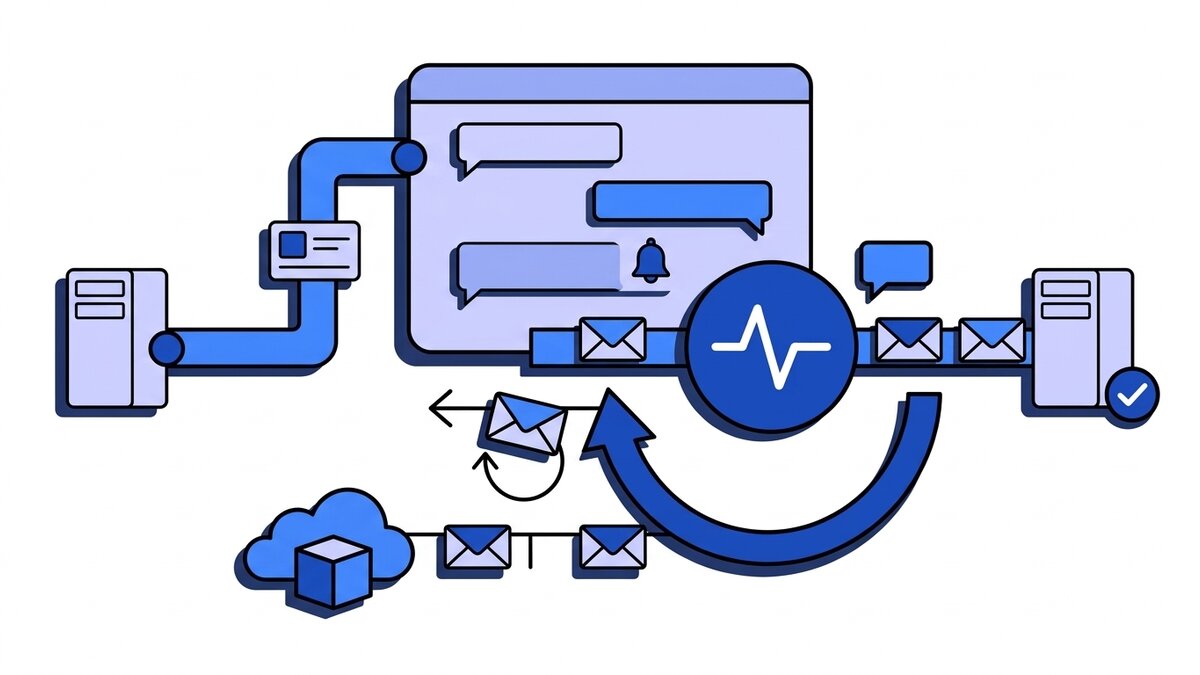
“Slack webhook” can mean two opposite things, and a lot of search results mix them up. An incoming webhook is a URL Slack gives you, of the form https://hooks.slack.com/services/T.../B.../.... You send a JSON POST to it and Slack posts the message in one channel. The Events API goes the other way: Slack sends an HTTP POST to a URL you run whenever something happens in a workspace, such as a new message, a reaction or a user joining a channel. Slack signs those requests with your app’s signing secret and expects a 2xx within 3 seconds.
This guide covers both directions. Sending comes first: creating the URL, the message format, the rate limit and the errors. Receiving comes second: the URL check, the envelope, retries, signature verification and local testing. Every Slack fact links to docs.slack.dev and was checked on 25 September 2026. If you only need the URL, the webhook URL guide shows where to find it next to Discord’s.
Incoming webhook, Events API or workflow trigger: which one do you need?
| What you want | Slack feature | Direction | Signed by |
|---|---|---|---|
| Post alerts or reports into a channel | Incoming webhook | You → Slack | Nobody; the URL is the credential |
| React to messages, reactions, joins, app mentions | Events API | Slack → you | Slack, with your signing secret |
| Handle button clicks and slash commands | Interactivity | Slack → you | Slack, with your signing secret |
| Start a Workflow Builder workflow from another tool | Workflow webhook trigger | You → Slack | Nobody; the URL is the credential |
| Receive channel messages matching a trigger word | Legacy outgoing webhook | Slack → you | A static token |
For notifications, use an incoming webhook. For a bot that listens, use the Events API. Slack describes outgoing webhooks as a legacy custom integration and strongly recommends against building on them; the Events API replaces them and also covers private channels and direct messages.
Workflow webhook triggers are the no-code option. They are available on paid plans only, their URLs start with https://hooks.slack.com/triggers/, they accept up to 20 variables of type text, channel ID, user ID or user email, and they do not accept nested JSON.
How do you create a Slack incoming webhook URL?
Slack’s documented steps are:
- Create a Slack app at api.slack.com/apps, or open an existing one.
- In the app’s settings, open Incoming Webhooks and switch Activate Incoming Webhooks on.
- Click Add New Webhook to Workspace, pick a channel and authorize.
- Copy the URL from the list. It looks like
https://hooks.slack.com/services/T00000000/B00000000/XXXXXXXXXXXXXXXXXXXXXXXX.
Each URL is tied to the one channel you picked during authorization. To post into three channels you add three webhooks. The message always appears under the app’s name and icon, because app webhooks cannot override the channel, username or icon. Some older tutorials show a channel field in the payload; it belonged to the legacy custom integration and does nothing here.
The URL is a secret. It carries its own credential, so anyone who has it can post into your channel. Slack says it actively searches for leaked webhook URLs and revokes them. Keep it in a secret manager or an environment variable, never in a repository or a client-side bundle.
How do you send a message to a Slack webhook?
POST JSON with Content-Type: application/json. The smallest valid payload has one field:
curl -X POST -H 'Content-Type: application/json' \
  --data '{"text": "Deploy of api v2.14.0 finished"}' \
  "$SLACK_WEBHOOK_URL"
Slack answers 200 with the plain-text body ok. For more structure, send Block Kit blocks and keep text as the fallback that notifications and screen readers use:
{
  "text": "Payment failed for order 8812",
  "blocks": [
    {
      "type": "section",
      "text": {
        "type": "mrkdwn",
        "text": "*Payment failed* for order <https://admin.example.com/orders/8812|#8812>\nCustomer: <@U024BE7LH>"
      }
    }
  ]
}
mrkdwn is Slack’s own markup, not Markdown: *bold*, _italic_, <url|label> for links, <@USER_ID> to mention a user and <!here> to notify the channel. Escape &, < and > as &, < and > in any text you did not write yourself, or a customer name with an angle bracket will break the formatting.
A message posted through an incoming webhook cannot be edited or deleted afterwards. If you need to update a status message in place (“deploy running” becoming “deploy finished”), post it with chat.postMessage and a bot token instead.
What are the Slack incoming webhook limits and errors?
Slack’s rate limit table gives incoming webhooks 1 message per second, with short bursts above that allowed. Past that, Slack returns 429 Too Many Requests with a Retry-After header holding the number of seconds to wait. An alert that fires once per failed job hits this limit within seconds of a bad deploy, and the alerts you lose are the ones about the incident.
Errors come back as a plain-text code in the body with a 400, 403 or 404 status:
| Error | What it means | What to do |
|---|---|---|
invalid_payload | The body is not valid JSON, or has the wrong shape | Check the Content-Type and the JSON you built |
no_text | The payload has no text | Always send text, even with blocks |
too_many_attachments | More than 100 attachments in one message | Split the message |
channel_not_found | The channel was deleted or the app lost access | Recreate the webhook |
channel_is_archived | The channel is archived | Unarchive it or pick another channel |
action_prohibited | An admin restricted posting to this channel | Ask a workspace admin |
posting_to_general_channel_denied | Only admins may post to #general | Use another channel |
invalid_token, no_service, no_active_hooks | The webhook was revoked, disabled or the app was uninstalled | Create a new URL |
team_disabled | The workspace is gone or disabled | Nothing to retry |
Two groups need different handling. 429 and 5xx are temporary, so retry them. Every 4xx above is permanent: retrying the same request gives the same answer, so log it and alert a human. A small sender that follows both rules:
import os
import random
import time

import requests

SLACK_WEBHOOK_URL = os.environ["SLACK_WEBHOOK_URL"]


def post_to_slack(message: dict, max_attempts: int = 5) -> None:
    for attempt_number in range(1, max_attempts + 1):
        response = requests.post(SLACK_WEBHOOK_URL, json=message, timeout=10)
        if response.status_code == 200:
            return
        if response.status_code == 429:
            wait_seconds = int(response.headers.get("Retry-After", "1"))
        elif response.status_code >= 500:
            wait_seconds = min(2 ** attempt_number, 60) + random.random()
        else:
            raise RuntimeError(f"Slack rejected the message: {response.status_code} {response.text}")
        time.sleep(wait_seconds)
    raise RuntimeError("Slack webhook still failing after retries")
In production, call it from a background job, not from the request that triggered the alert, so a slow Slack never slows your API. Why the jitter matters is covered in exponential backoff for webhooks.
How does the Slack Events API deliver events?
You enable Event Subscriptions in the app settings, enter a Request URL on your server and choose the events: message.channels, app_mention, reaction_added, member_joined_channel and so on. The app also needs the matching OAuth scopes, or the events never arrive.
The url_verification challenge
When you save the Request URL, Slack immediately sends a POST to it with a url_verification body:
{
  "token": "Jhj5dZrVaK7ZwHHjRyZWjbDl",
  "challenge": "3eZbrw1aBm2rZgRNFdxV2595E9CY3gmdALWMmHkvFXO7tYXAYM8P",
  "type": "url_verification"
}
Your endpoint has to answer 200 with the challenge value, as plain text, as challenge=... form data, or as {"challenge": "..."} JSON. Until it does, Slack will not save the URL. Unlike Meta’s GET handshake, this check arrives over POST and is signed like every other request, so verify it first.
The event_callback envelope
Every event after that arrives wrapped in an envelope:
{
  "type": "event_callback",
  "team_id": "T024BE7LD",
  "api_app_id": "A0KRD7HC3",
  "event": {
    "type": "app_mention",
    "user": "U024BE7LH",
    "text": "<@U0LAN0Z89> is the build green?",
    "channel": "C0LAN2Q65",
    "ts": "1727251200.000200"
  },
  "event_id": "Ev08MFMKH6",
  "event_time": 1727251200,
  "authorizations": [{ "team_id": "T024BE7LD", "user_id": "U0LAN0Z89", "is_bot": true }]
}
Route on event.type. event_id is globally unique across all workspaces, which makes it the key to deduplicate on. team_id tells you which workspace the event belongs to when the app is installed in more than one.
Delivery volume is capped at 30,000 events per workspace per app per 60 minutes. Above that, Slack sends an app_rate_limited event instead of the events you missed.
How fast does your Slack endpoint have to respond?
Within 3 seconds, with a 2xx. GitHub allows 10 seconds and HubSpot 5, so Slack has the shortest window of the providers we cover. The same 3 seconds apply to interactivity payloads such as button clicks, where a slow answer shows the user an error.
Three seconds is not enough to call an LLM, query a slow database or post back into Slack before answering. The only reliable pattern is to verify, store, answer and do the work afterwards. For interactions, Slack gives you a response_url that accepts up to 5 replies within 30 minutes, so the actual answer can come later. trigger_id, needed to open a modal, is the exception: it expires after 3 seconds and works once.
Does Slack retry failed events?
Yes, but not for long. A delivery fails if the connection or TLS handshake fails, the response takes more than 3 seconds, there are more than 2 redirects, or the status is not 2xx. Slack then retries three times: almost immediately, after 1 minute and after 5 minutes. Each retry carries two headers:
| Header | Values |
|---|---|
X-Slack-Retry-Num | 1, 2 or 3 |
X-Slack-Retry-Reason | http_timeout, too_many_redirects, connection_failed, ssl_error, http_error, unknown_error |
After the third retry the event is gone, about six minutes after it happened. A deploy that restarts your receiver for ten minutes loses every event from its first few minutes. Turning on Delayed Events under Event Subscriptions extends this with hourly retries for 24 hours. It costs nothing, and there is little reason to leave it off.
Slack also watches your failure rate. If more than 95% of delivery attempts fail within 60 minutes, it temporarily disables the app’s event subscriptions and emails the app owner. Apps that receive fewer than 1,000 events an hour are exempt. Once disabled, nothing arrives until someone re-enables the subscriptions in the app settings.
A common bug: the handler works for 4 seconds, returns 200, and then processes the same event a second time. Slack sent the first retry because the answer came too late. The fix is to answer fast and deduplicate on event_id, not to drop every request that has X-Slack-Retry-Num. If you are sure a retry is useless, return an error with X-Slack-No-Retry: 1 and Slack will stop.
Order is not guaranteed either. With retries in play, an event can arrive after one that happened later. Use event_time and the message ts when order matters; the trade-offs are in ordered webhook delivery.
How do you verify a Slack request signature?
Slack signs every Events API, interactivity and slash command request with your app’s signing secret, found under Basic Information. The verification steps are:
- Read
X-Slack-Request-Timestampand reject the request if it is more than five minutes from your clock. - Build the base string
v0:{timestamp}:{raw body}. - Compute HMAC-SHA256 of that string with the signing secret as the key, as hex.
- Prefix it with
v0=and compare it withX-Slack-Signaturein constant time.
The token field in payloads is the old verification token. Slack has replaced it with signing secrets, so ignore it.
A receiver in Node.js that verifies, answers the challenge, deduplicates and acknowledges before doing any work:
const crypto = require("crypto");
const express = require("express");
const { Pool } = require("pg");

const database = new Pool();
const app = express();
const signingSecret = process.env.SLACK_SIGNING_SECRET;
const maxClockSkewSeconds = 60 * 5;

function slackSignatureMatches(rawBody, timestampHeader, signatureHeader) {
  if (!timestampHeader || !signatureHeader) return false;
  const requestAge = Math.abs(Math.floor(Date.now() / 1000) - Number(timestampHeader));
  if (!Number.isFinite(requestAge) || requestAge > maxClockSkewSeconds) return false;

  const baseString = `v0:${timestampHeader}:${rawBody.toString("utf8")}`;
  const digest = crypto.createHmac("sha256", signingSecret).update(baseString).digest("hex");
  const expected = Buffer.from(`v0=${digest}`);
  const received = Buffer.from(signatureHeader);
  return expected.length === received.length && crypto.timingSafeEqual(expected, received);
}

app.post("/webhooks/slack/events", express.raw({ type: "application/json" }), async (req, res) => {
  const signatureIsValid = slackSignatureMatches(
    req.body,
    req.get("X-Slack-Request-Timestamp"),
    req.get("X-Slack-Signature"),
  );
  if (!signatureIsValid) return res.status(401).send("invalid signature");

  const payload = JSON.parse(req.body.toString("utf8"));
  if (payload.type === "url_verification") {
    return res.type("text/plain").send(payload.challenge);
  }

  // event_id is the primary key, so Slack's retries insert nothing.
  await database.query(
    `INSERT INTO slack_events (event_id, team_id, event_type, payload, status)
     VALUES ($1, $2, $3, $4, 'pending')
     ON CONFLICT (event_id) DO NOTHING`,
    [payload.event_id, payload.team_id, payload.event?.type, payload],
  );

  res.sendStatus(200);
});
express.raw() keeps the body as the exact bytes Slack signed. A global express.json() mounted in front of this route re-serializes the body and every signature check fails; that and five other causes are in why webhook signature verification fails. Interactivity and slash command requests arrive as application/x-www-form-urlencoded, and the signature covers that form body as received, so register a raw parser for that content type on those routes too.
The five-minute window is what stops a captured request from being replayed an hour later. How to size it, and why clock skew matters, is in webhook replay attacks and timestamp tolerance. The slack_events table with ON CONFLICT DO NOTHING is the idempotency pattern from idempotency keys for webhook consumers.
How do you rotate the Slack signing secret?
Click Regenerate next to the signing secret in Basic Information. Slack’s documentation does not describe a period in which both secrets are valid, so plan for requests signed with the old secret failing until your receiver has the new one. Deploy the new secret straight after regenerating, and turn on Delayed Events first so events rejected during the switch are retried.
HTTP Request URL or Socket Mode?
Slack offers a second way to receive events: Socket Mode, where your app opens a WebSocket to Slack instead of exposing a public URL. Slack’s comparison is clear about when to use each:
- Socket Mode suits local development and apps behind a firewall that cannot accept inbound connections.
- HTTP is the one Slack recommends for production reliability, it scales horizontally, and it is required for apps listed in the Slack Marketplace.
- Socket Mode allows at most 10 concurrent WebSocket connections per app.
The general trade-off between a pushed HTTP request and a held-open connection is in webhook vs WebSocket.
How do you test Slack webhooks locally?
For sending, create a webhook pointed at a private test channel and send it messages with the curl above. To see what a payload looks like before it reaches Slack, point your code at our self-hosted webhook tester, which shows the method, headers and body of every request.
Receiving is harder, because Slack needs a public HTTPS Request URL. Two options work:
- Socket Mode during development, which needs no public URL at all. Switch to HTTP before production.
- A tunnel such as ngrok or Cloudflare Tunnel, with the tunnel URL as the Request URL. The URL changes on restart with most free plans, and every change triggers a new
url_verification. Our comparison of ngrok alternatives for webhooks goes through the options.
Test the failure path on purpose. Make the handler sleep for 4 seconds, mention the app in a channel, and watch the same event_id arrive with X-Slack-Retry-Num: 1. The row in slack_events should appear once.
Where Webhooker fits
We build Webhooker, so treat this section as a vendor describing its own product.
Webhooker is a webhook gateway: it receives webhooks from providers, verifies and stores them, and delivers them to your services with retries. For Slack’s Events API it is not the right tool today. Webhooker has no Slack verification preset, and its generic HMAC option does not build Slack’s v0:{timestamp}:{body} base string, so it cannot check X-Slack-Signature. It also does not echo the url_verification challenge sent over POST, so Slack will not accept an ingest URL as a Request URL. Receive Slack events directly in your app, with the receiver above and Delayed Events turned on.
Where it helps is the other half of most Slack setups: the events that end up as Slack messages. A typical alert path is Stripe, GitHub or Shopify sending a webhook, your service handling it, and a message going to an incoming webhook. If that service is down when the provider sends, the event and the alert are both lost; GitHub, for one, does not retry at all. With Webhooker in front, the provider’s event is verified and stored first, then delivered to each destination with six retries over about five hours, and anything that still fails waits in a dead-letter queue for replay. One source can fan out to your main handler and a separate Slack notifier, with filters on headers and body deciding which events the notifier gets. Fan-out does not count as extra events on your bill.
Everything is stored and processed in the EU, which matters because alert payloads usually carry names and emails, and those are personal data under GDPR. The free plan covers 10,000 events a month; create an account and follow the quick start.
Frequently asked questions
What is a Slack webhook URL?
It is the address of a Slack incoming webhook, in the form https://hooks.slack.com/services/T.../B.../.... You send an HTTP POST with a JSON body such as {"text": "Hello"} to it, and Slack posts the message to the channel chosen when the webhook was created. The URL contains a secret, so anyone who has it can post to that channel.
How do I create a webhook in Slack?
Create an app at api.slack.com/apps, open Incoming Webhooks, switch Activate Incoming Webhooks on, click Add New Webhook to Workspace, pick a channel and authorize. The new URL appears in the list on the same page. Each webhook posts to one channel only.
What is the Slack webhook rate limit?
Incoming webhooks allow 1 message per second, with short bursts above that. Above the limit, Slack returns HTTP 429 with a Retry-After header that says how many seconds to wait. Events API deliveries to your server are capped at 30,000 per workspace per app per hour.
Does Slack retry failed Events API deliveries?
Yes, three times: almost immediately, after 1 minute and after 5 minutes. Each retry has X-Slack-Retry-Num and X-Slack-Retry-Reason headers. With Delayed Events enabled, Slack adds hourly retries for 24 hours. If more than 95% of deliveries fail within an hour, Slack disables the app’s event subscriptions until you re-enable them.
How do I verify that a request came from Slack?
Build the string v0:{X-Slack-Request-Timestamp}:{raw body}, compute its HMAC-SHA256 with your app’s signing secret, prefix the hex digest with v0= and compare it with X-Slack-Signature in constant time. Reject requests whose timestamp is more than five minutes old. The old verification token in the payload is deprecated.
Are Slack outgoing webhooks deprecated?
Outgoing webhooks are a legacy custom integration, and Slack strongly recommends not using them. The replacement is the Events API with a Slack app, which also receives events from private channels and direct messages.