 Webhooker
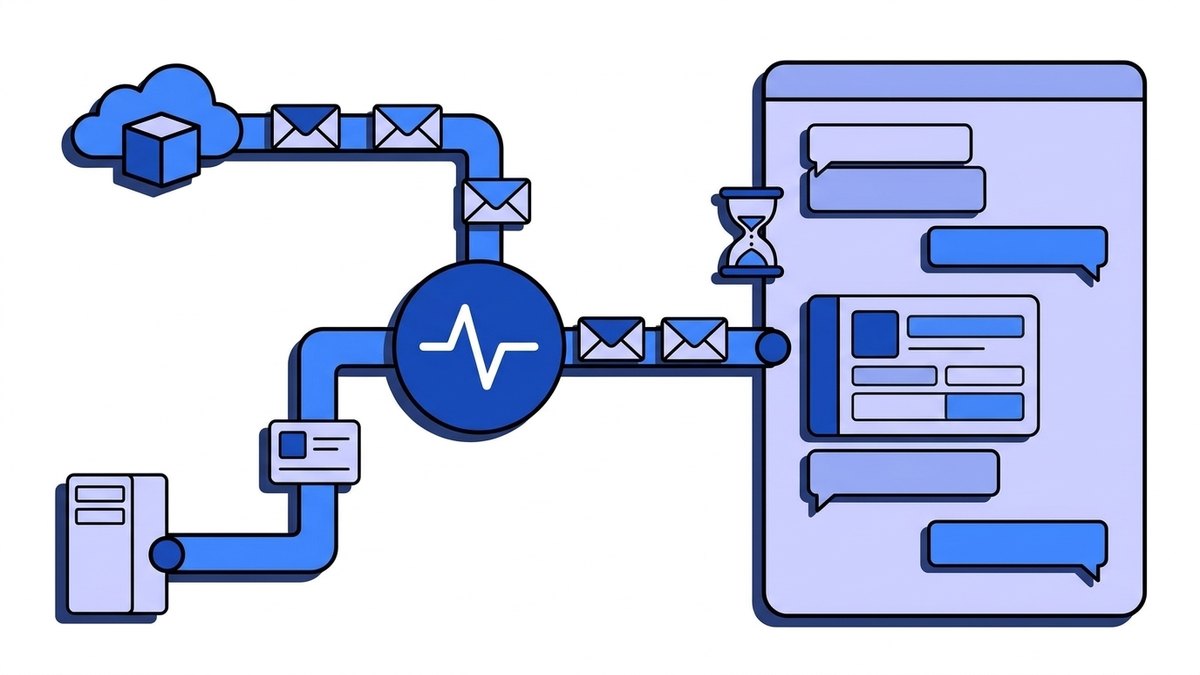
A Discord webhook is a URL that posts messages into one channel of a Discord server. It looks like https://discord.com/api/webhooks/{id}/{token}. You send an HTTP POST with a JSON body such as {"content": "Deploy finished"} and the message appears in the channel under the webhook’s name and avatar. There is no bot account and no login involved; the token in the URL is the only credential.
That is why so many alerts, deploy notices and game server logs end up in Discord through webhooks: one curl and you are done. The catch is in the details. The format has limits behind most of the 400 errors people hit, and careless retries on rate limits can get your server’s IP blocked from the Discord API. This guide covers creating the URL, the message and embed format, files and threads, editing messages, the GitHub-compatible endpoint, rate limits and errors. The last part covers the other direction: Discord’s own webhook events, which it sends to your server with an Ed25519 signature. Every Discord fact links to docs.discord.com and was checked on 30 September 2026.
Webhook, bot or webhook events: which one do you need?
| What you want | Discord feature | Direction | Credential |
|---|---|---|---|
| Post alerts, reports or deploy notices into a channel | Incoming webhook | You → Discord | The token in the URL |
| Forward GitHub or Slack-formatted payloads | GitHub- or Slack-compatible endpoint | You → Discord | The token in the URL |
| Read messages, react, answer commands | A bot on the Gateway | Both ways | Bot token |
| Handle slash commands and button clicks over HTTP | Interactions endpoint | Discord → you | Ed25519 signature |
| Know when a user authorizes your app or buys an entitlement | Webhook events | Discord → you | Ed25519 signature |
A webhook can only send. It cannot read the channel, see replies or react to anything. If your integration needs to listen, you need a bot or an app with an interactions endpoint. For one-way notifications a webhook is the simpler and safer choice, because a leaked webhook URL can post into one channel, while a leaked bot token gives access to every server the bot is in.
How do you create a Discord webhook and get its URL?
You need the Manage Webhooks permission in the channel. Then:
- Open the channel’s settings with Edit Channel, or open Server Settings.
- Go to Integrations, then Webhooks, and click New Webhook.
- Give it a name and an avatar, and pick the channel it posts to.
- Click Copy Webhook URL.
The URL has the form https://discord.com/api/webhooks/{webhook_id}/{webhook_token}. The ID is a numeric snowflake and the token is a long random string. Older integrations sometimes use discordapp.com, which still resolves, but new code should use discord.com.
A channel can have at most 15 webhooks; the 16th fails with error code 30007, “Maximum number of webhooks reached”. Each webhook posts into one channel. You can move it to another channel in the same settings screen without changing the URL.
Treat the URL like a password. Anyone who has it can post into the channel under any name and avatar, and can delete the webhook itself. Keep it in an environment variable or a secret manager, not in a Git repository, a client-side bundle or a game script that players can decompile. If it leaks, delete the webhook in Integrations and create a new one: Discord has no button to rotate the token in place.
To check that a URL is valid without posting anything, send a GET request to it. Discord answers with the webhook’s name, channel ID and server ID, and a 404 means the webhook was deleted.
curl "$DISCORD_WEBHOOK_URL"How do you send a message to a Discord webhook?
POST JSON with Content-Type: application/json. The smallest valid body has one field:
curl -X POST -H 'Content-Type: application/json' \
  --data '{"content": "Deploy of api v2.14.0 finished"}' \
  "$DISCORD_WEBHOOK_URL"
By default Discord answers 204 No Content with an empty body. Add ?wait=true to the URL and it answers 200 with the full message object, including the message id. You need that ID to edit or delete the message later, and it also confirms that the message was saved, not just accepted.
A body must contain at least one of content, embeds, components, a file or a poll. An empty body, or one with only username, fails with 50006, “Cannot send an empty message”. The fields you will use most:
| Field | What it does | Limit |
|---|---|---|
content | Plain message text, with Discord Markdown | 2000 characters |
username | Overrides the webhook’s name for this message | 1–80 characters; cannot contain “clyde” or “discord” |
avatar_url | Overrides the webhook’s avatar for this message | An image URL |
embeds | Rich cards with title, colour, fields and images | 10 per message |
allowed_mentions | Controls which mentions actually notify people | See below |
flags | 4 hides link previews, 4096 sends silently | Bitfield |
thread_name | Creates a new post in a forum or media channel | Forum and media channels only |
The username rule surprises people: a name like “Discord Alerts” fails with a 400, because Discord rejects any webhook name containing “discord”, in any capitalisation.
How do you send a Discord embed?
Embeds are the coloured cards most bots post. One message can hold up to 10:
{
  "username": "Deploy bot",
  "embeds": [
    {
      "title": "Deploy failed: api v2.14.0",
      "url": "https://ci.example.com/runs/4821",
      "description": "Migration `0042_add_invoices` timed out after 300 s.",
      "color": 15548997,
      "fields": [
        { "name": "Environment", "value": "production", "inline": true },
        { "name": "Commit", "value": "`9f3c2ab`", "inline": true }
      ],
      "footer": { "text": "CI run 4821" },
      "timestamp": "2026-09-30T09:14:00.000Z"
    }
  ]
}
Two fields trip people up. color is a decimal integer, not a hex string: #ED4245 (Discord’s red) is 15548997, #57F287 (green) is 5763719 and #5865F2 (blurple) is 5793266. Sending "#ED4245" gives a 400. timestamp must be an ISO 8601 string; Discord shows it in each reader’s local time zone.
Discord enforces limits on every part of an embed:
| Part | Limit |
|---|---|
title | 256 characters |
description | 4096 characters |
fields | 25 per embed |
Field name / value | 256 / 1024 characters |
footer.text | 2048 characters |
author.name | 256 characters |
| All embeds in one message together | 6000 characters |
The 6000-character total is the one that breaks in production. A stack trace or a list of failed jobs fits in testing and goes over the limit on a bad day. Truncate long values before you send them, and link to the full log instead of pasting it.
To design an embed without writing JSON by hand, our open-source Discord webhook tester runs a local form with a live preview of how the message will look, checks the limits before sending, and gives you the JSON or a curl command to paste into your code. It runs on your machine, so the webhook URL never reaches a third-party site.
How do you stop a webhook from pinging @everyone?
Set allowed_mentions. Without it, text such as @everyone or a role mention in content can notify the whole server. That is fine when you wrote the text yourself, and a problem when you include a customer name, a commit message or a form field that someone else controls.
{
  "content": "New signup: @everyone look, it's me",
  "allowed_mentions": { "parse": [] }
}
"parse": [] turns every mention into plain text. To allow some, list them: "parse": ["users"] notifies mentioned users but not roles or @everyone, and "roles": ["123456789012345678"] allows one specific role. Treat outside text the way you would in HTML. Sooner or later someone types @everyone into a signup form just to see what happens.
How do you send to a Discord webhook from Python or Node.js?
Python with requests:
import os

import requests

DISCORD_WEBHOOK_URL = os.environ["DISCORD_WEBHOOK_URL"]

message = {
    "content": "Nightly backup finished",
    "embeds": [{"title": "backup-2026-09-30.tar.zst", "description": "4.2 GB in 6 min", "color": 5763719}],
    "allowed_mentions": {"parse": []},
}

response = requests.post(DISCORD_WEBHOOK_URL, params={"wait": "true"}, json=message, timeout=10)
response.raise_for_status()
print("Posted message", response.json()["id"])
Node.js 18 or later, with the built-in fetch:
const webhookUrl = process.env.DISCORD_WEBHOOK_URL;

const response = await fetch(`${webhookUrl}?wait=true`, {
  method: "POST",
  headers: { "Content-Type": "application/json" },
  body: JSON.stringify({
    content: "Nightly backup finished",
    allowed_mentions: { parse: [] },
  }),
});

if (!response.ok) {
  throw new Error(`Discord rejected the message: ${response.status} ${await response.text()}`);
}
const postedMessage = await response.json();
console.log("Posted message", postedMessage.id);
Neither example retries yet. That comes in the rate limit section below.
How do you send files, thread replies and silent messages?
Files
Switch to multipart/form-data, put the files in files[0], files[1] and so on, and put the JSON in a form field called payload_json:
curl -X POST \
  -F 'payload_json={"content": "Weekly report attached"}' \
  -F 'files[0]=@report.csv' \
  "$DISCORD_WEBHOOK_URL"
Up to 10 files per message. The size cap depends on the server’s boost level, and a file that is too big fails with 40005, “Request entity too large”.
Threads and forum posts
Add ?thread_id={id} to the URL to post into an existing thread in the webhook’s channel. A webhook cannot open a thread in a normal text channel. In a forum or media channel it can: send thread_name in the body and Discord creates a new post with your message as its first entry. applied_tags sets the forum tags.
Silent messages
"flags": 4096 is SUPPRESS_NOTIFICATIONS. The message still appears and marks the channel unread, but nobody gets a push or desktop notification. It is useful for routine messages (“backup finished”) in a channel that also gets urgent ones.
Can you edit or delete a webhook message?
Yes, which is one advantage over Slack’s incoming webhooks. Send the original message with ?wait=true, keep the id from the response, then:
curl -X PATCH -H 'Content-Type: application/json' \
  --data '{"content": "Deploy of api v2.14.0 finished in 4 min 12 s"}' \
  "$DISCORD_WEBHOOK_URL/messages/$MESSAGE_ID"

curl -X DELETE "$DISCORD_WEBHOOK_URL/messages/$MESSAGE_ID"
The PATCH endpoint takes the same content, embeds, allowed_mentions and attachments as the original send. This fits status messages well: post “Deploy running” once, then edit the same message to “Deploy finished” or “Deploy failed” instead of posting three messages. A webhook can only edit or delete messages that it sent itself.
Can GitHub send webhooks straight to Discord?
Yes. Discord has a GitHub-compatible endpoint: append /github to the webhook URL and use that as the Payload URL in your repository’s webhook settings, with content type application/json.
https://discord.com/api/webhooks/{id}/{token}/githubDiscord turns GitHub’s payloads into formatted messages for pushes, pull requests, issues, releases, comments, stars, forks and about a dozen other event types. There is a /slack suffix too, which accepts payloads in Slack’s incoming webhook format, which helps when a tool only knows how to post to Slack.
Two things to know before relying on it. Discord does not check GitHub’s X-Hub-Signature-256, because it does not know your secret, so the URL itself is still the only protection. And GitHub does not retry failed deliveries: if Discord answers 429 or is briefly down, that notification is gone. For a notification in a team channel that is usually acceptable. For anything you would miss, send GitHub’s events to your own receiver first.
What are Discord’s webhook rate limits?
Discord does not publish a fixed number for webhooks. Instead, every response carries rate limit headers, and your code is expected to read them:
| Header | Meaning |
|---|---|
X-RateLimit-Limit | Requests allowed in the current window |
X-RateLimit-Remaining | Requests left in the window |
X-RateLimit-Reset-After | Seconds until the window resets, as a decimal |
X-RateLimit-Bucket | ID of the limit this request counted against |
X-RateLimit-Scope | user, global or shared on a 429 |
Limits apply per webhook, and the numbers can change without notice, which is why Discord asks you not to hard-code them. When you exceed a limit, Discord answers 429 Too Many Requests with a JSON body:
{ "message": "You are being rate limited.", "retry_after": 1.337, "global": false }retry_after is in seconds, as a decimal, so round it up rather than down.
The rule that matters more is the invalid request limit. An IP address that makes 10,000 requests ending in 401, 403 or 429 within 10 minutes is temporarily blocked from the whole Discord API. A 429 with X-RateLimit-Scope: shared does not count. A script that retries in a tight loop on 429, or keeps posting with a wrong token, can hit this limit and take down every other Discord integration on the same server or egress IP. Waiting for retry_after and stopping on 401 keeps you well clear of it.
What do Discord webhook errors mean?
Errors come back as JSON with a numeric code, a message and, for validation errors, an errors object that points to the field:
{
  "code": 50035,
  "message": "Invalid Form Body",
  "errors": {
    "embeds": { "0": { "title": { "_errors": [{ "code": "BASE_TYPE_MAX_LENGTH", "message": "Must be 256 or fewer in length." }] } } }
  }
}
The ones you will actually see:
| Status | Code | Message | Usual cause |
|---|---|---|---|
400 | 50006 | Cannot send an empty message | No content, embeds, file, components or poll |
400 | 50035 | Invalid Form Body | Over a length limit, color as a string, a banned username, wrong Content-Type |
400 | 50109 | The request body contains invalid JSON | Broken JSON, often from string concatenation |
401 | 50027 | Invalid webhook token provided | The token part of the URL is wrong or truncated |
404 | 10015 | Unknown Webhook | The webhook was deleted, or the ID is wrong |
413 | 40005 | Request entity too large | A file above the server’s upload limit |
429 | — | You are being rate limited | Too many messages; wait retry_after seconds |
The errors path embeds.0.title means “the title of the first embed”. Reading that path is the fastest way to find the field Discord rejected.
Handle the errors in two groups. 429 and 5xx are temporary, so retry them. 400, 401 and 404 are permanent: the same request gets the same answer, so log it and tell a human. A sender that follows both rules:
import math
import os
import random
import time

import requests

DISCORD_WEBHOOK_URL = os.environ["DISCORD_WEBHOOK_URL"]


def post_to_discord(message: dict, max_attempts: int = 5) -> dict:
    for attempt_number in range(1, max_attempts + 1):
        response = requests.post(DISCORD_WEBHOOK_URL, params={"wait": "true"}, json=message, timeout=10)
        if response.ok:
            return response.json()
        if response.status_code == 429:
            wait_seconds = math.ceil(response.json().get("retry_after", 1))
        elif response.status_code >= 500:
            wait_seconds = min(2 ** attempt_number, 60) + random.random()
        else:
            raise RuntimeError(f"Discord rejected the message: {response.status_code} {response.text}")
        time.sleep(wait_seconds)
    raise RuntimeError("Discord webhook still failing after retries")
Run it from a background job rather than inside the request that caused the alert, so a slow Discord never slows your API. Why the random jitter matters is explained in exponential backoff for webhooks.
How do you receive webhooks from Discord?
Everything so far sends to Discord. Discord also sends webhooks to you, in two forms, and both are signed with Ed25519 rather than HMAC.
Webhook events tell your app about things that happen outside a server: a user authorizing or deauthorizing the app (APPLICATION_AUTHORIZED, APPLICATION_DEAUTHORIZED), entitlements being created, updated or deleted, quest enrolments, and lobby and game direct messages for the Social SDK. You set the URL in the Developer Portal under your app’s Webhooks page and choose the event types. Per Discord’s documentation:
- Discord first sends a PING, a POST with
"type": 0. Your endpoint must answer204with an empty body. - Real events arrive with
"type": 1and aneventobject holdingtype,timestampanddata. - You must answer
204within 3 seconds. - Failed deliveries are retried with exponential backoff for up to 10 minutes. If they keep failing, Discord disables webhook events for the app and emails you.
- Events are not guaranteed to arrive in order.
The interactions endpoint receives slash commands, button clicks and modal submissions over HTTP instead of the Gateway. Its PING is "type": 1 and expects {"type": 1} back, and the answer to a real interaction is the reply itself, also within 3 seconds.
Both are signed the same way. Each request has X-Signature-Ed25519 and X-Signature-Timestamp headers; the signature covers the timestamp followed by the raw body, and you check it against your app’s public key from the Developer Portal. Discord deliberately sends requests with bad signatures to check that you reject them with 401, and removes endpoints that don’t. A receiver for webhook events in Node.js, using tweetnacl:
const express = require("express");
const nacl = require("tweetnacl");

const app = express();
const discordPublicKey = Buffer.from(process.env.DISCORD_PUBLIC_KEY, "hex");

function discordSignatureMatches(rawBody, signatureHeader, timestampHeader) {
  if (!signatureHeader || !timestampHeader) return false;
  const signedMessage = Buffer.concat([Buffer.from(timestampHeader), rawBody]);
  return nacl.sign.detached.verify(signedMessage, Buffer.from(signatureHeader, "hex"), discordPublicKey);
}

app.post("/webhooks/discord/events", express.raw({ type: "application/json" }), async (req, res) => {
  const signatureIsValid = discordSignatureMatches(
    req.body,
    req.get("X-Signature-Ed25519"),
    req.get("X-Signature-Timestamp"),
  );
  if (!signatureIsValid) return res.status(401).send("invalid signature");

  const payload = JSON.parse(req.body.toString("utf8"));
  if (payload.type === 1) {
    await saveForProcessing(payload.event);
  }
  res.sendStatus(204);
});
express.raw() keeps the exact bytes Discord signed. A global express.json() in front of this route re-serializes the body and every check fails; that is the most common of the causes listed in why webhook signature verification fails. saveForProcessing stands for whatever durable queue you use: write the event and answer, then do the work in the background, because 3 seconds is not enough for anything slow. The timestamp is part of the signed message but Discord does not document a tolerance window, so if you add one, keep it generous; the trade-offs are in webhook replay attacks and timestamp tolerance.
How do you test Discord webhooks?
For sending, create a private test channel with its own webhook, so experiments never land in the channel your team watches. Then:
- Use the Discord webhook tester to confirm the URL works and to build embeds with a preview. Its
--dry-runoption validates a message against Discord’s limits without posting it, which also works as a CI step. - Point your code at our online webhook tester instead of Discord to see the exact method, headers and JSON body you are sending, before a malformed payload costs you a
400. - Test the failure path on purpose: send an embed with a 300-character title and check that your code logs the
50035error instead of retrying it.
For receiving webhook events or interactions, Discord needs a public HTTPS URL. During development use a tunnel such as ngrok or Cloudflare Tunnel and paste the tunnel URL into the Developer Portal; the PING and the deliberately invalid signatures arrive as soon as you save. Our comparison of ngrok alternatives for webhooks goes through the options.
Where Webhooker fits
We build Webhooker, so read this section as a vendor describing its own product.
Webhooker is a webhook gateway: it receives webhooks from providers, verifies and stores them, and delivers them to your services with retries. It is not the right tool for receiving Discord’s own webhook events or interactions today. It verifies Stripe signatures and generic HMAC signatures, not Ed25519, so it cannot check X-Signature-Ed25519, and Discord removes endpoints that fail its signature checks. Receive those directly in your app, with the receiver above.
Where it helps is the sending side, when the messages in your Discord channel start as webhooks from another service. You add the Discord webhook URL as a destination on a source, and Webhooker delivers each matching event to it.
A raw Stripe or Shopify payload has no content field, so Discord would reject it with 50006. A transformation merges one in, for example {"content": "New event from {{source.name}}, id {{event.id}}"}, and Discord ignores the provider’s other fields. Filters on headers and body keep the channel down to what people should actually look at, such as invoice.payment_failed and disputes, instead of every event the provider sends.
A 429 or 5xx from Discord is retried six times over about five hours, and anything that still fails waits in a dead-letter queue for replay. So a burst that runs into Discord’s rate limit delays the message rather than losing it. The same source can deliver to your main handler and to Discord at once, and that fan-out does not count as extra events on your bill.
The message templates are simple for now. The placeholders are the event ID, the source name and the timestamp, so a per-event summary such as “Invoice 8812 failed for €49” still needs a small service of your own. The Discord tutorial in the docs walks through the setup. Everything is stored and processed in the EU, which matters because payment and signup payloads carry names and emails, and those are personal data under GDPR. The free plan covers 10,000 events a month; create an account and follow the quick start.
Frequently asked questions
What is a Discord webhook?
It is a URL that posts messages into one Discord channel, in the form https://discord.com/api/webhooks/{id}/{token}. Any program can send an HTTP POST with a JSON body such as {"content": "Hello"} to it, and the message appears in the channel under the webhook’s name and avatar. A webhook can only send; it cannot read messages or respond to users.
How do I make a Discord webhook?
You need the Manage Webhooks permission. Open Edit Channel or Server Settings, go to Integrations, then Webhooks, click New Webhook, pick the channel and click Copy Webhook URL. A channel can have up to 15 webhooks.
Are Discord webhooks free?
Yes. Creating and using webhooks costs nothing and does not need Nitro or a server boost. The limits are technical: 2000 characters of content, 10 embeds per message, rate limits per webhook, and a file size cap that depends on the server’s boost level.
Why does my Discord webhook return 400?
Usually the body breaks a rule: no content, embeds or file (50006), a value over a length limit, color sent as a hex string instead of an integer, or a username that contains “discord” (50035). The errors object in the response names the exact field, for example embeds.0.title.
Why does my Discord webhook return 404?
Error 10015, “Unknown Webhook”, means the webhook was deleted in the channel settings, or the ID in the URL is wrong. Create a new webhook and update the URL wherever it is stored. Retrying the old URL will not help.
Can Discord webhooks be used maliciously?
Yes, in two common ways. A leaked URL lets anyone spam the channel or delete the webhook, which is why “webhook spammer” scripts exist. Malware such as token grabbers also uses a Discord webhook URL as a free drop box for stolen data. If a URL leaks, delete the webhook; if you find one hard-coded in software you downloaded, treat the software as hostile.
Can a Discord webhook send to several channels?
No. Each webhook posts into one channel, although it can reach threads in that channel with ?thread_id=. To post into three channels, create three webhooks. If one event should reach several channels, send it to all three URLs, or put a gateway in front that fans out to each.
Can I edit a message sent by a Discord webhook?
Yes. Send the message with ?wait=true to get its id, then send a PATCH to {webhook URL}/messages/{id} with the new content. DELETE on the same path removes it. A webhook can only change messages it sent.














