 Webhooker
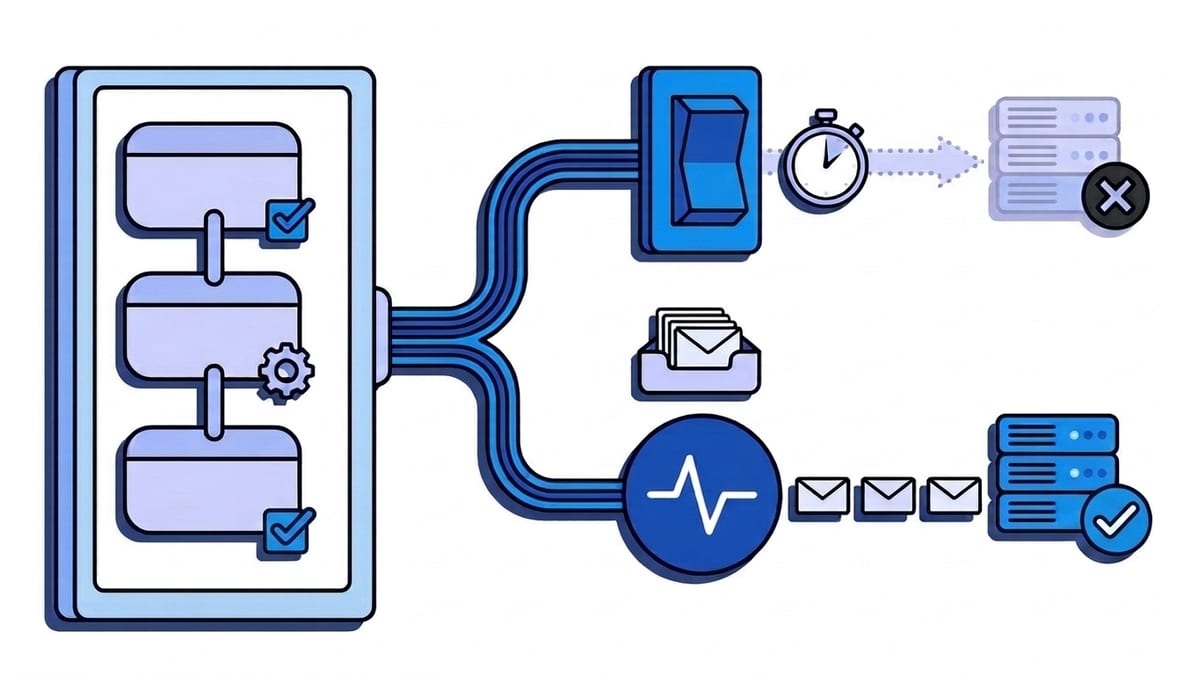
GitLab webhooks are HTTP POST requests that GitLab sends to a URL you configure when something happens in a project or group: a push, a merge request, a comment, a finished pipeline or job. Each request names its event in the X-Gitlab-Event header (for example Push Hook), repeats it in the body as object_kind, and proves where it came from with either a plain secret in X-Gitlab-Token or an HMAC signature in webhook-signature. Your server has 10 seconds on GitLab.com to answer with a 2xx. Four failures in a row and GitLab temporarily disables the webhook; forty in a row and it stays disabled until someone fixes it.
That last rule is what makes GitLab different from GitHub, which never retries, and from Stripe, which retries for days. A GitLab endpoint that returns 500 for an afternoon does not just miss events, it gets switched off. This guide covers the webhook types, how to create one in the UI and through the API, what arrives in a delivery, which events to subscribe to, how to verify a request, and how to build a receiver that GitLab never has a reason to disable. Every GitLab fact links to docs.gitlab.com, checked on 23 October 2026 (the docs at that point describe GitLab 19.6). If you also receive webhooks from GitHub, Bitbucket or Gitea, the Git webhooks comparison puts all four side by side, and the GitHub webhooks guide is the GitHub version of this page.
Project, group or system hook: which one do you need?
GitLab has three kinds of webhooks, and the tier matters for one of them.
| Type | Scope | Who can create it | Tier | Limit on GitLab.com |
|---|---|---|---|---|
| Project webhook | Events in one project | Maintainer or Owner of the project | Free, Premium, Ultimate | 100 per project |
| Group webhook | Events in every project of the group and its subgroups, plus group-only events (members, projects, subgroups) | Owner of the group | Premium, Ultimate | 50 per group |
| System hook | Instance-wide events such as new users and projects | Instance administrator | Self-Managed and Dedicated only | Not applicable |
The limits are listed under GitLab.com settings; subgroup webhooks do not count toward the parent group’s 50. On Self-Managed the same defaults apply and administrators can change them through the project_hooks and group_hooks instance limits.
For one service, start with a project webhook. Use a group webhook when the same receiver should hear from many projects, and remember that if a project and its group both have a webhook for the same URL, both fire, so the receiver sees the event twice. System hooks arrive with X-Gitlab-Event: System Hook and are a separate topic.
How do you create a GitLab webhook?
In the web interface
The documented steps: select Search or go to and find your project or group, then in the left sidebar select Settings > Webhooks > Add new webhook. The fields that matter:
- URL is the endpoint that receives the POST. Percent-encode special characters. If the URL carries anything sensitive, use Add URL masking so that part is hidden in the UI and logs and encrypted at rest.
- Name and Description are optional labels. Fill them in; the webhook list gets hard to read without them.
- Signing token: select Generate signing token. GitLab shows it once, so copy it then. With a signing token, every request carries an HMAC signature.
- Secret token is the older option: GitLab sends the value you type, unchanged, in a header. The docs now mark it as not recommended for new webhooks. Both can be set at once, which is how you migrate.
- Trigger is the list of events. Tick only what the receiver handles. For push events you can limit branches with a wildcard pattern (
main,production/*,*-stable), a regular expression in RE2 syntax, or all branches. - Enable SSL verification should stay on unless your endpoint uses a certificate you cannot fix.
Two optional features sit on the same form. Custom headers, up to 20, are useful when the receiver expects an API key in its own header; they cannot override GitLab’s delivery headers and their values are masked in the logs. A custom webhook template replaces the body with your own JSON built from {{field}} placeholders such as {{project.name}}, which helps when the receiver is a third-party API that expects a fixed shape. Templates cannot reach into arrays, so the list of commits is out of reach.
With the REST API
The same project webhook through the Project webhooks API. Only url is required; everything else defaults to off:
curl --request POST \
  --header "PRIVATE-TOKEN: $GITLAB_TOKEN" \
  --header "Content-Type: application/json" \
  --data '{
    "url": "https://example.com/hooks/gitlab",
    "name": "deploy-service",
    "push_events": true,
    "push_events_branch_filter": "main",
    "branch_filter_strategy": "wildcard",
    "merge_requests_events": true,
    "pipeline_events": true,
    "signing_token": "whsec_<base64 of 32 random bytes>",
    "enable_ssl_verification": true
  }' \
  "https://gitlab.com/api/v4/projects/<project-id>/hooks"
A few details from the API reference that bite in automation:
signing_tokenmust bewhsec_followed by the base64 encoding of a 32-byte key. Generate one withecho "whsec_$(openssl rand -base64 32)". The API never returns it, nor the secrettoken, so store them before you send the request.branch_filter_strategyiswildcard(the default),regexorall_branches.- Event flags follow the pattern
*_events:tag_push_events,issues_events,confidential_issues_events,note_events,confidential_note_events,job_events,pipeline_events,wiki_page_events,deployment_events,releases_events,milestone_events,feature_flag_events, and the two token-expiry events. - Changing the URL with
PUTresets the secret token, so send it again in the same request. - Since GitLab 19.6, adding a project webhook through the API is rate limited to 5 requests per minute per user per project. A script that registers dozens of hooks in one project needs to pause.
Group webhooks use the same parameters under /groups/:id/hooks, documented in the Group webhooks API.
What does a GitLab webhook delivery look like?
A merge request being opened, as it arrives at your endpoint with both a signing token and a secret token configured:
POST /hooks/gitlab HTTP/1.1
Host: example.com
Content-Type: application/json
User-Agent: GitLab/19.6.0
X-Gitlab-Event: Merge Request Hook
X-Gitlab-Instance: https://gitlab.com
X-Gitlab-Webhook-UUID: 2b7f6c1e-8a43-4f0b-9b6e-3d1c2a9e7f10
X-Gitlab-Event-UUID: 13792a34-cac6-4fda-95a8-c58e00a3954e
Idempotency-Key: f5e5f430-f57b-4e6e-9fac-d9128cd7232f
webhook-id: f5e5f430-f57b-4e6e-9fac-d9128cd7232f
webhook-timestamp: 1792745400
webhook-signature: v1,K5oZfzN95Z9UVu1EsfQmfVNQhnkZ2pj9o9NDN/H/pI4=
X-Gitlab-Token: my-legacy-secret

{
  "object_kind": "merge_request",
  "event_type": "merge_request",
  "user": { "id": 1, "username": "jdoe", "name": "Jane Doe" },
  "project": { "id": 15, "path_with_namespace": "acme/api", "default_branch": "main" },
  "object_attributes": {
    "iid": 42,
    "action": "open",
    "state": "opened",
    "source_branch": "feature/rate-limits",
    "target_branch": "main",
    "title": "Add rate limits"
  },
  "changes": {}
}
The body is trimmed; the real one has dozens more fields. The delivery headers each have a job:
| Header | What it carries | Use it for |
|---|---|---|
X-Gitlab-Event | The event as <Name> Hook, for example Push Hook | Routing |
X-Gitlab-Token | Your secret token in plain text, only if one is set | Legacy authentication |
X-Gitlab-Instance | The sending instance, for example https://gitlab.com | Telling instances apart when one receiver serves several |
X-Gitlab-Webhook-UUID | One id per webhook configuration | Knowing which hook sent it |
X-Gitlab-Event-UUID | One id per event; recursive webhooks share it | Tracing |
webhook-id | Message id, the same across retries and resends. Equal to Idempotency-Key | Deduplication |
Idempotency-Key | The same value, kept for older receivers (added in 17.4) | Deduplication on older setups |
webhook-timestamp | Unix seconds when the message was signed | Rejecting old requests |
webhook-signature | v1,<base64 HMAC>, only if a signing token is set | Authentication |
The webhook-* headers arrived in GitLab 19.0. On an older Self-Managed instance you get only X-Gitlab-Token and Idempotency-Key, which is worth checking before you write the verification code.
The body names the event twice, in object_kind and event_type, and they are usually the same. The exception is confidential work: a comment on a confidential issue keeps the Note Hook header and object_kind: note but has event_type: confidential_note. If confidential comments must not reach a chat channel, filter on event_type, not on the header.
Since GitLab 19.0, timestamps in payloads use ISO 8601 with milliseconds. A parser written against older payloads may need a change.
Which GitLab webhook events should you subscribe to?
The full list lives in Webhook events. The ones most integrations use:
| Trigger | X-Gitlab-Event | object_kind | Typical use |
|---|---|---|---|
| Push events | Push Hook | push | Deploys, mirrors, build triggers |
| Tag push events | Tag Push Hook | tag_push | Releases |
| Merge request events | Merge Request Hook | merge_request | Review bots, chat notifications, status checks |
| Comments | Note Hook | note | Chat-ops commands, review notifications |
| Issues events | Issue Hook | issue (work_item for other work item types) | Syncing to an issue tracker |
| Pipeline events | Pipeline Hook | pipeline | CI dashboards, failure alerts |
| Job events | Job Hook | build | Per-job alerts, test reporting |
| Deployment events | Deployment Hook | deployment | Change logs, release tracking |
| Releases events | Release Hook | release | Release notes, package publishing |
Note the one mismatch: job events arrive as Job Hook but with object_kind: "build". A router that switches on object_kind and expects job silently drops every job event.
GitLab also sends wiki page, milestone, emoji, feature flag, vulnerability and token-expiry events (the last fire 7, 30 and 60 days before a project or group access token expires, which makes them a good alert). Group webhooks add Member Hook, Project Hook and Subgroup Hook.
What does the merge request action tell you?
A Merge Request Hook fires for many changes, and object_attributes.action says which. The documented values:
open,close,reopenandmergeare the state changes.updatecovers everything else: new commits, an edited title, re-requested reviews, auto-merge being set or cancelled. Look atchangesto see what moved, and expect it to be empty sometimes.approvalandunapprovalmean one person added or removed their approval.approvedandunapprovedmean the merge request as a whole met, or stopped meeting, its required approvals.
A bot that posts “ready to merge” should listen for approved, not approval, or it will post once per reviewer.
What is in a push payload?
A Push Hook carries ref (for example refs/heads/main), before and after commit SHAs, checkout_sha, user_username, the project object, a commits array and total_commits_count. Three details from the push events section cause most surprises:
commitsholds at most 20 entries, the newest ones.total_commits_counthas the real number. To process every commit, fetch the range betweenbeforeandafterfrom the API.- A new branch pushed with no new commits arrives with an empty
commitsarray. - A ref that did not exist before has
beforeset to forty zeros, as in the tag push example, and a deleted branch or tag hasafterset to forty zeros. A deploy script that checks outaftershould stop there.
Commit authors’ names and email addresses are in the payload, unless the user hides their email, in which case it shows as [REDACTED]. That makes push payloads personal data under GDPR, which matters for how long you keep them.
Why does a push not trigger the webhook?
GitLab has a push event limit: if one push creates or updates more than three branches or tags, no webhook fires for that push at all. The request is not delayed or truncated; it never exists. This applies to project webhooks and system hooks, and Self-Managed administrators can raise it with the push_event_hooks_limit application setting. (A similarly named setting, push_event_activities_limit, only controls how pushes appear in the activity feed and does not affect webhooks.) Mirroring jobs and release scripts that push many tags at once hit this limit first.
How fast does your endpoint have to respond?
On GitLab.com the webhook timeout is 10 seconds. On Self-Managed it is set with gitlab_rails['webhook_timeout'] on the Sidekiq nodes (instance limits).
GitLab’s own receiver requirements say how to stay under it:
- Respond quickly with
200or201and do the work later, from a queue. - Be ready for duplicates if a request times out.
- Keep the response small. GitLab stores response headers and body for inspection, so an empty body is fine.
- Return
4xxonly when the webhook itself is misconfigured. For an event you do not handle, return400or ignore the payload. Do not return500for an event you handled.
The fourth point is less obvious than it looks, because of what GitLab does with failures.
What happens when deliveries fail?
GitLab automatically disables project and group webhooks that keep failing. A failure is a 4xx or 5xx response, a timeout while connecting, or any other HTTP error, including a response GitLab cannot parse.
| Consecutive failures | State in the webhook list | What happens |
|---|---|---|
| 4 | Temporarily disabled | Off for one minute, then longer after each further failure, up to 24 hours. Re-enabled automatically when the pause ends |
| 40 | Disabled | Off until someone re-enables it. Not re-enabled automatically |
To bring a webhook back, send a test request from its settings page; if the receiver answers with a 2xx, the webhook is enabled again. GitLab shows the state as a badge in the webhook list; it is easy to miss if nobody opens that page.
Two consequences follow. First, every event that occurs while a webhook is disabled is never sent, and the docs describe no automatic catch-up. A deploy endpoint that fails for a morning loses the pushes of that morning, then loses the next ones too once the 40th failure lands. Second, your status codes count. An endpoint that answers 401 to every request because someone rotated the token, or 404 for event types it does not route, is walking the same path to a disabled hook as one that is down.
On Self-Managed, auto-disabling of project webhooks sits behind the auto_disabling_web_hooks feature flag, which was turned off by default in GitLab 15.10. Group webhooks are auto-disabled everywhere. On GitLab.com, plan for both.
Recent events and resending
Each webhook’s edit page has a Recent events section with the last two days of requests: green for 2xx, red for anything else, with the elapsed time. View details shows the full request and response, and Resend Request sends the same data again with the same Idempotency-Key. You cannot resend after the webhook’s URL has changed.
The API goes a little further back. GET /projects/:id/hooks/:hook_id/events lists the past seven days and filters on status=client_failure or server_failure, and POST /projects/:id/hooks/:hook_id/events/:hook_event_id/resend resends one, at most five times a minute per user per project:
BASE="https://gitlab.com/api/v4/projects/$PROJECT_ID/hooks/$HOOK_ID"

curl --silent --header "PRIVATE-TOKEN: $GITLAB_TOKEN" \
  "$BASE/events?status=server_failure&per_page=100" |
  jq -r '.[].id' |
  while read -r event_id; do
    curl --silent --request POST --header "PRIVATE-TOKEN: $GITLAB_TOKEN" \
      "$BASE/events/$event_id/resend" > /dev/null
    sleep 13
  done
The sleep 13 keeps the loop under the rate limit. This recovers failed requests from the last week; it does nothing for events that were never sent because the hook was disabled.
Are GitLab webhooks delivered in order, and only once?
The docs promise neither. They tell you to prepare for duplicate events after a timeout, and resends repeat an event on purpose. Deduplicate on webhook-id (or Idempotency-Key on older versions), which stays the same across retries and resends. For ordering, compare what the payload says with what you already stored, for example updated_at on a merge request, instead of trusting arrival order. The idempotency keys guide and the ordered delivery post cover both patterns.
Rate limits on GitLab.com
GitLab.com limits webhook calls per top-level namespace, shared by every project and group webhook inside it (rate limits):
| Plan | Webhook calls per minute |
|---|---|
| Free | 500 |
| Premium, up to 99 seats | 1,600 |
| Premium, 100 to 399 seats | 2,800 |
| Premium, 400 seats or more | 4,000 |
| Ultimate and open source, up to 999 seats | 6,000 |
| Ultimate and open source, 1,000 to 4,999 seats | 9,000 |
| Ultimate and open source, 5,000 seats or more | 13,000 |
When the limit is hit, every webhook in the namespace is disabled until the next minute, and the log reads Webhook rate limit exceeded (troubleshooting). A Free namespace with a busy monorepo and a webhook on job events can get there. Self-Managed has no limit by default. Payloads can be up to 25 MB (instance limits).
How do you verify a GitLab webhook?
Signing token
The signing token follows the Standard Webhooks scheme and has been generally available since GitLab 19.1. GitLab computes HMAC-SHA256 over {webhook-id}.{webhook-timestamp}.{raw body} with the decoded token as the key, and sends v1, plus the base64 digest in webhook-signature. The header may hold several space-separated signatures, so check each. The documented steps, in Python with Flask:
import base64
import hashlib
import hmac
import os
import time

from flask import Flask, abort, request

app = Flask(__name__)

SIGNING_TOKEN = os.environ["GITLAB_SIGNING_TOKEN"]
SIGNING_KEY = base64.b64decode(SIGNING_TOKEN.removeprefix("whsec_"))
TIMESTAMP_TOLERANCE_SECONDS = 300


def gitlab_signature_is_valid(message_id: str, timestamp: str, raw_body: bytes, signature_header: str) -> bool:
    signed_content = f"{message_id}.{timestamp}.".encode() + raw_body
    digest = hmac.new(SIGNING_KEY, signed_content, hashlib.sha256).digest()
    expected_signature = "v1," + base64.b64encode(digest).decode()
    return any(
        hmac.compare_digest(expected_signature, received_signature)
        for received_signature in signature_header.split(" ")
    )


@app.post("/hooks/gitlab")
def receive_gitlab_webhook():
    message_id = request.headers.get("webhook-id", "")
    timestamp = request.headers.get("webhook-timestamp", "")
    signature_header = request.headers.get("webhook-signature", "")
    raw_body = request.get_data()

    if not (message_id and timestamp.isdigit() and signature_header):
        abort(401)
    if abs(time.time() - int(timestamp)) > TIMESTAMP_TOLERANCE_SECONDS:
        abort(401)
    if not gitlab_signature_is_valid(message_id, timestamp, raw_body, signature_header):
        abort(401)

    enqueue_for_processing(message_id, request.get_json())
    return "", 200
Two rules from the general signature verification guide apply here as everywhere. Sign the raw bytes, never re-serialised JSON; Flask’s get_data() gives you the bytes before any parsing. And the timestamp check is what stops replay attacks: without it, a captured request stays valid forever. Any Standard Webhooks library can replace the function above.
Secret token
The secret token is not a signature. GitLab puts the value you typed into X-Gitlab-Token as plain text, so verifying it is a string comparison:
SECRET_TOKEN = os.environ["GITLAB_SECRET_TOKEN"]


def gitlab_token_is_valid(headers) -> bool:
    return hmac.compare_digest(headers.get("X-Gitlab-Token", ""), SECRET_TOKEN)
Use hmac.compare_digest so the comparison does not leak timing. The weakness is structural: the secret travels with every request, so anyone who can read one request, in a proxy log or a debugging tool, can forge the next. The body is not covered either, and there is no timestamp. That is why GitLab now recommends the signing token.
Moving from secret token to signing token
GitLab sends both headers when both tokens are set, which gives you a zero-downtime migration:
- Generate a signing token on the existing webhook and keep the secret token.
- Deploy a receiver that accepts a valid
webhook-signature, and falls back toX-Gitlab-Tokenonly when no signature header is present. - Once Recent events shows signed requests succeeding, remove the secret token and the fallback.
Keep in mind that returning 401 during a botched rotation counts as a failure. Four rejected requests in a row and the webhook pauses itself.
Should you allowlist GitLab’s IP addresses?
GitLab.com sends webhooks from 34.74.90.64/28 and 34.74.226.0/24. A firewall rule on those ranges is a reasonable extra layer, but not a replacement for the token: the ranges can change, and every GitLab.com customer’s webhooks come from the same addresses, so an IP match proves only that the request came from GitLab.com, not from your project.
On Self-Managed the problem is the reverse. GitLab blocks webhooks to private addresses by default: 127.0.0.1, 10.0.0.0/8, 172.16.0.0/12, 192.168.0.0/16 and the instance’s own address. A receiver on the internal network fails before any request is sent. An administrator can allow it under Admin > Settings > Network > Outbound requests, either for the whole local network or, better, by adding the specific host to the allowlist. Cloud metadata endpoints such as 169.254.169.254 are always blocked since GitLab 19.5.
How do you test GitLab webhooks locally?
GitLab.com cannot reach localhost, so a local receiver needs something public in front of it. Options, from quickest to most durable:
- Test button. Every webhook has a Test dropdown that sends a sample of a chosen event type, also available as
POST /projects/:id/hooks/:hook_id/test/:trigger. A push test needs at least one commit in the project. Test requests come from the Rails nodes, not Sidekiq, so on Self-Managed a firewall can let one through and block the other. - A request bin. Point the webhook at a temporary inspection URL to see real headers and bodies before you write any code. The webhook tester does this in the browser.
- A tunnel. ngrok, Cloudflare Tunnel and similar tools give your machine a public URL. The URL usually changes when the tunnel restarts, which means editing the webhook each time; the tunnel alternatives post compares them.
- A gateway with a CLI. A stable public URL that stores every event, plus a CLI that forwards events to a local port. The webhook config never changes, and events sent while your laptop was closed are still there.
Whatever you use, test the failure path too. Return 500 four times from your local receiver and watch the webhook become Temporarily disabled in the list; it is better to see that state on a test project than to discover it in production.
The general webhook testing guide covers fixtures and replaying real payloads in automated tests.
Putting a gateway in front of GitLab
We build Webhooker, so treat this section as a vendor describing its own product.
The weak spot in everything above is that GitLab judges your endpoint on every request. Slow deploys, a restart, a bad token rotation: each failure counts toward disabling the webhook, and events sent while it is disabled are not sent later. GitLab’s own advice is a queue between receiving and processing. A webhook gateway is that queue as a hosted service.
With Webhooker you create a source, choose an API key header check on X-Gitlab-Token with your secret token, and paste the source’s ingest URL (https://app.webhooker.eu/in/<token>) into GitLab’s URL field. A request with the wrong token gets 401, is kept with the reason, and is never forwarded. A valid one is stored and acknowledged with a 2xx in milliseconds, before delivery to your service starts. GitLab sees a healthy endpoint, so the four-failure counter never starts, even while your service is down.
Delivery to each destination then gets up to six attempts over about five hours with exponential backoff. Events that exhaust them wait in a dead-letter queue until you replay them, one at a time or in bulk. Payloads and delivery history are kept for 14 days on the free plan and 30 or 90 days on paid plans, against two days in GitLab’s Recent events. Filters on headers and body decide which destination gets what, for example only X-Gitlab-Event: Pipeline Hook with object_attributes.status equal to failed for an alerting service.
Three limits to know first. Webhooker forwards the body to your destination with its own headers, not GitLab’s, so route on object_kind in your service, or filter at the gateway on X-Gitlab-Event. The signing token’s {id}.{timestamp}.{body} signature is not checked at the gateway yet, so use the secret token there. And request bodies are capped at 1 MB, against GitLab’s 25 MB, so a push with very large commit messages is rejected at ingest.
GitLab payloads carry names, usernames and often email addresses. Webhooker keeps ingest, storage and delivery inside the EU, and the free plan covers 10,000 events a month. To try it on one project, create a free account and follow the quick start. GitLab allows up to 100 webhooks per project, so you can add it next to your existing endpoint and compare. For local work, the Webhooker CLI forwards events from a source to a port on your machine.
Frequently asked questions
How do I create a webhook in GitLab?
Open the project, go to Settings > Webhooks > Add new webhook, enter the URL, generate a signing token, tick the trigger events and save. You need the Maintainer or Owner role. Through the API, send POST /projects/:id/hooks with at least a url and the *_events flags you want. Group webhooks work the same way under the group’s settings but need GitLab Premium or Ultimate.
What is the GitLab webhook timeout?
10 seconds on GitLab.com. On Self-Managed, administrators set it with gitlab_rails['webhook_timeout']. A response that takes longer counts as a failure, and four consecutive failures temporarily disable the webhook. Answer with 200 immediately and process the event from a queue.
Why is my GitLab webhook disabled?
It failed four times in a row (temporarily disabled, for one minute up to 24 hours) or 40 times in a row (disabled until re-enabled). Failures include 4xx and 5xx responses, timeouts and connection errors. Fix the receiver, then send a test request from the webhook’s settings; a 2xx answer re-enables it. On GitLab.com, a namespace that exceeds its webhook rate limit also has all its webhooks disabled until the next minute.
Does GitLab retry failed webhooks?
GitLab does not document an automatic retry schedule for failed deliveries. Failures count toward disabling the webhook instead. You can resend a request from Recent events (last two days) or through the API (last seven days), and the resend keeps the same webhook-id and Idempotency-Key, so a receiver that deduplicates on them is safe.
What is the difference between the GitLab secret token and signing token?
The secret token is sent as plain text in X-Gitlab-Token; you compare it with the stored value. The signing token is never sent: GitLab uses it to compute an HMAC-SHA256 signature over the message id, timestamp and body, sent in webhook-signature. The signing token also protects the body and lets you reject old requests. It needs GitLab 19.0 or later and is the recommended option for new webhooks.
Why does my push not trigger a GitLab webhook?
Most often the push updated more than three branches or tags at once: GitLab then sends no push webhook for it at all, controlled by push_event_hooks_limit. Also check the webhook’s branch filter, whether the webhook is disabled, and on Self-Managed whether requests to the local network are allowed. Recent events shows whether a request was sent.
How do I tell GitLab webhook events apart?
Read the X-Gitlab-Event header (Push Hook, Merge Request Hook, Pipeline Hook) or object_kind in the body (push, merge_request, pipeline). Watch for job events, which use object_kind: "build". Within a merge request event, object_attributes.action says what happened: open, update, approved, merge and so on.
How do I test a GitLab webhook locally?
Use the webhook’s Test button against a public URL that forwards to your machine: a tunnel such as ngrok or Cloudflare Tunnel, or a gateway with a CLI that relays events to a local port. GitLab.com cannot reach localhost directly, and Self-Managed blocks private addresses unless an administrator allows them.














