 Webhooker
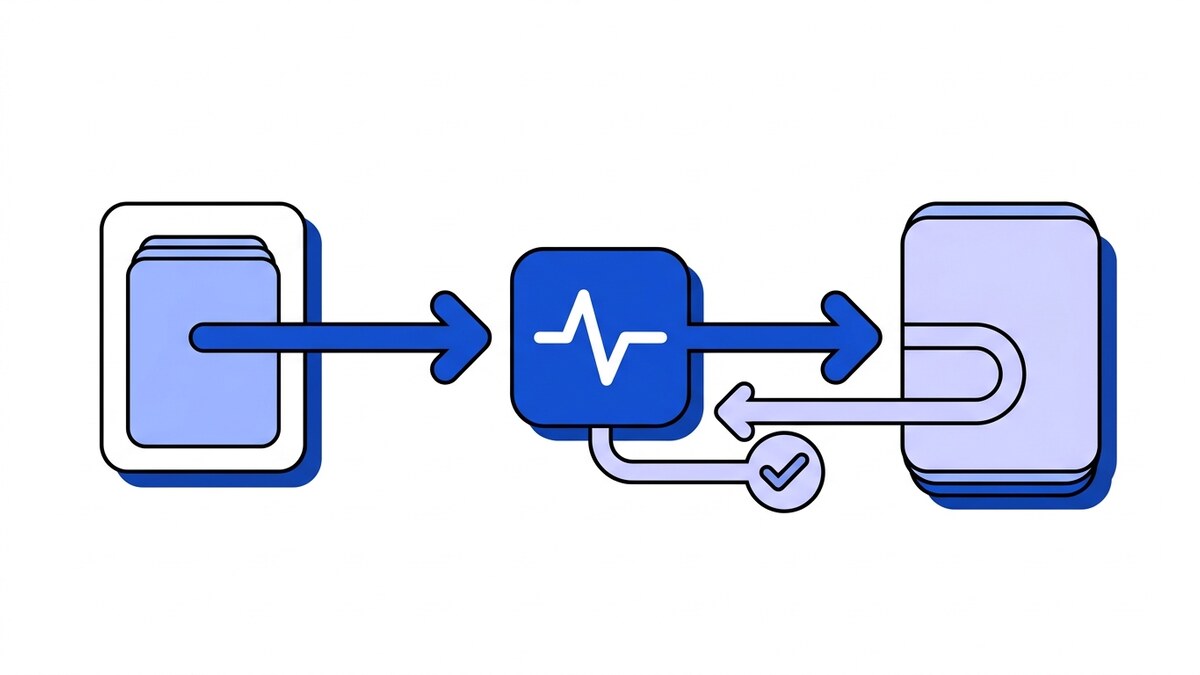
How do webhooks work? You give a provider a webhook URL, the provider sends an HTTP POST request to that URL when something happens, and your server answers with a status code. That is the entire mechanism. There is no protocol beyond HTTP, no persistent connection, no SDK required.
Most explanations stop there. People get stuck on what the summary skips: what is in the request, what your response means to the sender, and what happens in the minutes after your endpoint returns a 500. This post walks through one exchange from both ends. If you first want the definition, use cases and when to avoid webhooks, start with what a webhook is.
The whole thing, in one exchange
Here are the actual bytes of a webhook, GitHub sending a push event to a server:
POST /hooks/github HTTP/1.1
Host: api.yourapp.com
Content-Type: application/json
Content-Length: 8214
User-Agent: GitHub-Hookshot/a1b2c3d
X-GitHub-Event: push
X-GitHub-Delivery: 8c7a1f30-9b2e-11f0-8d4a-3f1e6c2b7a91
X-Hub-Signature-256: sha256=6f3a...c81b

{"ref":"refs/heads/main","commits":[...],"repository":{...}}
And your side of it:
HTTP/1.1 200 OK
Content-Length: 0
That is a complete webhook. An ordinary POST with a JSON body and some custom headers, answered by an ordinary status code with an empty body. If you have ever written an HTTP handler, you already know how to receive one.
The interesting parts are the three custom headers, because they carry everything the JSON body does not. GitHub documents every delivery header; these are the three that matter:
X-GitHub-Eventsays which event this is, so one endpoint can serve many event types.X-GitHub-Deliveryis a unique id for this delivery. It stays the same across retries of the same event, which makes it the value you dedupe on.X-Hub-Signature-256is an HMAC of the raw body, keyed with a secret only you and GitHub know. Without checking it, anyone who learns your URL can send you a fake push event.
Every provider does the same three things with different names. Stripe calls its signature header Stripe-Signature and puts the event id inside the JSON. Shopify uses X-Shopify-Topic and X-Shopify-Hmac-Sha256. The header names change from provider to provider, but the three jobs stay the same.
Why the event travels in a POST body
Providers send webhooks as POST because the event lives in the body, and the body’s exact bytes are what the signature covers. The GETs you may see around a webhook endpoint are something else: a one-time verification handshake such as Meta’s hub.challenge, an automation tool someone set to GET, or a POST that became an empty GET after your URL redirected. What a webhook GET request looks like in each of those cases, and how one endpoint handles both methods, has its own post. In short: accept POST, answer a provider’s GET handshake if it has one, and return 405 Method Not Allowed for everything else. What goes inside that body, and how GitHub, Stripe, Shopify and Slack each shape it, is covered in webhook payload structure and examples.
Step 1: registration, and what you are really agreeing to
Before any of that, you told the provider where to send events. Usually you paste a URL into a dashboard and tick which event types you want. Where that field is for each provider, and how to get a URL in the first place, is in what a webhook URL is.
Two things happen at that moment, and both are easy to miss.
You created a public endpoint. It has to be reachable from the provider’s servers, which means reachable from the internet, which means reachable by anyone who guesses or finds the URL. Providers require HTTPS for this reason, but TLS only proves the connection is private, not that the sender is who they claim. That is what the signature is for.
You also got a secret. The provider shows it once, usually a random string, and uses it as the HMAC key for every request. If you skipped that step, or stored the secret and never wrote the verification code, your endpoint currently trusts anyone. The full security model is worth reading before you go to production, and finding the signing secret is a small task people lose an afternoon to on Stripe specifically.
Step 2: something happens, and a request is queued
A user pushes a commit. A card gets charged. An order ships.
The provider does not usually send your webhook from inside that operation. It writes an event to its own queue and a separate worker delivers it, because if delivery were synchronous, every slow customer endpoint would slow down the provider’s own product. This is why events sometimes arrive a second or two after the thing they describe, and why they can arrive out of order: two events queued a millisecond apart may be picked up by different workers and finish in either order.
That detail matters more than it sounds. If you build logic that assumes order.created always lands before order.updated, it will work in testing and break in production, because nothing in the system guarantees it.
Step 3: the POST arrives at your server
Now your handler runs. In order, before anything else:
Read the raw bytes. Not the parsed JSON. The signature was computed over the exact body that was sent, and if your framework parses the JSON and you re-serialize it to check the signature, key order and whitespace shift and the HMAC will not match. It is one of the most common webhook bugs, and the error message it produces says nothing about parsing.
Verify the signature. Recompute the HMAC over those bytes with your secret and compare it in constant time. If it does not match, return 401 and stop. Do not log the payload as trusted, do not parse it, do not act on it.
Check the timestamp, if there is one. A valid signature proves the request was genuine at some point. It does not prove it is genuine now. Anyone who captured a signed request can send it again verbatim, and it will verify forever unless you reject requests whose timestamp is too old. That is why a signature alone does not stop replays.
Then answer, and only then do the work. More on why in the next section.
If verification is failing and you cannot see why, the causes are surprisingly few: six of them account for nearly everything.
Step 4: your response, which means more than you think
Your status code is the only signal the provider has about whether to send this event again.
- 2xx means received. The provider marks the delivery successful and moves on. It will not send this event again.
- Anything else, or no response at all, means failed. The event goes back into the provider’s retry schedule.
Two consequences follow, and both shape how a handler should be structured.
First, answer fast. Providers set a timeout, often just a few seconds (GitHub expects a 2xx within 10 seconds), and a response that arrives after it counts as a failure even if your code succeeded. So if you charge a card, update three tables, and call two internal services before returning 200, a slow day for any of those turns into a webhook the provider believes failed and will send again.
The fix is always the same shape: verify, persist the event somewhere durable, return 200 immediately, and do the processing in a background job.
POST arrives
  -> verify signature          (fast, in-request)
  -> write event to a queue    (fast, in-request)
  -> return 200                (done, sender is happy)
  -> worker picks it up later  (slow work happens here)
Second, 2xx is a lie you are allowed to tell. Returning 200 says “I have this”, not “I finished processing it”. That is correct and intentional. Once the event is stored durably, you own it, and if your worker fails, retrying is up to you.
What happens when you fail
Say your server was down for ten minutes. Here is what the provider does, roughly, because the specifics differ by vendor:
It retries on a growing delay, since retrying every second would hammer an endpoint that is already struggling. Most providers use exponential backoff: a few seconds, then longer, then longer still, usually over a window of hours or days. Stripe keeps trying for up to three days in live mode. GitHub does not retry automatically at all; it lets you redeliver deliveries from the past three days by hand instead.
Two things you should know about that window:
Retries create duplicates. If your handler processed the event and then the response was lost on the way back, the provider saw a failure and sends it again. You will get the same event twice, and unless your handler is idempotent, the second copy charges the card a second time. Duplicates are part of normal operation for every at-least-once sender.
When retries run out, the event is gone. The provider stops trying and, from their side, the matter is closed. There is no automatic catch-up. If you were down for the whole retry window, those events never arrived, and nothing tells you which ones you missed. That is why pipelines that cannot lose events keep a dead letter queue and a periodic reconciliation job against the provider’s API.
Receiving one on your laptop
A provider cannot reach localhost, so local development needs a tunnel that gives your machine a public URL and forwards requests to it. Some providers ship their own: Stripe’s CLI does it with stripe listen --forward-to localhost:4242/webhook (CLI reference), and prints a signing secret specific to that session. Otherwise a general tunnelling tool works for any provider.
Two things trip people up here. The CLI secret is not your dashboard secret, so verification will fail if you mix them. And a tunnel URL usually changes every time you restart it, which means re-registering it with the provider unless you use a reserved subdomain.
Where a gateway fits
Everything above is per-provider work: read the raw body, verify this provider’s scheme, answer fast, store durably, retry, dedupe, keep history. It is the same work in every service that receives events, and every copy is a place it can drift.
A webhook gateway is that layer written once and shared by every service. In Webhooker, for example, the provider posts to a per-source ingest URL that verifies the provider’s signature before accepting the event, and the gateway then delivers it to your service with six attempts over about five hours. The raw-body handling and signature check from step 3 move out of your handler; the idempotency from the retry section stays with you, because the gateway also delivers at least once.
Writing that layer yourself is reasonable for one provider and gets expensive as the list grows; build vs buy works through the costs on both sides. To watch the exchange above with a real provider, you can get an ingest URL and register it in the provider’s dashboard. The four-step quick start walks through that setup up to the first delivered event.
Frequently asked questions
What does a webhook actually look like?
An HTTP POST with a JSON body and a few custom headers, sent to a URL you registered. The headers usually carry the event type, a unique delivery id, and a signature over the body. Your server answers with a status code and typically an empty body. There is nothing else to it at the protocol level; it is the same HTTP your app already speaks.
What should my webhook endpoint return?
A 2xx status, as fast as possible, with no body needed. Return it after you have verified the signature and stored the event, but before you do the actual processing. Anything other than 2xx, or a response slower than the provider’s timeout, is read as a failure and puts the event into their retry schedule.
What are the downsides of webhooks?
You run a public endpoint that anyone can POST to, so every request has to be authenticated. Delivery is at-least-once, so duplicates arrive and handlers must be idempotent. Events can land out of order. If you exhaust the provider’s retry window, events are lost with no notification. And failures are silent: a broken endpoint looks exactly like a quiet period until someone notices missing data.
How is a webhook different from an API?
Direction. With an API your code makes the request when it wants data; with a webhook the provider makes the request to you when something happens. That reversal also moves the availability requirement onto your side, and that shift is what changes how you build. We cover the trade in webhooks vs APIs.
Can I test a webhook without a provider?
Yes. Send yourself a POST with curl shaped like the provider’s real request, including the headers, to check your routing and parsing. To test signature verification properly you need a correctly computed HMAC, which is easier with the provider’s own CLI or test-event feature than by hand.














