 Webhooker
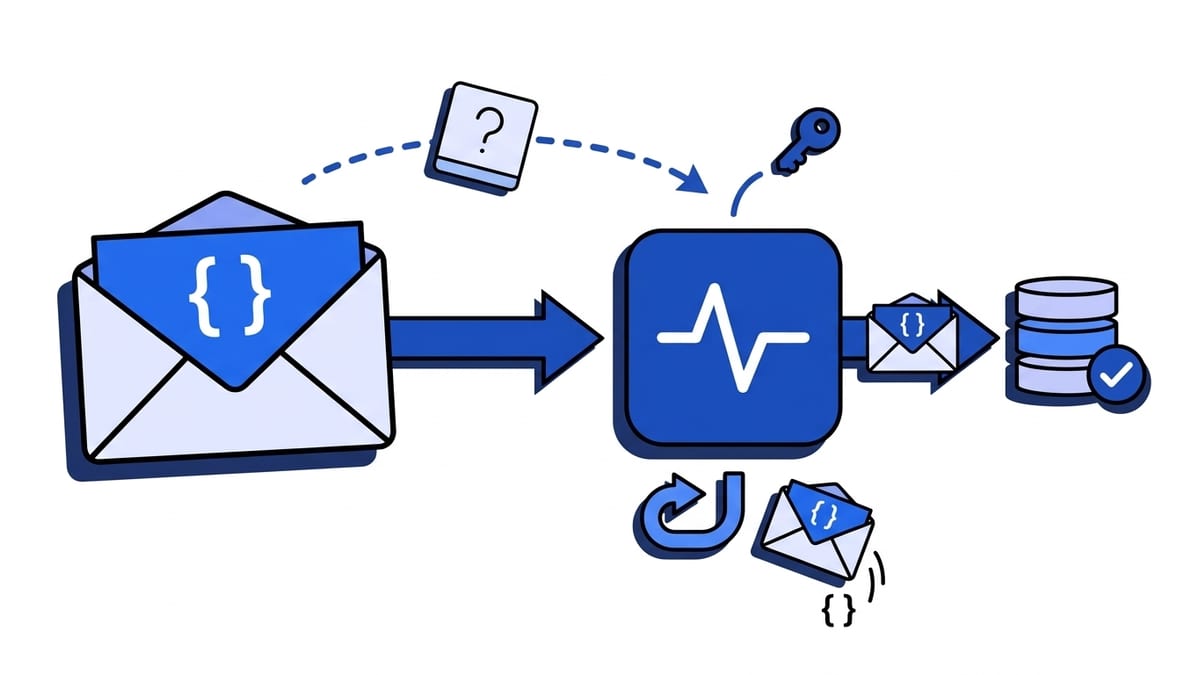
A webhook is a POST request. The provider puts the event in the request body, signs that body, and sends it to your webhook URL. GET does show up around webhooks, but almost never as the event itself: it is a one-time verification handshake (Meta, Dropbox), an option in a low-code tool that someone switched to GET (Twilio, HubSpot workflows), a HEAD check before the webhook is created (Trello), or a POST that turned into a GET because your URL redirected.
That last case is the one that costs people an afternoon, because nothing errors. The provider says it sent a POST, your logs show an empty GET, and both are telling the truth. Below: why POST is the default, where GET and HEAD really show up, how the redirect swaps the method, and how to handle both on one endpoint.
Is a webhook a GET or a POST request?
POST. Here is a typical delivery, cut down to the parts that matter:
POST /webhooks/stripe HTTP/1.1
Host: api.example.com
Content-Type: application/json
Stripe-Signature: t=1790362862,v1=5257a869e7ecebeda32affa62cdca3fa51cad7e77a0e56ff536d0ce8e108d8bd

{"id":"evt_1Q2...","type":"invoice.paid","data":{"object":{"id":"in_1Q2...","amount_paid":4900}}}
Stripe, GitHub, Shopify, Slack, Meta, Dropbox and Trello all deliver events this way, and the Standard Webhooks spec describes the payload as “the body of an HTTP POST request”. A handful of senders use PUT, and some automation tools let you pick PATCH or DELETE, but the event still travels in a body. The full request and response cycle, header by header, is in how webhooks work.
Why do webhooks use POST instead of GET?
GET was designed for reading. A webhook hands data over, and almost everything about GET works against that.
Start with the body. A webhook payload is nested JSON, sometimes tens of kilobytes. HTTP semantics say content in a GET request has no generally defined meaning and that some implementations may reject it, so the payload would have to move into the query string.
Query strings have a ceiling. nginx, for example, rejects a request line longer than its large_client_header_buffers size, 8 KB by default, with 414 URI Too Long. A Shopify order with twenty line items doesn’t fit.
Then there are signatures. Stripe, GitHub, Shopify and Meta sign the exact bytes of the body with HMAC-SHA256, and you verify those bytes before parsing. With GET there is no body to sign. Twilio is the rare provider that signs GET requests at all: it computes the signature over the full URL, query string included, which breaks as soon as a proxy reorders or re-encodes a parameter.
URLs also get logged, and bodies usually don’t. A query string ends up in web server access logs, load balancer logs, CDN logs and error trackers. If the event contains an email address, that address now sits in four systems with four different retention periods, none of which you chose. For personal data that is a GDPR problem, covered in are webhooks personal data.
Finally, GET is supposed to be safe. HTTP defines GET as a method that does not change anything on the server. Caches, link-preview bots, security scanners and browser prefetching all rely on that and send GETs freely. You don’t want an order created because Slack unfurled a link someone pasted in a channel.
If you control the sender, pick POST. I can’t think of a case where GET is the better choice for delivering an event.
When do webhook providers use GET or HEAD?
These are the cases you will actually meet. None of them carries a real event over GET except the two configurable senders.
| Provider | Method | What it is for | What you must return |
|---|---|---|---|
| Meta (Facebook, Instagram, WhatsApp) | GET | Subscription verification with hub.mode, hub.challenge, hub.verify_token | Check the token, echo hub.challenge with 200 |
| Dropbox | GET | URL verification with a challenge parameter | Echo challenge as text/plain with X-Content-Type-Options: nosniff |
| Trello | HEAD | Check that the URL exists when you create the webhook | 200, or Trello refuses to create it |
| Twilio | GET or POST | Your choice per callback. With GET, the parameters are appended to the query string | TwiML or 200, depending on the callback |
| HubSpot workflows | GET or POST | The workflow Send a webhook action lets the user pick the method | 2xx |
| Discord incoming webhook | GET | Reads the webhook object, it does not post anything | Nothing, you are the client here |
After a Meta or Dropbox handshake succeeds, every event arrives as a POST. Slack and Zoom run the same kind of URL check, but over POST with a JSON body, so they need no GET handler.
The Discord row explains a lot of confusion. A Discord webhook URL is one you send to, and a GET on https://discord.com/api/webhooks/{id}/{token} returns the webhook’s name, channel and guild without any authentication. That’s why pasting the URL into a browser shows JSON instead of posting a message. To send a message you need POST. The Discord webhook tester does that from the browser.
GET /webhooks in an API is not a webhook delivery
Search for “webhook GET request” and half the results are API reference pages like “GET /v1/webhooks” or “Get a webhook”. Those are management endpoints: you call them to list, read or delete the webhook subscriptions registered on your account. They are ordinary API calls that you make to the provider.
A webhook delivery goes the other way. The provider calls your URL, with POST, when an event happens. If you are debugging why events don’t arrive, the management API is still useful: most providers expose the subscription’s URL and status there, which is the fastest way to spot a typo or a disabled endpoint. The difference between the two directions is covered in webhooks vs APIs.
Why does my webhook arrive as a GET instead of a POST?
If a provider documents POST and your logs show GET, something between the provider and your code changed the method. In order of how often it happens:
A redirect. You registered http://example.com/webhook, and the server redirects to https://. Or you registered /webhook and the framework redirects to /webhook/. Or the bare domain redirects to www. For 301 and 302 responses, HTTP allows a client to switch POST to GET on the follow-up request, and many clients do. curl behaves this way too when it follows a redirect, unless you pass --post301 or --post302. The body is dropped along the way, so you receive an empty GET. If your handler answers that GET with 200, the sender logs a success and the event is gone.
Most webhook senders don’t follow redirects at all and mark the delivery as failed; the Standard Webhooks spec treats every 3xx as a failure and recommends updating the URL instead. Either way the fix is the same: register the exact final URL, with https, the right host and the right trailing slash. Test it with curl -i -X POST and check that the answer is a 2xx, not a 301.
| Redirect status | Method on the next request |
|---|---|
301 Moved Permanently | Client may switch POST to GET |
302 Found | Client may switch POST to GET |
303 See Other | GET, by definition |
307 Temporary Redirect | Same method and body |
308 Permanent Redirect | Same method and body |
If you really must move a webhook URL and can’t update the provider, 308 keeps the method. It still depends on the sender following redirects, which most don’t.
The provider’s verification handshake. A GET with hub.challenge or challenge in the query string is the handshake from the table above, not a lost event.
A person or a bot. Someone opened the URL in a browser, an uptime monitor pings it, or a chat app built a link preview. These GETs have no body and no signature headers.
The sender is configured for GET. Check the method setting in Twilio, a HubSpot workflow, Zapier or Make. The data you expected in the body is in the query string instead.
How should one endpoint handle GET and POST?
Treat each method according to its job: GET answers the handshake and nothing else, POST verifies the signature and stores the event, and everything else gets 405. Here is a Meta endpoint in Express:
import crypto from "node:crypto";
import express from "express";

const app = express();
const VERIFY_TOKEN = process.env.META_VERIFY_TOKEN;
const APP_SECRET = process.env.META_APP_SECRET;

// GET: subscription handshake only. Express also answers HEAD with this handler.
app.get("/webhooks/meta", (req, res) => {
  const mode = req.query["hub.mode"];
  const token = req.query["hub.verify_token"];
  const challenge = req.query["hub.challenge"];

  if (mode === "subscribe" && token === VERIFY_TOKEN && typeof challenge === "string") {
    return res
      .status(200)
      .type("text/plain")
      .set("X-Content-Type-Options", "nosniff")
      .send(challenge);
  }
  return res.sendStatus(403);
});

// POST: the actual events. Keep the raw body for the signature check.
app.post("/webhooks/meta", express.raw({ type: "application/json" }), (req, res) => {
  const received = req.get("X-Hub-Signature-256") ?? "";
  const expected =
    "sha256=" + crypto.createHmac("sha256", APP_SECRET).update(req.body).digest("hex");

  const valid =
    received.length === expected.length &&
    crypto.timingSafeEqual(Buffer.from(received), Buffer.from(expected));
  if (!valid) return res.sendStatus(401);

  const event = JSON.parse(req.body.toString("utf8"));
  queueForProcessing(event);
  return res.sendStatus(200);
});

// Anything else on this path.
app.all("/webhooks/meta", (req, res) => {
  res.set("Allow", "GET, HEAD, POST").sendStatus(405);
});
Some of this looks like boilerplate but isn’t:
- The GET handler compares the verify token before echoing anything. Without that check, anyone can make your endpoint reflect arbitrary text, which is why Dropbox asks for
text/plainandnosniffon the echo. - The GET handler never touches your database. If you don’t use a provider with a GET handshake, don’t register a GET route at all and let it fall through to
405. 405 Method Not Allowedmust carry anAllowheader listing the methods the path supports. It tells whoever is debugging exactly what went wrong.- HEAD comes free with GET in Express. If you use Trello and have no GET route, add a HEAD route that returns
200.
Signature checks for the big providers are covered one by one in webhook signature verification, and the most common reason they fail is in signature verification failed.
What status code should a webhook endpoint return for each method?
| Request | Return | Why |
|---|---|---|
| POST, valid signature, stored | 200 or 204 | Any 2xx counts as delivered |
| POST, invalid signature | 401 or 400 | Don’t process it; the provider may retry, which is fine |
| GET handshake, token matches | 200 with the challenge | Required to activate the subscription |
| GET handshake, wrong token | 403 | Refuse to echo |
| GET from a browser | 405 with Allow, or a short info page | Never process it |
| HEAD | 200 if a provider checks with HEAD, otherwise 405 | Trello needs 200 |
| PUT, PATCH, DELETE you don’t expect | 405 with Allow | Makes misconfiguration visible |
| Any request to an old URL | Not 301 or 302 | Update the URL at the provider instead |
What each provider does after a non-2xx, and for how long it keeps retrying, is covered in webhook retries and replay.
How do you check which method a webhook uses?
Look at the request itself, not the documentation:
-
Point the provider at a request inspector. The free webhook tester gives you a temporary URL and shows each request’s method, query string, headers and body as it arrives. If you see a GET with an empty body where you expected a POST, look for a redirect first.
-
Replay a POST with curl against your real URL and read the status line:
curl -i -X POST https://api.example.com/webhooks/meta \
  -H "Content-Type: application/json" \
  -d '{"test":true}'
A
301or308means your registered URL isn’t the final one. A401means the route works and is rejecting an unsigned request, which is correct. -
Send a HEAD and a GET with
curl -Iandcurl -ito see what a Trello check or a browser gets back.
To send realistic signed test events of your own, use the webhook mock sender.
How Webhooker handles webhook methods
A Webhooker ingest URL, https://app.webhooker.eu/in/{token}, follows the rules above so you don’t have to write them per integration:
- POST, PUT, PATCH and DELETE are all accepted as deliveries, and each stored event records which method it arrived with.
- A GET carrying Meta’s
hub.challengeis answered with the challenge as plain text, so Facebook, Instagram and WhatsApp subscriptions verify without code on your side. - HEAD returns
200, which is what Trello checks before it creates a webhook. - A plain GET, such as someone opening the URL in a browser, shows a short page explaining what the address is. It doesn’t reveal whether that source exists.
From there each event is stored, shown in the dashboard with its method, headers and body, and forwarded to your own endpoint with retries. If you want that in front of a Meta or Stripe integration, create a source and paste its URL into the provider’s settings. The quick start takes four steps.
Frequently asked questions
Can a webhook be a GET request?
Technically yes, if the sender is configured that way: Twilio and HubSpot workflows let you pick GET, and the data then arrives in the query string. Almost every provider sends events as POST, though, and GET is reserved for one-time verification handshakes like Meta’s hub.challenge.
Can a GET request have a body?
HTTP doesn’t forbid it, but a body in a GET request has no defined meaning, and servers, proxies and HTTP libraries are allowed to reject or drop it. No webhook provider relies on it.
Why is my webhook receiving GET instead of POST?
Usually because your URL redirects. A 301 or 302 from http to https, from the bare domain to www, or from /webhook to /webhook/ lets the client switch POST to GET and drop the body. Register the exact final URL. Other causes are a provider handshake, a browser or bot, or a sender configured for GET.
Should a webhook endpoint accept GET requests?
Only if a provider you use verifies the URL with a GET handshake, and then only to answer that handshake. Otherwise return 405 Method Not Allowed with an Allow header. A GET should never trigger processing.
Do webhooks use PUT?
Rarely. A few senders deliver with PUT, and automation tools often let you choose PUT or PATCH for an outgoing webhook. The payload is still in the body, so the handling is the same as POST: verify the raw body, store the event, return 2xx.
What is the difference between a webhook and an HTTP POST request?
A webhook is a POST request with a specific role: the provider sends it on its own initiative when an event happens, to a URL you registered in advance, usually with a signature header. Any HTTP client can send a POST; it becomes a webhook when it is an event notification from one system to another.