 Webhooker
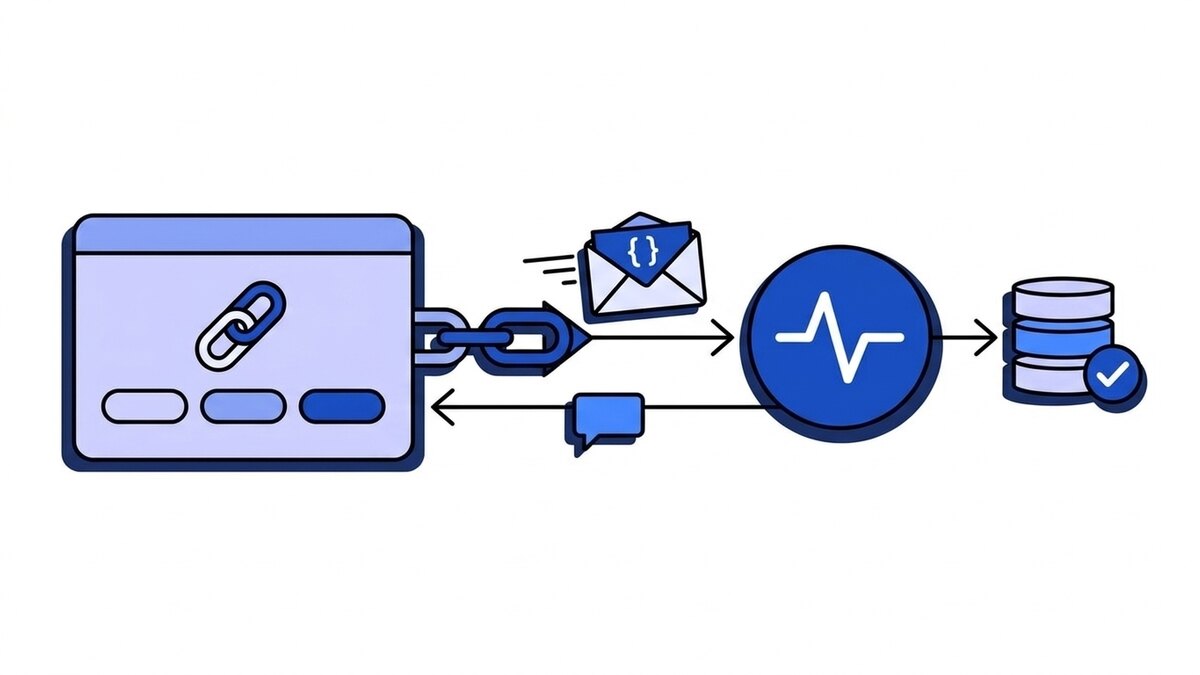
A webhook URL is the HTTPS address a service sends its event notifications to. You paste it into Stripe, GitHub, Shopify or any other provider, and from then on, every time a subscribed event happens, the provider sends an HTTP POST with the event data to that address. It can be a route in your own application, such as https://api.example.com/webhooks/stripe, or an address a receiving service hands you, such as https://app.webhooker.eu/in/{token}.
The term is also used for the opposite direction, which is where most of the confusion comes from. A Slack or Discord “webhook URL” is an address the chat service gives you, and you are the one who sends to it. Below: both meanings, where each one lives, what your URL has to answer, and how to test it before a real event shows up.
What is a webhook URL?
A webhook URL, also called a webhook endpoint, webhook receiver or callback URL, is the receiving half of a webhook. The provider knows nothing about your system except this address. When a payment succeeds or a pull request is merged, it builds a JSON payload, signs it, and sends it there.
Here is what one delivery to a webhook URL looks like on the wire, cut down to the parts that matter:
POST /webhooks/github HTTP/1.1
Host: api.example.com
Content-Type: application/json
X-GitHub-Event: push
X-GitHub-Delivery: 72d3162e-cc78-11e3-81ab-4c9367dc0958
X-Hub-Signature-256: sha256=9f2c...e41a

{"ref":"refs/heads/main","repository":{"full_name":"acme/api"}, ...}
The URL is only the address. What makes a request trustworthy is the signature header, which is covered further down. How the full request and response cycle works, including retries, is explained in how webhooks work.
Webhook URL vs incoming webhook URL
The two meanings get mixed up constantly, and search results for “webhook URL” mix them too.
| Your webhook URL | Incoming webhook URL (Slack, Discord, Teams) | |
|---|---|---|
| Who creates it | You, on your server or a receiving service | The chat service |
| Who sends to it | The provider (Stripe, GitHub, Shopify) | You, your script, your CI job |
| What it does | Tells your system something happened | Posts a message into a channel |
| Is the URL a secret? | No. Anyone can POST to it, so you verify signatures | Yes. Whoever has it can post in your channel |
| Example | https://api.example.com/webhooks/stripe | https://discord.com/api/webhooks/{id}/{token} |
People get the secrecy row wrong in both directions. An incoming webhook URL for Slack or Discord carries its own credential in the path, so leaking it in a public repository lets strangers post into your channel. Rotate it if that happens. Your own webhook URL works the other way round: hiding it protects nothing. It will end up in a log file or a screenshot sooner or later. Authentication for your URL comes from checking the provider’s signature on every request.
How to create a webhook URL
Creating a webhook URL means putting something at a public HTTPS address that accepts POST requests. There are three common ways to do that.
A route in your own application. Add a POST route, for example /webhooks/stripe, deploy it behind HTTPS, and the full address is your webhook URL. In Express it starts like this:
app.post("/webhooks/stripe", express.raw({ type: "application/json" }), (req, res) => {
  // verify req.headers["stripe-signature"] against the raw body first
  res.sendStatus(200);
});
The express.raw part matters. Signature checks run over the exact bytes the provider sent, and a JSON body parser that runs first is the most common reason verification fails.
A receiving service. A webhook gateway gives you a URL per source and takes the incoming traffic for you: it verifies signatures, stores each event and forwards it to your systems with retries. In Webhooker you create a source and get an ingest URL in the form https://app.webhooker.eu/in/{token}, then paste that into the provider. What a gateway adds on top of a plain route is covered in what a webhook gateway is.
A temporary URL for testing. When you only want to see what a provider sends, a request inspector gives you a throwaway URL and shows every request that hits it. The options, with and without sign-up, are compared in webhook.site and RequestBin alternatives. Our open-source webhook-tester does the same in one Docker container on your own server, which is the safer choice once payloads carry customer data.
One thing never works as a webhook URL: http://localhost:3000/webhook. The provider’s servers are on the internet and cannot reach your laptop. For local development you need a tunnel or the provider’s own forwarding tool, such as stripe listen --forward-to localhost:3000/webhooks/stripe. The trade-offs between tunnels are in ngrok alternatives for webhooks.
Where to paste your webhook URL
Every provider has a settings screen with a field for the URL, a list of events and a signing secret. The names differ. The same screen is where you find a webhook URL you registered earlier: open the provider’s webhook settings and the URL is listed next to each endpoint.
| Provider | Where the URL goes | What you get back |
|---|---|---|
| Stripe | Workbench, Webhooks tab, add a destination | A whsec_ signing secret per endpoint |
| GitHub | Repository or organization Settings, Webhooks, Add webhook, field Payload URL | A secret you choose yourself; GitHub sends a ping event right away |
| Shopify | Store admin Settings, Notifications, Webhooks; apps declare it in their configuration | Requests signed with X-Shopify-Hmac-Sha256 |
| Meta (WhatsApp, Instagram, Messenger) | App dashboard, Webhooks product, Callback URL | A GET verification request before any events |
Two details save time here. Stripe gives test mode and live mode separate endpoints and separate secrets, so a URL registered in test mode receives nothing from live payments. And subscribe only to the events you handle, because every extra event type is traffic your URL has to answer.
How to find a Slack or Discord webhook URL
If you came here looking for the chat kind of webhook URL, this is where each one lives.
Discord: open Server Settings, then Integrations, then Webhooks, create a new webhook, pick the channel and click Copy Webhook URL. It looks like https://discord.com/api/webhooks/{id}/{token}. You can check it with our Discord webhook tester, which builds a message and shows what lands in the channel.
Slack: create a Slack app, turn on Incoming Webhooks, and add a webhook to a workspace channel. The URL looks like https://hooks.slack.com/services/T.../B.../....
Microsoft Teams: Teams is moving channel webhooks from the old connectors to the Workflows app. You create a workflow that starts “when a Teams webhook request is received”, and Teams shows the URL once the workflow is saved.
To post a message, you send JSON to the URL:
curl -X POST -H "Content-Type: application/json" \
  -d '{"content":"Deploy finished"}' \
  "$DISCORD_WEBHOOK_URL"
Keep that URL in an environment variable or a secrets manager, not in the code.
Is a webhook URL POST or GET?
Deliveries to a webhook URL are POST requests. The event travels in the request body, and GET requests do not carry one. A few automation tools let you pick PUT or PATCH for an outgoing webhook, and that’s about it.
GET shows up in two situations. The first is a verification handshake: Meta sends GET ?hub.mode=subscribe&hub.challenge=... and expects the challenge value echoed back as plain text before it delivers any events. The second is a person opening the URL in a browser, which is harmless and usually ends in an error page. So a well-behaved webhook URL accepts POST, answers the handshake if your provider uses one, and never starts real processing because of a GET. The longer explanation is in are webhooks GET or POST.
Webhooker ingest URLs follow the same rule. They accept POST, PUT, PATCH and DELETE, and record which method arrived. A GET either answers Meta’s handshake or shows a short page explaining what the address is, without revealing whether that source exists.
What should a webhook URL respond with?
The provider only reads the status code. A 2xx means delivered. Anything else, or no answer before the provider’s timeout, means failed, and the event goes into the provider’s retry schedule. Timeouts are short: GitHub expects a response within 10 seconds. So the handler should verify, store the event and answer, then do the real work in a background job.
These are the responses worth knowing, from either side:
| Status | What it means for a webhook URL |
|---|---|
200, 202, 204 | Accepted. The provider marks the delivery done |
401 or 400 | Signature check failed. Most providers retry, then give up |
404 | Wrong path or deleted endpoint. Providers often disable the endpoint after repeated 404s |
405 | The route exists but not for this method, often a POST route hit by a GET |
413 | Body too large. Webhooker ingest URLs accept bodies up to 1 MB |
429 | Rate limited. A Retry-After header tells a polite sender when to come back |
5xx or timeout | Your side failed. The provider retries with backoff |
What happens after a failure depends on the provider. Stripe keeps retrying for up to three days in live mode; some smaller senders try once and move on. Webhook retries and exponential backoff compares them. Retries also mean the same event can arrive twice, so the handler should dedupe on the event id.
How to test a webhook URL
Test in this order, from cheapest to closest to production:
- Send a request yourself. A
curl -X POSTwith a JSON body tells you the URL is reachable over HTTPS and answers with a2xx. It will not pass signature verification, which is correct. - Send a signed test event. webhook-mock-sender signs a Stripe, GitHub or Shopify event with your secret the way the provider does and sends it to your URL, so you can test the verification path without a provider account. With
--invalid-signature --expect 400it checks the rejection path too. - Use the provider’s test button. Stripe can send test events from Workbench or through
stripe trigger, GitHub sends apingwhen you create the webhook and can redeliver any past delivery, and Shopify has Send test notification next to each webhook. - Watch a real event. Create something small in test mode, such as a test payment, and check the provider’s delivery log for the status code your URL returned.
If the provider’s log shows failures you cannot reproduce, look at the raw request it sent. Some URL problems only show up with real traffic: a proxy that rewrites the body, a redirect from http to https that turns the POST into a GET, or a firewall that blocks the provider’s IP range.
A checklist for a production webhook URL
- HTTPS with a valid certificate. Stripe live mode and Shopify require it.
- No redirects. Register the final URL, because many senders do not follow redirects, and those that do can change the method.
- One URL per provider, so each has its own signing secret and verification code.
- Signature verified over the raw body before anything else runs.
- A
2xxwithin a few seconds, with processing moved to a background job. - Dedupe on the provider’s event id.
- A plan for events that fail every retry: a dead-letter queue and a way to replay them.
- If payloads contain personal data, a known place and retention period for storing them. Webhooks and GDPR goes through what that involves.
Most of that list is identical for every provider. If you would rather not build it for each integration, create a Webhooker source, paste its ingest URL into Stripe’s test-mode settings and watch the first event arrive in the live tail. The quick start takes four steps.
Frequently asked questions
What is an example of a webhook URL?
https://api.example.com/webhooks/stripe is a typical self-hosted one: your domain plus a POST route. A gateway ingest URL looks like https://app.webhooker.eu/in/{token}. A Discord incoming webhook URL looks like https://discord.com/api/webhooks/{id}/{token}, and you send to that one rather than receive on it.
Where can I find a free webhook URL?
For testing, a request inspector such as webhook.site works as a webhook URL generator: it hands you a temporary URL without sign-up, and our self-hosted webhook-tester runs one on your own server for free. For production, a route on a server you already run costs nothing extra; what costs time is verification, retries and replay.
Can I use localhost as a webhook URL?
No. The provider cannot reach your machine. Use the provider’s CLI (stripe listen, for example) or a tunnel that gives you a public URL and forwards requests to localhost.
Does a webhook URL need HTTPS?
In practice, yes. Most providers refuse plain http in live mode, and without TLS the payload and signature travel readable by anyone on the path.
Should I keep my webhook URL secret?
Don’t publish it, but don’t rely on it being secret either. A receiving URL is protected by signature verification, not by being hard to guess. Slack and Discord incoming webhook URLs are different: they work as credentials and should be stored like passwords.
Can one webhook URL receive events from several providers?
It can, but it makes verification harder, because each provider signs with a different header and secret. A separate URL per provider keeps the code simple. A gateway gives each provider its own ingest URL and then forwards all of them to one destination if that is what you want.