 Webhooker
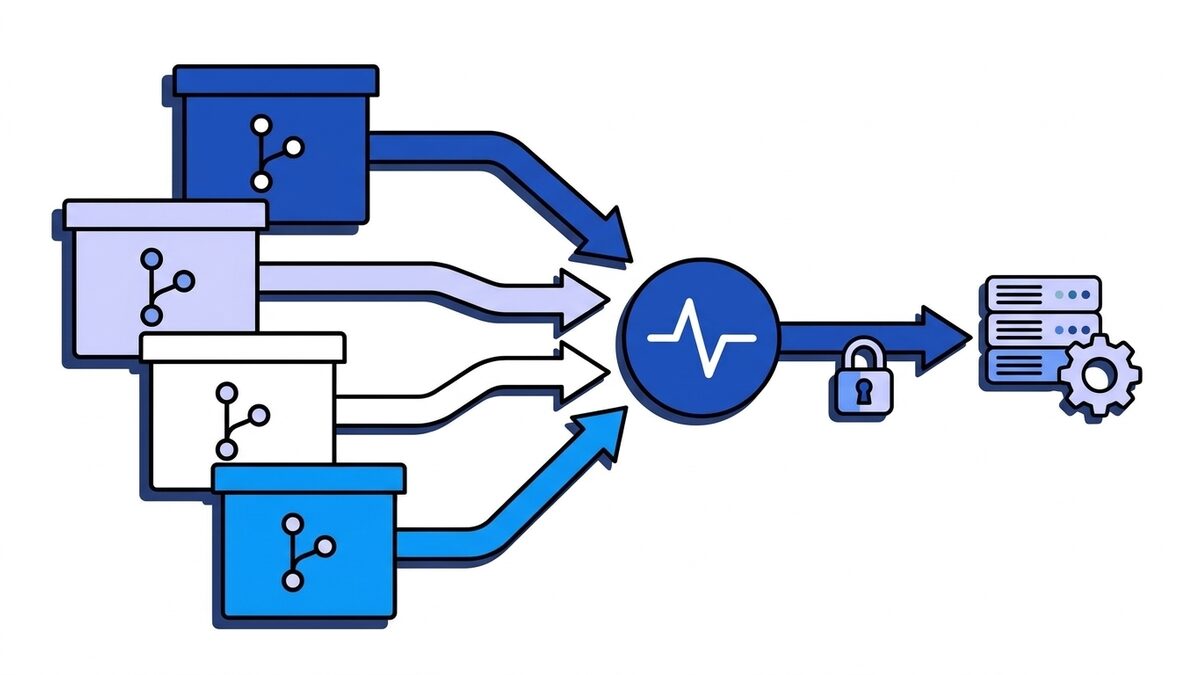
A Git webhook is an HTTP POST that your Git hosting service sends to a URL you choose when something happens in a repository: a push, a new merge or pull request, a tag, a comment, a finished pipeline. GitHub, GitLab, Bitbucket and Gitea (and its fork Forgejo) all have them. They exist so that CI servers, deploy scripts, chat bots and issue trackers can react to repository activity without polling the API.
The idea is the same everywhere. The details are not. Each platform names the event in a different header, proves the request is genuine in a different way, gives your endpoint a different amount of time, and treats failures differently. If you write one receiver for GitHub and then point GitLab at it, it will reject every request. This guide puts the four side by side.
Git hooks vs Git webhooks
The names are close enough to cause confusion, so first the difference.
Git hooks are scripts that Git itself runs at points in its workflow: pre-commit, commit-msg and pre-push on your machine, pre-receive, update and post-receive on the server that hosts the repository. They live in .git/hooks/ (or a path set by core.hooksPath), run locally as a process, and can block an operation by exiting with a non-zero code. A pre-commit hook that runs the linter is a Git hook.
Git webhooks are a feature of the hosting platform, not of Git. When the platform records an event, it sends an HTTP request to an external URL. They run after the fact, cannot block the push, and work the same whether the change came from the command line, the web editor or a merge button.
| Git hooks | Git webhooks | |
|---|---|---|
| Provided by | Git | GitHub, GitLab, Bitbucket, Gitea |
| Runs | A local script or executable | An HTTP POST to your URL |
| Where | Your machine or the Git server | Any server reachable from the platform |
| Can block the operation | Yes (pre-* hooks) | No |
| Configured in | .git/hooks/ or core.hooksPath | Repository, group or organization settings |
| Typical use | Linting, commit message rules, server-side policy | CI triggers, deploys, notifications, sync |
On hosted GitHub, GitLab.com or Bitbucket Cloud you cannot install server-side Git hooks, which is exactly why webhooks exist. On self-hosted GitLab or Gitea you can use both: server hooks for policy that must block a push, webhooks for everything that reacts to it.
The four platforms side by side
| GitHub | GitLab | Bitbucket Cloud | Gitea / Forgejo | |
|---|---|---|---|---|
| Event header | X-GitHub-Event: push | X-Gitlab-Event: Push Hook | X-Event-Key: repo:push | X-Gitea-Event: push (X-Forgejo-Event) |
| Delivery ID | X-GitHub-Delivery | X-Gitlab-Event-UUID, Idempotency-Key | X-Request-UUID | X-Gitea-Delivery |
| Authenticity | HMAC-SHA256 of the body in X-Hub-Signature-256: sha256=<hex> | Plain secret in X-Gitlab-Token, or an HMAC signing token in webhook-signature | HMAC-SHA256 of the body in X-Hub-Signature: sha256=<hex> | HMAC-SHA256 of the body in X-Gitea-Signature: <hex> |
| Response timeout | 10 seconds | 10 seconds on GitLab.com, configurable when self-hosted | About 10 seconds | 5 seconds by default, configurable |
| Automatic retries | No, manual redelivery | Failures count toward auto-disabling | Yes, with X-Attempt-Number | No, manual redelivery |
| Event name in body | No (header only) | Yes, object_kind | No (header only) | No (header only) |
Two rows deserve attention before you write any code. The event name: on GitHub, Bitbucket and Gitea a push payload does not say it is a push, so if you log only bodies you lose that information. And authenticity: three platforms sign the body with HMAC, while GitLab’s classic option sends the secret itself.
GitHub
GitHub webhooks can be attached to a repository, an organization or a GitHub App. Each delivery carries X-GitHub-Event with the event name (push, pull_request, workflow_run, release), X-GitHub-Delivery with a GUID, and, when you set a secret, X-Hub-Signature-256.
The signature is HMAC-SHA256 over the exact request body, keyed with your secret, hex-encoded and prefixed with sha256=. There is no timestamp in the signed material, so a captured request stays valid; deduplicating on X-GitHub-Delivery covers that gap.
Set the content type to application/json when you create the hook. The default is form-encoded, which puts the JSON in a payload= form field and surprises most handlers.
Your endpoint has 10 seconds to answer. GitHub does not retry failed deliveries on its own. You redeliver from the hook’s Recent Deliveries tab or through the REST API, for deliveries from the past three days. Payloads above 25 MB are not delivered at all.
The GitHub webhooks guide covers events, redelivery and local testing in depth, and verifying the GitHub webhook signature has the verification code in several languages.
GitLab
GitLab webhooks exist on projects and groups (group webhooks need the Premium or Ultimate tier), and on self-managed instances there are also system hooks for instance-wide events. The event arrives in X-Gitlab-Event with values like Push Hook, Tag Push Hook, Merge Request Hook, Pipeline Hook and Job Hook. The body also names it in object_kind, which GitHub-style payloads do not.
Secret token vs signing token
GitLab has two ways to prove a request is genuine, and they work differently.
The secret token is the classic option. GitLab sends the value you typed, as plain text, in X-Gitlab-Token. There is no hash. Your receiver compares the header to the stored value in constant time, and that is all. It works, but anyone who sees one request (in a proxy log, say) has the secret.
The signing token is the newer option, generally available since GitLab 19.1. GitLab computes HMAC-SHA256 over {webhook-id}.{webhook-timestamp}.{body} and sends it as webhook-signature: v1,<base64>, alongside webhook-id and webhook-timestamp headers. That is the Standard Webhooks scheme, so any Standard Webhooks library can verify it, and because the timestamp is signed you can reject old requests. If you are setting up a new GitLab webhook and your receiver can verify HMAC, prefer the signing token.
Timeouts and auto-disabling
GitLab expects a response within 10 seconds. On GitLab.com that is fixed; self-managed administrators can change it with gitlab_rails['webhook_timeout'].
What makes GitLab different is what happens after repeated failures. A timeout, a 4xx, a 5xx or a connection error all count. After four consecutive failures the webhook is temporarily disabled for one minute, and each further failure extends the pause, up to 24 hours. After 40 consecutive failures it is permanently disabled and stays off until someone re-enables it. A deploy endpoint that returns 500 for a morning can silently stop receiving events.
The Recent events page shows every request from the last two days, with the response, and lets you resend one. Idempotency-Key and webhook-id stay the same across retries of one event, so they are the right keys for deduplication.
Two push limits that look like bugs
- If a single push creates or updates more than three branches or tags, GitLab sends no push webhook for that push at all. The limit is
push_event_activities_limitand self-managed admins can raise it. Mirroring scripts that push many refs at once hit this. - The
commitsarray in a push payload is capped at 20 entries.total_commits_counthas the real number. If you need every commit, fetch the range through the API usingbeforeandafter.
Self-managed GitLab also blocks webhooks to private network addresses by default. If your receiver is on 10.0.0.5, an administrator has to allow requests to the local network, or the hook fails before it is sent.
Bitbucket Cloud
Bitbucket Cloud webhooks are set per repository or per workspace. The event comes in X-Event-Key, in a noun:verb form: repo:push, pullrequest:created, pullrequest:fulfilled (merged), pullrequest:rejected (declined), pullrequest:comment_created, repo:commit_status_updated. Each request also carries X-Hook-UUID for the webhook, X-Request-UUID for the delivery and X-Attempt-Number.
When you set a secret, Bitbucket signs the body with HMAC-SHA256 and sends X-Hub-Signature: sha256=<hex>. Note the header name: it looks like GitHub’s legacy SHA-1 header, but the value is SHA-256 with the sha256= prefix. Code copied from a GitHub example that reads X-Hub-Signature-256 will find nothing.
Bitbucket retries failed deliveries and tells you which attempt you are looking at in X-Attempt-Number, so the same X-Request-UUID can arrive more than once. The webhook’s View requests page keeps a history you can inspect and resend from.
Bitbucket Data Center (the self-hosted product) is a different system with its own payloads and an X-Event-Key such as repo:refs_changed. Do not assume Cloud payloads match.
Gitea and Forgejo
Gitea and Forgejo, the self-hosted forges, deliberately look a lot like GitHub. Requests carry X-Gitea-Event (or X-Forgejo-Event), X-Gitea-Delivery and X-Gitea-Signature, plus GitHub-compatible X-GitHub-Event and X-Hub-Signature-256 headers so that tools written for GitHub often work unchanged.
X-Gitea-Signature is HMAC-SHA256 of the body, hex-encoded, without a prefix. The GitHub-style header has the sha256= prefix. Pick one and be consistent. Gitea also lets you set an Authorization header value on the webhook, useful when the receiver expects a bearer token.
The defaults that bite on a fresh install:
DELIVER_TIMEOUTin the[webhook]section ofapp.inidefaults to 5 seconds, half of GitHub’s.ALLOWED_HOST_LISTdefaults to external hosts only, so a webhook to a CI server on your private network is refused until you add it (for exampleALLOWED_HOST_LIST = privateor a specific host).- Failed deliveries are not retried automatically. Recent deliveries on the webhook’s page can be replayed by hand.
One receiver for all four
If you integrate more than one platform, normalize at the edge: detect the platform from its headers, verify with that platform’s scheme on the raw body, then turn the request into one internal shape with a delivery ID, an event name and the payload. Everything behind it stays platform-agnostic.
Here is that edge in Python with Flask. It reads the raw bytes, verifies before parsing, and uses hmac.compare_digest for every comparison.
import base64
import hashlib
import hmac
import json
import os
import time

from flask import Flask, abort, request

app = Flask(__name__)

GITHUB_SECRET = os.environ["GITHUB_WEBHOOK_SECRET"].encode()
GITLAB_SIGNING_TOKEN = os.environ.get("GITLAB_SIGNING_TOKEN", "")
GITLAB_SECRET_TOKEN = os.environ.get("GITLAB_SECRET_TOKEN", "")
BITBUCKET_SECRET = os.environ["BITBUCKET_WEBHOOK_SECRET"].encode()
GITEA_SECRET = os.environ["GITEA_WEBHOOK_SECRET"].encode()
TIMESTAMP_TOLERANCE_SECONDS = 300


def hmac_sha256_hex(secret: bytes, raw_body: bytes) -> str:
    return hmac.new(secret, raw_body, hashlib.sha256).hexdigest()


def verify_github(headers, raw_body) -> bool:
    expected = "sha256=" + hmac_sha256_hex(GITHUB_SECRET, raw_body)
    return hmac.compare_digest(expected, headers.get("X-Hub-Signature-256", ""))


def verify_bitbucket(headers, raw_body) -> bool:
    expected = "sha256=" + hmac_sha256_hex(BITBUCKET_SECRET, raw_body)
    return hmac.compare_digest(expected, headers.get("X-Hub-Signature", ""))


def verify_gitea(headers, raw_body) -> bool:
    signature = headers.get("X-Gitea-Signature") or headers.get("X-Forgejo-Signature", "")
    return hmac.compare_digest(hmac_sha256_hex(GITEA_SECRET, raw_body), signature)


def verify_gitlab(headers, raw_body) -> bool:
    if "webhook-signature" in headers and GITLAB_SIGNING_TOKEN:
        message_id = headers.get("webhook-id", "")
        timestamp = headers.get("webhook-timestamp", "0")
        if abs(time.time() - int(timestamp)) > TIMESTAMP_TOLERANCE_SECONDS:
            return False
        key = GITLAB_SIGNING_TOKEN.removeprefix("whsec_")
        signed_content = f"{message_id}.{timestamp}.".encode() + raw_body
        digest = hmac.new(base64.b64decode(key), signed_content, hashlib.sha256).digest()
        expected = "v1," + base64.b64encode(digest).decode()
        candidates = headers["webhook-signature"].split(" ")
        return any(hmac.compare_digest(expected, candidate) for candidate in candidates)
    received_token = headers.get("X-Gitlab-Token", "")
    return bool(GITLAB_SECRET_TOKEN) and hmac.compare_digest(GITLAB_SECRET_TOKEN, received_token)


def identify(headers):
    if "X-Gitlab-Event" in headers:
        return "gitlab", headers["X-Gitlab-Event"], headers.get("Idempotency-Key") or headers.get("X-Gitlab-Event-UUID")
    if "X-Gitea-Event" in headers or "X-Forgejo-Event" in headers:
        return "gitea", headers.get("X-Gitea-Event") or headers.get("X-Forgejo-Event"), headers.get("X-Gitea-Delivery")
    if "X-GitHub-Event" in headers:
        return "github", headers["X-GitHub-Event"], headers.get("X-GitHub-Delivery")
    if "X-Event-Key" in headers:
        return "bitbucket", headers["X-Event-Key"], headers.get("X-Request-UUID")
    return None, None, None


VERIFIERS = {
    "github": verify_github,
    "gitlab": verify_gitlab,
    "bitbucket": verify_bitbucket,
    "gitea": verify_gitea,
}


@app.post("/hooks/git")
def receive_git_webhook():
    raw_body = request.get_data()
    platform, event_name, delivery_id = identify(request.headers)
    if platform is None:
        abort(400)
    if not VERIFIERS[platform](request.headers, raw_body):
        abort(401)

    enqueue_git_event(
        platform=platform,
        event_name=event_name,
        delivery_id=delivery_id,
        payload=json.loads(raw_body),
    )
    return "", 202
A few choices in that code are deliberate:
- Gitea is checked before GitHub. Gitea also sends
X-GitHub-Event, so testing for GitHub first would verify a Gitea request against the GitHub secret and fail. - The GitLab signing token is a
whsec_-style base64 key, as in Standard Webhooks: strip the prefix and decode it before using it as the HMAC key. GitLab documents the signature header as a space-separated list, so accept any match. - Nothing is processed inside the request.
enqueue_git_eventstores the event and returns. With 5 to 10 seconds to answer, a build or a deploy started inline will time out, GitHub will mark the delivery failed, and GitLab will start counting toward disabling the hook. delivery_idis kept. Bitbucket retries and GitLab can resend, so store the ID with a unique constraint and skip duplicates. The idempotency keys guide shows the pattern.
If a check fails with a secret you are sure is right, the usual cause is a framework that parsed and re-serialized the body before you read it. Signature verification failed walks through that and five other causes.
What a push looks like on each platform
The push event is where most integrations start, and the useful fields have different names on each platform.
| Field | GitHub | GitLab | Bitbucket Cloud | Gitea |
|---|---|---|---|---|
| Branch | ref (refs/heads/main) | ref (refs/heads/main) | push.changes[].new.name (main) | ref (refs/heads/main) |
| Old commit | before | before | push.changes[].old.target.hash | before |
| New commit | after | after (also checkout_sha) | push.changes[].new.target.hash | after |
| Commits | commits[] | commits[], max 20, plus total_commits_count | push.changes[].commits[] (truncated, see truncated) | commits[] |
| Branch deleted | deleted: true | after is all zeros | push.changes[].new is null | after is all zeros |
| Repository | repository.full_name | project.path_with_namespace | repository.full_name | repository.full_name |
Bitbucket is the outlier: one push can contain several changes, one per updated ref, so loop over them instead of reading a single ref. The webhook payload guide has more on why payload shapes diverge and how to parse them defensively.
Testing Git webhooks
The platforms help in different ways. GitHub sends a ping event when you create a hook and can redeliver any recent delivery. GitLab has a Test button that sends a sample event of the type you pick. Bitbucket and Gitea let you resend from the request history, and Gitea has a Test delivery button.
Before writing the handler, capture one real request from each platform you support. Point the webhook at a temporary URL from the online webhook tester, push a commit, and save the headers and raw body as fixtures. Your unit tests then verify against bytes the platform actually sent, not a sample from the docs. The webhook testing guide shows how to turn captures into tests, including a tampered body that must fail.
For local development, the platform needs a public URL that reaches your laptop. A tunnel works, and so does a relay that stores the event and forwards it to localhost; the ngrok alternatives post compares the options.
Putting a gateway in front of Git webhooks
The failure modes above have a common shape. GitHub and Gitea do not retry, so an event sent while your CI server was restarting is gone unless someone redelivers it by hand. GitLab disables a hook that fails for long enough. Each platform signs differently, so every receiver repeats the same verification code.
Webhooker is an EU-hosted webhook gateway that takes the receiving side off your servers. You give each platform its own ingest URL, and Webhooker answers within the platform’s timeout, stores the raw request, and then delivers it to your service with retries and exponential backoff. If your endpoint is down for an hour, the events wait and arrive when it is back, and failed deliveries can be replayed from the dashboard. Platforms that do not retry stop being a problem, and GitLab sees a healthy endpoint and never starts its disable countdown.
Verification happens at the edge. GitHub signatures have a built-in check. For Gitea and Forgejo, a generic HMAC-SHA256 check on the hex X-Gitea-Signature header covers them. For a GitLab secret token, a header check compares X-Gitlab-Token to the expected value. Requests that fail are kept with the reason, so you can see why a delivery was rejected instead of guessing. Gateways can then filter events on headers and JSON body fields, for example only push to refs/heads/main, so your deploy service never sees the rest.
For local work, the Webhooker CLI forwards events from a source to a port on your machine, without exposing it to the internet.
Frequently asked questions
What is a Git webhook?
A Git webhook is an HTTP request that a Git hosting platform such as GitHub, GitLab, Bitbucket or Gitea sends to a URL you configure when an event happens in a repository, such as a push, a merge request or a tag. It lets external systems like CI servers or deploy tools react to repository changes without polling.
What is the difference between a Git hook and a webhook?
A Git hook is a script that Git runs locally or on the Git server at a point like pre-commit or post-receive, and a pre-* hook can block the operation. A webhook is an HTTP request sent by the hosting platform after an event has happened. It runs on a remote server and cannot block anything.
How do I verify a GitLab webhook?
With a secret token, compare the X-Gitlab-Token header to your stored token using a constant-time comparison. GitLab sends the token as plain text, not a hash. With a signing token, compute HMAC-SHA256 over {webhook-id}.{webhook-timestamp}.{body} with the decoded token and compare it to the v1, value in the webhook-signature header, as in the Standard Webhooks specification.
Why is my GitLab webhook disabled?
GitLab disables a webhook temporarily after four consecutive failed deliveries and permanently after 40. Timeouts over 10 seconds, 4xx and 5xx responses and connection errors all count as failures. Fix the endpoint, then re-enable the hook in its settings; answering quickly with 2xx and processing in the background prevents it from happening again.
Does Bitbucket sign webhooks?
Yes, when you set a secret on the webhook. Bitbucket Cloud sends an HMAC-SHA256 of the request body in the X-Hub-Signature header in the form sha256=<hex>. Compute the same HMAC over the raw body with your secret and compare the two in constant time.
Do Git webhooks retry failed deliveries?
It depends on the platform. GitHub and Gitea do not retry automatically; you redeliver by hand from the webhook’s delivery history. Bitbucket Cloud retries and numbers each attempt in X-Attempt-Number. GitLab counts failures toward disabling the webhook, and recent events can be resent from its settings page.
Why does my push not trigger a GitLab webhook?
The most common reason is a push that updates more than three branches or tags at once: GitLab then sends no push webhook at all, controlled by push_event_activities_limit. On self-managed GitLab, also check whether requests to the local network are allowed, since webhooks to private IP addresses are blocked by default.














