 Webhooker
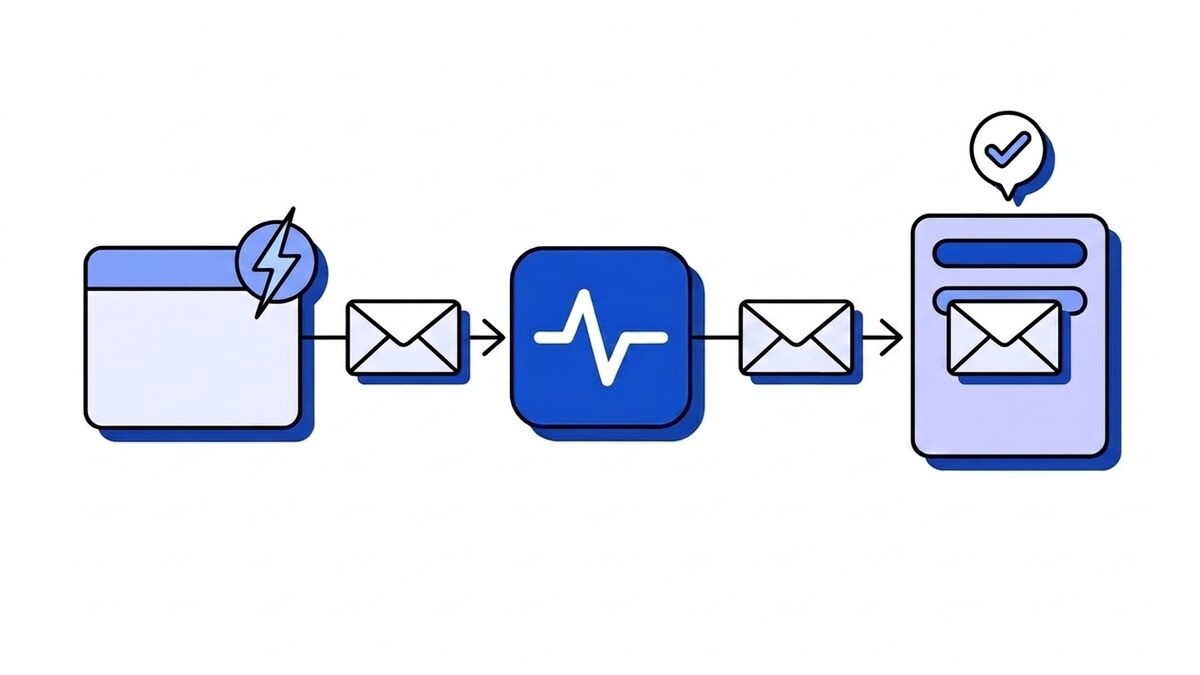
A webhook is an HTTP request that one application sends to another the moment an event happens, so the receiving application finds out without having to ask. You give a service a URL, choose the events you care about, and the service POSTs a small JSON message to that URL each time one of them occurs.
A payment succeeds and Stripe tells your server. Someone pushes code and GitHub tells your CI. An email bounces and your email provider tells your CRM. No one on the receiving side checks for updates on a timer.
The rest of this guide covers what that request looks like, what a webhook URL is, what webhooks are used for, how they compare with APIs, polling and WebSockets, and the cases where you should not use one at all.
What does webhook mean?
The word joins “web” and “hook”. In programming, a hook is a point where a system lets you attach your own code to run when something happens inside it. A webhook is the same thing across the network: instead of calling a function in the same process, the system calls a URL you own.
Jeff Lindsay coined the term in 2007, and you will still see older names for the same pattern: “HTTP callback”, “HTTP push API”, or “reverse API”. The last one is the most useful mental model. With a normal API your code sends the request. With a webhook the other service sends the request and your code answers it.
Nothing about a webhook is a separate protocol. It runs on plain HTTPS, usually a POST with a JSON body, and any web framework that can handle a form submission can receive one.
A webhook example: Stripe reporting a payment
Here is roughly what arrives at your server when a Stripe payment succeeds, trimmed to the parts that matter:
POST /webhooks/stripe HTTP/1.1
Host: api.example.com
Content-Type: application/json; charset=utf-8
User-Agent: Stripe/1.0 (+https://stripe.com/docs/webhooks)
Stripe-Signature: t=1789390000,v1=5257a869e7ecebeda32affa62cdca3fa51cad7e77a0e56ff536d0ce8e108d8bd

{
  "id": "evt_1Q2w3E4r5T6y7U8i",
  "object": "event",
  "type": "payment_intent.succeeded",
  "created": 1789390000,
  "livemode": false,
  "data": {
    "object": {
      "id": "pi_3Q2w3E4r5T6y7U8i",
      "object": "payment_intent",
      "amount": 4900,
      "currency": "eur",
      "status": "succeeded"
    }
  }
}
Your server replies with something like HTTP/1.1 200 OK and an empty body.
Three pieces do the work, and every provider has its own version of each:
- The event type (
payment_intent.succeeded) tells your code what happened, so one URL can handle many kinds of events. - The event id (
evt_...) identifies this event. If Stripe sends it again, the id stays the same, which is how you avoid charging a customer’s order twice. - The signature header (
Stripe-Signature) is an HMAC of the body made with a secret only you and Stripe know. It is how you tell a real event from a forged one.
The response matters as much as the request. A 2xx tells the sender the event arrived and it can stop. Any other status, or no answer within the sender’s timeout, counts as a failure and the event goes back into a retry queue. If you want the full exchange header by header, including what happens during those retries, how webhooks work walks through it from both ends, and webhook payload examples compares the bodies GitHub, Stripe, Shopify and Slack send.
What is a webhook URL?
A webhook URL, also called a webhook endpoint, is the address you give the sending service: the place its POST requests go. It is an ordinary HTTPS URL on a server you control, such as https://api.example.com/webhooks/stripe, or on a service that receives webhooks for you, such as an ingest URL in the form https://app.webhooker.eu/in/{token}.
It has to be public, it is not a password (authentication comes from verifying the signature), and most teams give each provider its own. In chat tools the word points the other way: a Slack or Discord “incoming webhook” URL is one the chat service gives you, and you POST to it. How to create, find and test both kinds is in the webhook URL guide.
What are webhooks used for?
Anywhere one system needs to react quickly to something that happened in another. A few common pairings:
Table: typical webhook events and what the receiving application does with them.
| Sender | Event | What the receiver does |
|---|---|---|
| Stripe | payment_intent.succeeded, invoice.paid | Marks the order paid, extends a subscription, sends a receipt |
| GitHub | push, pull_request | Starts a CI build, deploys a branch, posts a review reminder |
| Shopify | orders/create | Creates a shipment, updates stock in another system |
| Sweego | delivered, hard_bounce | Updates a contact’s status, stops mailing a dead address |
| WhatsApp (Meta) | an incoming message | Routes it to a support inbox or a bot |
| Prometheus Alertmanager | an alert firing | Pages whoever is on call |
The pattern repeats: a provider owns the event, and you own what should happen because of it. Webhooks are the handover between the two. Provider-specific details differ a lot, so the guides for Stripe webhooks, GitHub signatures, Shopify and Sweego go deeper on each.
Webhook vs API, polling and WebSockets
People often ask whether a webhook is an API. It is part of one: a provider’s API lets you ask for data, and its webhooks tell you when that data changed. The difference is who starts the conversation. The table puts webhooks next to the other common ways to learn about changes.
Table: webhooks compared with polling an API, WebSockets and Server-Sent Events.
| Polling an API | Webhook | WebSocket | Server-Sent Events | |
|---|---|---|---|---|
| Who starts each message | You, on a schedule | The provider | Either side | The server |
| Connection | New request each poll | New request per event | One long-lived, two-way | One long-lived, one-way |
| Delay before you learn about a change | Up to one poll interval | Usually seconds | Near instant | Near instant |
| Needs a public endpoint on your side | No | Yes | No | No |
| Typical use | Small, non-urgent syncs, backfills | Server-to-server events between companies | Chat, live collaboration, games | Live feeds and dashboards in a browser |
WebSockets and Server-Sent Events are mostly for browsers and apps that stay connected. Webhooks are for servers that belong to different organizations and have no reason to hold a connection open to each other all day. The webhook vs WebSocket comparison shows both on the wire. For the trade-off between pushing and pulling data in more depth, including the hybrid most production systems end up with, see webhooks vs APIs.
What are the downsides of webhooks?
Webhooks move work from the sender to the receiver. The provider decides when events are sent; your endpoint has to be ready when they arrive. That creates a handful of problems that polling never has.
Your endpoint is open to the internet. Anyone who finds the URL can send fake events. Verifying the signature on the raw request body closes that, and checking the signature’s timestamp stops someone from replaying a captured request later.
You will receive duplicates. If your server processed an event but the 200 got lost on the way back, the provider sends the event again. Delivery is at-least-once almost everywhere, so handlers need to dedupe on the event id.
Events can arrive out of order. Providers deliver from queues with several workers, so an updated event can land before its created. Either fetch the current state from the API before acting, or enforce order where it matters.
Slow handlers look like failures. Senders wait only a few seconds. GitHub expects a response within 10 seconds; Shopify allows 5. A handler that does all its work before answering will time out on a busy day and trigger retries of events it already handled.
Retries run out. Every provider stops eventually. Stripe retries for up to three days in live mode, while GitHub does not retry failed deliveries automatically at all, so an outage on your side can mean events you never see. Retry schedules differ widely, and what happens after the last one is up to you.
Payloads carry personal data. Customer names, email addresses and order contents travel inside webhook bodies and sit in whatever logs or queues store them. Under GDPR that makes the storage layer part of your data processing. Are webhooks personal data? covers retention windows and processor agreements for payloads and logs.
Each of these has a known fix, and a receiving endpoint needs all of them before it goes to production.
When should you not use a webhook?
Sometimes a scheduled request to an API is the better tool.
- The data is not time-sensitive. A nightly report or a weekly sync does not need events. A cron job that calls the API has no public endpoint to secure and no duplicates to handle.
- You cannot expose a public URL. Some corporate networks allow outbound requests only. Polling works from behind that firewall; a webhook needs a way in, or a service outside that receives it for you.
- You need the full data set. Webhooks report changes from the moment you subscribe. To load existing records, or to recover a gap longer than the provider’s retry window, you still read from the API.
- The provider does not offer the event. If there is no webhook for the change you care about, polling is the only option, however inelegant.
- You need a high-volume stream inside your own systems. Between your own services, a message broker or event log fits better than HTTP callbacks between services you control.
Most mature integrations use both: webhooks to hear about changes quickly, and a periodic API call to reconcile anything that slipped through.
How to receive your first webhook
Receiving webhooks in production takes a handful of steps, in this order:
- Expose an HTTPS endpoint that accepts POST requests. During development, use the provider’s CLI (for example
stripe listen) or a tunnel to forward events to your machine. - Register the URL with the provider and subscribe only to the events you handle. Fewer event types means less traffic and less code.
- Store the signing secret the provider shows you, and verify every request’s signature against the raw body before parsing it. If verification keeps failing, six causes cover nearly every case.
- Answer with a
2xxquickly, after saving the event somewhere durable. Do the heavier processing in a background job. - Dedupe on the event id so a retried event does nothing the second time.
- Decide what happens when you are down for longer than the provider retries: a dead-letter queue, a replay tool, or a reconciliation job against the API.
Two free tools cover the first two steps while you build: the online webhook tester gives you a URL that shows exactly what a provider sends, and webhook-mock-sender fires a correctly signed Stripe, GitHub or Shopify event at your handler so step 3 can be tested before any provider is involved.
Steps 3 to 6 are the same for every provider, which is why teams often put a webhook gateway in front of their services to handle verification, storage, retries and replay in one place. To see a real provider request before writing any handler code, you can create an ingest URL, paste it into Stripe’s test-mode webhook settings and watch the first test event land in the live tail. The quick start covers the setup in four steps.
Frequently asked questions
Are webhooks free?
The mechanism is free: a webhook is an HTTP request, and providers such as Stripe, GitHub and Shopify include webhooks with their products at no extra charge. The costs sit on the receiving side: hosting an endpoint that is always available, the engineering time for verification, retries and replay, and any gateway you use for that. Gateways bill in different units, which webhook pricing models compares.
Is a webhook the same as an API?
No. An API is a set of endpoints you call to read or change data. A webhook is a request the provider sends to you when data changes. Most providers offer both, and they complement each other: the webhook tells you something happened, and the API gives you the current state of the object before you act on it.
How do I create my own webhook?
If you are receiving, create a POST endpoint, register its URL with the provider, verify the signature and return a 2xx quickly. If you are sending webhooks to your own customers, you need the other half: let customers register URLs, sign each request with a per-customer secret, retry failed deliveries with backoff, and keep a delivery log they can inspect.
Do webhooks contain personal data?
Often, yes. Payment, e-commerce, email and messaging webhooks routinely carry names, email addresses, phone numbers and order details. Treat webhook payloads, and the logs and queues that store them, as personal data: limit how long you keep them and know where they are stored.
What are alternatives to webhooks?
Polling an API on a schedule is the most common alternative. For live updates to a browser or app, WebSockets and Server-Sent Events fit better. Between your own services, a message queue or event stream usually replaces HTTP callbacks entirely.
Are webhooks secure?
They are as secure as the receiving endpoint. Require HTTPS, verify the provider’s signature on every request, reject stale timestamps to block replays, and never act on an event that failed verification. Without the signature check, a webhook endpoint accepts requests from anyone who knows the URL.














