 Webhooker
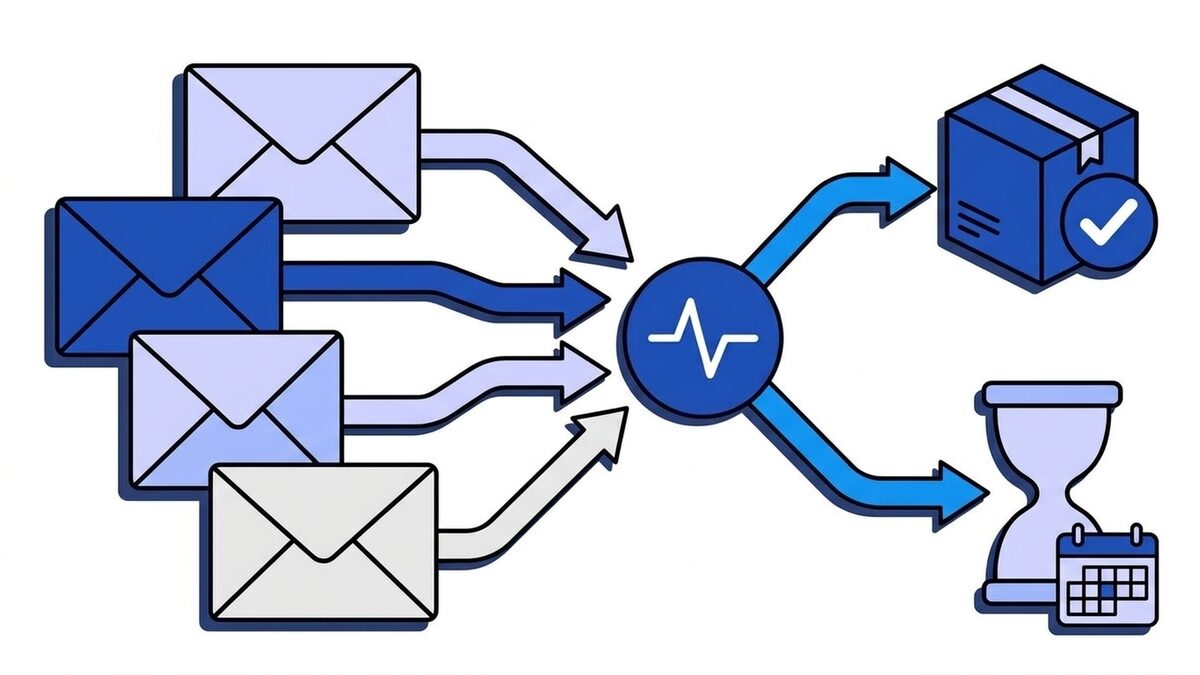
If you sell through Stripe Checkout or Payment Links, fulfil on checkout.session.completed and checkout.session.async_payment_succeeded, and only when the session’s payment_status is not unpaid. If you build your own payment form with PaymentIntents and the Payment Element, there is no Checkout Session, so fulfil on payment_intent.succeeded. Do not listen to both for the same order: they describe the same payment from two different objects, and a handler that acts on both will ship twice.
The wrong choice usually passes every card test and breaks later, in production: a SEPA Direct Debit order that ships before the money arrives, a 100% coupon that never fires payment_intent.succeeded, a subscription that fulfils once from Checkout and again from the first invoice. All Stripe behaviour below links to docs.stripe.com, checked on 9 October 2026.
The two events side by side
checkout.session.completed | payment_intent.succeeded | |
|---|---|---|
data.object | A Checkout Session | A PaymentIntent |
| Fires when | The customer finishes Checkout | Funds for a PaymentIntent are confirmed |
| Means you have the money | Only if payment_status is paid | Yes |
| Delayed methods (SEPA Direct Debit, Bacs) | Fires with payment_status: "unpaid"; outcome follows in checkout.session.async_payment_succeeded or async_payment_failed | Fires only when the debit succeeds, after payment_intent.processing |
| Orders with nothing to charge | Fires, payment_status is no_payment_required or paid | Never fires: no money moved |
| Subscriptions | Fires once, when the subscription is created | Fires for each invoice paid by a PaymentIntent, not only from Checkout |
| Line items, customer email, address | Session has customer_details; line items via expand | Neither; only amount_received, customer and metadata |
Your session metadata | Present | Not copied over unless set in payment_intent_data.metadata |
| Scope | Only payments made through Checkout | Every PaymentIntent on the account: Checkout, Payment Element, invoices, Terminal, other apps |
| Checkout waits for your response | Yes, up to 10 seconds before redirecting | No |
People tend to miss the Scope row. payment_intent.succeeded is account-wide. If another service on the same Stripe account takes payments, or Billing charges an invoice, your Checkout fulfilment handler receives those too.
What checkout.session.completed tells you
checkout.session.completed fires when the customer submits Checkout successfully. Stripe chose its words carefully for the session’s status: "complete": “The checkout session is complete. Payment processing may still be in progress” (Checkout Session object). Whether you have been paid lives in a separate field, payment_status:
paid: “The payment funds are available in your account.” For a subscription with a free trial, this means the zero-amount trial invoice went through.unpaid: “The payment funds are not yet available in your account.” This is the normal state for a delayed payment method at the moment Checkout completes.no_payment_required: nothing to collect now, for example a session insetupmode or a subscription that starts at a billing cycle anchor without proration.
A trimmed event for a card payment looks like this:
{
  "id": "evt_1Q8...",
  "type": "checkout.session.completed",
  "data": {
    "object": {
      "id": "cs_live_a1B2...",
      "object": "checkout.session",
      "mode": "payment",
      "status": "complete",
      "payment_status": "paid",
      "payment_intent": "pi_3Q8...",
      "amount_total": 4900,
      "currency": "eur",
      "client_reference_id": "cart_8812",
      "customer_details": {
        "email": "anna@example.de",
        "address": { "country": "DE", "postal_code": "10115" }
      },
      "metadata": { "order_id": "ord_5531" }
    }
  }
}
In payment mode the session’s payment_intent is null until the customer actually pays: Checkout creates the PaymentIntent when the session is confirmed, not when you create the session. Reading payment_intent right after checkout.sessions.create and getting null is expected, not a bug.
Two things are missing from that payload on purpose. Line items are not returned by default, so you fetch them with expand: ["line_items"] or the line items endpoint. And the session in the event is a snapshot from when the event was created. Stripe’s fulfilment guide therefore has you take only the session ID from the event and retrieve the session fresh before deciding anything.
What payment_intent.succeeded tells you
payment_intent.succeeded fires when a PaymentIntent reaches succeeded, which Stripe defines as the point where you are guaranteed the funds (payment notification). It is the most direct “money arrived” signal Stripe sends, which is why so many handlers start there.
The problem is what it does not carry. The PaymentIntent knows the amount, the currency, the payment method and the customer ID if there is one. It does not know which products were in the cart, the shipping address the customer typed into Checkout, the client_reference_id, or the metadata you put on the Checkout Session. Session metadata is not copied to the PaymentIntent; you have to pass it separately as payment_intent_data.metadata when you create the session. Handlers built on payment_intent.succeeded for Checkout payments usually end up calling the list Checkout Sessions endpoint with payment_intent=pi_... to find the session again, which is the long way round to the event they could have listened to.
If you do not use Checkout at all, none of this matters. With the Payment Element and your own PaymentIntents, you created the intent, you put the order ID in its metadata, and payment_intent.succeeded (plus payment_intent.payment_failed) is the right pair.
Why payment_status is unpaid: SEPA and other delayed methods
Cards confirm in seconds, so for card payments checkout.session.completed and payment_intent.succeeded arrive at nearly the same time and both say “paid”. European checkouts are different. SEPA Direct Debit, Bacs Direct Debit in the UK and bank transfers are delayed notification methods: the customer authorises the debit, Checkout completes, and the outcome is known only days later.
For a SEPA Direct Debit order, the events look like this:
day 0   checkout.session.completed                payment_status: "unpaid"
day 0   payment_intent.processing
day 2–5 payment_intent.succeeded                  (or payment_intent.payment_failed)
day 2–5 checkout.session.async_payment_succeeded  payment_status: "paid"
        (or checkout.session.async_payment_failed)
A handler that ships on checkout.session.completed without reading payment_status ships every SEPA order on day 0, including the ones whose debit later bounces. Switching to payment_intent.succeeded does not fix it. Reading the field does: fulfil when payment_status is not unpaid, and route checkout.session.async_payment_succeeded into the same fulfilment function. Redirect-based methods such as iDEAL and Bancontact behave like cards here: the customer approves the payment at their bank, and the session completes as paid.
checkout.session.async_payment_failed deserves a handler too. It is the moment to email the customer, cancel the reservation and release stock, because nobody else will tell them the debit failed.
Subscriptions: one Checkout, many PaymentIntents
In subscription mode, Checkout creates a Customer and a Subscription, and the session’s payment_intent field stays empty; that field is only for sessions in payment mode. The first payment belongs to the subscription’s first invoice. Each later renewal is another invoice, and each invoice paid by card or debit produces its own payment_intent.succeeded. checkout.session.completed does not fire again on renewals: the customer only went through Checkout once.
So payment_intent.succeeded cannot tell a new subscription from its twelfth renewal without extra lookups, and if you listen to it next to checkout.session.completed, the first month is processed twice. Use the events that match the object you care about:
checkout.session.completed: link the newsubscriptionandcustomerIDs to your user and provision access.invoice.paid: extend access for each paid period, including the first.invoice.payment_failed: start dunning.customer.subscription.updatedandcustomer.subscription.deleted: plan changes, scheduled cancellations and revocation.
The Stripe webhooks guide has the full table of events per integration type.
Free orders never fire payment_intent.succeeded
When Checkout has nothing to charge, it does not need a successful PaymentIntent, so there is none to report. A trial that starts without a payment, a session with a billing cycle anchor and no proration, or a payment-mode session that collects no payment method because the total is zero (payment_method_collection: "if_required") all complete without a payment_intent.succeeded.
If your fulfilment listens only to payment_intent.succeeded, those customers get nothing: the giveaway, the 100% launch coupon and the free tier are exactly the orders that silently stall. checkout.session.completed fires for all of them, with payment_status set to paid or no_payment_required, and the “not unpaid” rule handles them correctly.
Which event to use: a decision table
| Your integration | Fulfil on | Also handle |
|---|---|---|
| Checkout or Payment Links, one-time, cards only | checkout.session.completed with payment_status check | checkout.session.expired to release reserved stock |
| Checkout or Payment Links with SEPA, Bacs or bank transfers | checkout.session.completed and checkout.session.async_payment_succeeded | checkout.session.async_payment_failed |
| Checkout in subscription mode | checkout.session.completed to provision | invoice.paid, invoice.payment_failed, customer.subscription.* |
| Payment Element or your own PaymentIntents | payment_intent.succeeded | payment_intent.payment_failed, payment_intent.processing |
| Payments made in several ways on one account | The event of each flow, and ignore the others | Filter by metadata so each handler sees only its own payments |
charge.succeeded is not in the table on purpose. It is the older Charges-era event; a PaymentIntent creates a Charge under the hood, so it also fires, but payment_intent.succeeded replaced it as the event to build on.
A handler that fulfils exactly once
Stripe delivers events at least once and does not guarantee their order. checkout.session.async_payment_succeeded can arrive before you finished processing checkout.session.completed, a retry can deliver the same event twice, and the customer’s browser can hit your success page while the webhook is still in flight. The pattern that survives all of that is the one from Stripe’s fulfilment guide: one idempotent function keyed by the session ID, called from every entry point.
import express from "express";
import Stripe from "stripe";

const stripe = new Stripe(process.env.STRIPE_SECRET_KEY);
const app = express();

const fulfilmentEvents = new Set([
  "checkout.session.completed",
  "checkout.session.async_payment_succeeded",
]);

app.post(
  "/webhooks/stripe",
  express.raw({ type: "application/json" }),
  async (request, response) => {
    let event;
    try {
      event = stripe.webhooks.constructEvent(
        request.body,
        request.headers["stripe-signature"],
        process.env.STRIPE_WEBHOOK_SECRET,
      );
    } catch {
      return response.sendStatus(400);
    }

    if (fulfilmentEvents.has(event.type)) {
      await queue.add("fulfil-checkout", { sessionId: event.data.object.id });
    } else if (event.type === "checkout.session.async_payment_failed") {
      await queue.add("payment-failed", { sessionId: event.data.object.id });
    }

    response.sendStatus(200);
  },
);

// The queue worker and the success page both call this.
async function fulfilCheckout(sessionId) {
  const session = await stripe.checkout.sessions.retrieve(sessionId, {
    expand: ["line_items"],
  });
  if (session.payment_status === "unpaid") return;

  const claimed = await database.query(
    `INSERT INTO fulfilments (checkout_session_id) VALUES ($1)
     ON CONFLICT (checkout_session_id) DO NOTHING
     RETURNING checkout_session_id`,
    [sessionId],
  );
  if (claimed.rowCount === 0) return;

  await shipLineItems(session.line_items.data, session.customer_details);
}
A few things in there are deliberate.
express.rawkeeps the exact bytes Stripe signed. Parsing JSON first is the classic cause ofNo signatures found matching the expected signature.- The handler only enqueues, then answers. With a
success_urlset, Checkout waits up to 10 seconds for your endpoint to answercheckout.session.completedbefore redirecting the customer. Writing a job to a queue takes milliseconds; the email, the ERP call and the warehouse API happen in the worker, so the customer is not left watching a spinner. Enqueue before you answer, though: if you return200first and the enqueue fails, Stripe considers the event delivered and never retries it. (Endpoints registered on a Stripe organization account are the exception: Checkout does not wait for them.) fulfilCheckoutignores the event’s snapshot and asks the API for the current state, so the order in whichcompletedandasync_payment_succeededarrive stops mattering.- Idempotency comes from a unique constraint, not a check-then-write. Two concurrent calls for the same session both pass an “already fulfilled?”
SELECT; only one of them wins theINSERT ... ON CONFLICT DO NOTHING. More on this in webhook idempotency keys. - The success page calls the same function. Put
{CHECKOUT_SESSION_ID}in yoursuccess_urland callfulfilCheckoutwhen the customer lands there. Stripe recommends this because webhooks can be delayed, and the unique row makes the second call a no-op.
Testing both paths
stripe listen --forward-to localhost:3000/webhooks/stripe forwards sandbox events to your machine, and stripe trigger checkout.session.completed sends a quick card-shaped event. Fixtures do not exercise the delayed path, though. For that, complete a real sandbox Checkout with SEPA Direct Debit enabled and a test IBAN such as AT611904300234573201: you will see checkout.session.completed with payment_status: "unpaid" first and checkout.session.async_payment_succeeded shortly after. The how to test webhooks guide covers replaying captured payloads and sending deliberately broken ones.
Routing Stripe Checkout webhook events with a gateway
On a busy Stripe account the event stream mixes several flows: Checkout orders, subscription invoices, payments from another product, refunds. Teams usually end up with one large handler and a growing switch, or with several Stripe endpoints that each verify signatures and each have to be up whenever Stripe sends.
A webhook gateway such as Webhooker sits in front instead. Stripe sends everything to one ingest URL (https://app.webhooker.eu/in/<token>); Webhooker verifies the Stripe-Signature with your whsec_ secret, stores the event and answers 200 straight away, so Checkout’s 10-second wait never depends on your fulfilment service. Filters on the body then decide which destination gets what: type in checkout.session.completed, checkout.session.async_payment_succeeded, checkout.session.async_payment_failed goes to the fulfilment service, invoice.* to billing, everything to analytics.
Each destination gets retries with exponential backoff, a dead-letter queue and replay, plus a stable X-Webhooker-Event-Id header to deduplicate on. Checkout events include customer names, emails and addresses, which makes them personal data under GDPR; Webhooker processes and stores them in the EU. The free plan covers 10,000 events a month.
Frequently asked questions
Should I use checkout.session.completed or payment_intent.succeeded?
Use checkout.session.completed for Checkout. For Stripe Checkout and Payment Links, use checkout.session.completed plus checkout.session.async_payment_succeeded, and fulfil only when payment_status is not unpaid. The session carries line items, customer details and your metadata. Use payment_intent.succeeded when you create PaymentIntents yourself, for example with the Payment Element, and there is no Checkout Session.
Does checkout.session.completed mean the payment succeeded?
Not always. checkout.session.completed means the customer finished Checkout. For cards and redirect methods like iDEAL the session is paid at that point. For delayed methods such as SEPA Direct Debit, Bacs Direct Debit or bank transfers it is unpaid, and the result arrives later as checkout.session.async_payment_succeeded or checkout.session.async_payment_failed.
Do both events fire for the same Checkout payment?
Yes, in payment mode with an amount due, Checkout creates a PaymentIntent, so both checkout.session.completed and payment_intent.succeeded are sent. They are not guaranteed to arrive in a particular order. Pick one as your fulfilment trigger, or you will fulfil the order twice.
Why is my checkout.session.completed payment_status unpaid?
checkout.session.completed arrives with payment_status: "unpaid" when the customer paid with a delayed notification method, most often SEPA Direct Debit in Europe. The funds are not confirmed yet. Keep the order pending and fulfil when checkout.session.async_payment_succeeded arrives; handle checkout.session.async_payment_failed to cancel it.
Why doesn’t payment_intent.succeeded fire for some Checkout orders?
payment_intent.succeeded only fires when money moves. Free trials, sessions with nothing due and zero-total orders complete without a successful PaymentIntent. checkout.session.completed still fires for them with payment_status set to paid or no_payment_required.
How do I get the line items from a Stripe webhook?
A checkout.session.completed event does not include line items. Retrieve the Checkout Session with expand: ["line_items"], or call the list line items endpoint for the session and paginate if there are many. A PaymentIntent has no line items at all, which is another reason to fulfil Checkout orders from the session event.
What is checkout.session.async_payment_succeeded?
checkout.session.async_payment_succeeded is the event Stripe sends when a delayed payment method, such as SEPA Direct Debit, Bacs Direct Debit or a bank transfer, finally succeeds after Checkout completed. The session’s payment_status changes from unpaid to paid, and that is the moment to fulfil the order. Its counterpart, checkout.session.async_payment_failed, tells you the debit failed.
Does checkout.session.completed fire on subscription renewals?
No. checkout.session.completed fires once, when the customer completes Checkout and the subscription is created. Renewals are invoices, so use invoice.paid to extend access each period and invoice.payment_failed to start dunning.
Why is payment_intent null on my Checkout Session?
In payment mode, Checkout creates the PaymentIntent only when the customer confirms the payment, so the field is null on a freshly created session. In subscription and setup mode it stays null for good, because the payment belongs to the subscription’s invoice or there is no payment at all.














