 Webhooker
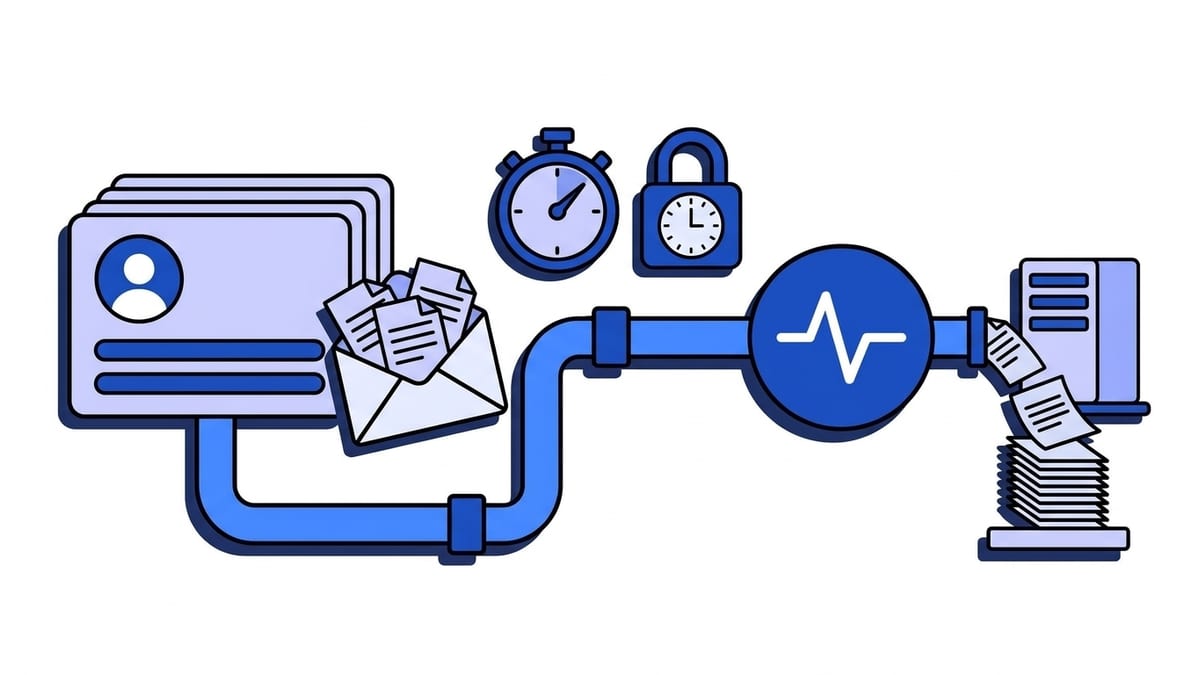
HubSpot webhooks are HTTPS POST requests that HubSpot sends to a URL you control when a CRM record is created, changed, deleted, merged or associated. “HubSpot webhooks” covers two separate features: the Webhooks API, where an app subscribes to events such as contact.creation or deal.propertyChange, and the Send a webhook action inside workflows. App webhooks arrive as a JSON array of up to 100 small notifications, must be answered within five seconds, and are retried up to 10 times over 24 hours. Requests are signed with your app’s client secret, and the current scheme is X-HubSpot-Signature-v3.
This guide covers both features, the payload, timeouts and retries, v3 verification in Node and Python, and the GDPR side of contact data. Every HubSpot fact links to HubSpot’s own documentation, checked on 21 September 2026.
What are the two kinds of HubSpot webhooks?
They share a name and little else. One is a developer feature configured on an app. The other is a step that any HubSpot user adds in the workflow editor.
Table: the HubSpot Webhooks API for apps compared with the workflow “Send a webhook” action.
| Webhooks API (apps) | “Send a webhook” workflow action | |
|---|---|---|
| Trigger | A subscription: contact.creation, deal.propertyChange and so on | The record reaches that step of the workflow |
| Plan | Set up on the app, no workflows tier involved | Data Hub Professional or Enterprise |
| Request | POST with a JSON array of notifications | POST or GET, one per enrolled record |
| Body | Ids and the changed property, nothing else | All properties of the record, or a custom selection |
| Authentication | Signature headers built from the app’s client secret | Request signature (you enter an app ID) or an API key in a header or query parameter |
| Retries | Up to 10 over 24 hours, on any 4xx or 5xx | Up to three days, not on 4xx except 429 |
The first column comes from HubSpot’s Webhooks API guide, the second from the knowledge base article linked in the table. An integration that reacts to every contact or deal change needs the Webhooks API. “When a deal reaches Closed Won, tell the billing system” is a job for the workflow action.
Which events can an app subscribe to?
The classic subscription types follow an object.event pattern for six CRM objects: contacts, companies, deals, tickets, products and line items. Each supports creation, deletion, propertyChange, merge and restore, and all except products support associationChange. Contacts add contact.privacyDeletion, which fires when a user performs a GDPR delete. Conversations have their own set, including conversation.creation and conversation.newMessage.
The guide has a few rules that are easy to miss:
- A property change subscription names one property. You subscribe to
contact.propertyChangeforlifecyclestage, then again foremail.hs_lastmodifieddatecannot be subscribed to, so there is no “anything changed” shortcut. - Each type needs a scope, such as
crm.objects.contacts.readfor contact events. An app can hold at most 1,000 subscriptions. - Association changes fire twice, once for each side.
- New subscriptions start paused, and setting changes can take up to five minutes to apply.
Generic subscriptions and the new developer platform
HubSpot also has a newer format, generic webhook subscriptions, still marked beta. The type becomes object.creation, object.propertyChange and so on, and an objectTypeId field says which object it was. It reaches beyond the classic six to calls, meetings, notes, tasks, leads and invoices, plus custom objects in private apps. It does not cover conversation.* or contact.privacyDeletion.
Where you configure all this is changing. The Webhooks API guide is now filed under legacy apps, and new legacy public apps can no longer be created as of June 2026, although existing ones keep working. Legacy private apps manage subscriptions in the app’s Webhooks tab and not through the API. On the project-based platform, subscriptions are declared in a *-hsmeta.json file in the project’s webhooks directory with a targetUrl, a maxConcurrentRequests value, and three arrays: crmObjects for the generic format, legacyCrmObjects for classic types, and hubEvents for contact.privacyDeletion and conversation.*.
A beta webhooks journal API also exists, with no target URL: your app polls a journal of the past three days of changes. That is a pull model, and the rest of this guide does not apply to it.
What does a HubSpot webhook payload look like?
One request carries a JSON array. This is the example from HubSpot’s validation docs, reformatted:
[
  {
    "eventId": 531833541,
    "subscriptionId": 3923621,
    "portalId": 48807704,
    "appId": 16111050,
    "occurredAt": 1752613920733,
    "subscriptionType": "contact.creation",
    "attemptNumber": 0,
    "objectId": 138017612137,
    "changeFlag": "CREATED",
    "changeSource": "CRM_UI",
    "sourceId": "userId:76023669"
  }
]
HubSpot says the batch size varies but stays under 100 notifications per request. A quiet account sends arrays of one, and a large contact import sends full batches. A handler written as const event = req.body passes every manual test and breaks on the first import.
Table: fields in a HubSpot Webhooks API notification.
| Field | What it holds |
|---|---|
objectId | Id of the record that changed: contact id, company id, deal id, or thread id for conversations |
subscriptionType | The subscription that matched, for example contact.propertyChange |
propertyName, propertyValue | Only on property changes: the property and its new value |
occurredAt | When the change happened, in milliseconds |
eventId | Id of the triggering event. HubSpot states it is “not guaranteed to be unique” |
subscriptionId, appId | Your subscription and your app |
portalId | The HubSpot account where it happened |
attemptNumber | Delivery attempt, starting at 0 |
changeSource | What made the change: CRM_UI, IMPORT, an integration and so on |
Merge notifications add primaryObjectId, mergedObjectIds and newObjectId. Association notifications add associationType, fromObjectId, toObjectId and associationRemoved.
One inconsistency: the field table in HubSpot’s guide documents subscriptionType, while the JSON example on the same page shows eventType. Build your parser from a captured request.
The payload is thin, so you call the API back
A contact.creation notification tells you that contact 138017612137 exists, without the name, the email or the company. A propertyChange gives you one property’s new value and not the old one. For most uses you follow up with a read, GET /crm/v3/objects/contacts/{recordId} with a properties list, or POST /crm/v3/objects/contacts/batch/read to fetch a whole batch in one call. Both are in the contacts API guide.
The callback counts against your API rate limits, even though HubSpot’s webhook requests to you do not. The record you fetch is the current state, not the state at occurredAt, which is what a sync job wants anyway. This is the notify-then-fetch pattern from our webhook vs API comparison, and it tolerates duplicates and reordering well.
How fast must your endpoint answer, and what does HubSpot retry?
For the Webhooks API, the guide gives exact numbers:
- A response that takes longer than five seconds counts as a failure.
- A connection that cannot be opened, a timeout, and any
4xxor5xxstatus are all retried. That includes the401your own signature check returns. - HubSpot makes up to 10 retries, spread over the next 24 hours, with varying and partly randomised delays.
- It keeps at most 10 requests in flight per account that installed your app, each holding up to 100 events. The throttling setting changes that limit, and the value must be greater than five.
- The target URL must be served over HTTPS.
One status code answers the whole batch. If notification 37 of 80 makes your handler throw and you return 500, all 80 count as failed, including the 36 you already processed. Store first and process later.
The workflow action behaves differently. HubSpot retries failed workflow webhooks for up to three days, starting one minute after the failure, at growing intervals capped at eight hours. It does not retry on 4xx responses, with the exception of 429, where it respects a Retry-After header. A broken signature check or a wrong path therefore loses workflow webhooks for good, while the same mistake on the Webhooks API burns a day of retries.
Both windows end. An endpoint that stays broken from Friday evening to Monday morning has outlived the 24 hours, and the guide documents no way to request an app webhook again. How such schedules work is covered in our piece on retries, exponential backoff and jitter. What to do once a retry window has run out is in webhook retries and replay.
How do you verify a HubSpot webhook signature?
HubSpot has three signature versions, described in its request validation docs. All three use the app’s client secret. For a legacy private app it is on the Auth tab under Show secret.
Table: HubSpot request signature versions.
| Version | Headers | What is hashed | Output |
|---|---|---|---|
| v1 | X-HubSpot-Signature, X-HubSpot-Signature-Version: v1 | SHA-256 of client secret + body | hex |
| v2 | X-HubSpot-Signature, X-HubSpot-Signature-Version: v2 | SHA-256 of client secret + method + URI + body | hex |
| v3 | X-HubSpot-Signature-v3, X-HubSpot-Request-Timestamp | HMAC-SHA256, keyed with the client secret, of method + URI + body + timestamp | base64 |
HubSpot documents v1 for CRM events from the Webhooks API and v2 for workflow webhook actions and app cards, keeps both for backwards compatibility, and names v3 as the latest version. Use v3. The older two are plain hashes with the secret prepended, not HMACs, and neither includes a timestamp, so a captured request stays valid for ever.
The v3 rules:
- Reject the request if
X-HubSpot-Request-Timestamp, which is in milliseconds, is more than five minutes old. That window is the defence against replayed requests. - Build the string
method + URI + body + timestamp. The URI is the full URL HubSpot called, includinghttps://and the host. - In the URI, decode a fixed list of escapes:
%3A,%2F,%3F,%40,%21,%24,%27,%28,%29,%2A,%2Cand%3B. Leave everything else encoded. HubSpot’s sample code applies this to the query string. - Compute HMAC-SHA256 with the client secret, base64-encode the result, and compare in constant time.
const crypto = require("crypto");
const express = require("express");

const app = express();
const MAX_AGE_MS = 5 * 60 * 1000;
const DECODED_CHARACTERS = {
  "%3A": ":", "%2F": "/", "%3F": "?", "%40": "@", "%21": "!", "%24": "$",
  "%27": "'", "%28": "(", "%29": ")", "%2A": "*", "%2C": ",", "%3B": ";",
};

function normalizeSignedUri(fullUrl) {
  const [withoutFragment] = fullUrl.split("#");
  const queryStart = withoutFragment.indexOf("?");
  if (queryStart === -1) return withoutFragment;
  const query = withoutFragment
    .slice(queryStart + 1)
    .replace(
      /%(3A|2F|3F|40|21|24|27|28|29|2A|2C|3B)/gi,
      (match) => DECODED_CHARACTERS[match.toUpperCase()],
    );
  return withoutFragment.slice(0, queryStart + 1) + query;
}

function isValidHubSpotRequest(req) {
  const signature = req.get("X-HubSpot-Signature-v3") || "";
  const timestamp = req.get("X-HubSpot-Request-Timestamp") || "";
  if (!signature || !/^\d+$/.test(timestamp)) return false;
  if (Date.now() - Number(timestamp) > MAX_AGE_MS) return false;

  // PUBLIC_ORIGIN is the scheme and host HubSpot calls, e.g. https://api.example.com
  const signedUri = normalizeSignedUri(process.env.PUBLIC_ORIGIN + req.originalUrl);
  const expected = crypto
    .createHmac("sha256", process.env.HUBSPOT_CLIENT_SECRET)
    .update(req.method + signedUri)
    .update(req.body) // raw bytes, see express.raw below
    .update(timestamp)
    .digest("base64");

  const expectedBuffer = Buffer.from(expected);
  const receivedBuffer = Buffer.from(signature);
  return (
    expectedBuffer.length === receivedBuffer.length &&
    crypto.timingSafeEqual(expectedBuffer, receivedBuffer)
  );
}

app.post("/webhooks/hubspot", express.raw({ type: "application/json" }), (req, res) => {
  if (!isValidHubSpotRequest(req)) return res.status(401).send("bad signature");
  const notifications = JSON.parse(req.body);
  // store the notifications, then answer; see the next section
  res.sendStatus(200);
});
The same check in Python
import base64
import hashlib
import hmac
import re
import time

MAX_AGE_MS = 5 * 60 * 1000
DECODED_CHARACTERS = {
    "%3A": ":", "%2F": "/", "%3F": "?", "%40": "@", "%21": "!", "%24": "$",
    "%27": "'", "%28": "(", "%29": ")", "%2A": "*", "%2C": ",", "%3B": ";",
}
ENCODED_PATTERN = re.compile("|".join(DECODED_CHARACTERS), re.IGNORECASE)


def normalize_signed_uri(full_url):
    without_fragment = full_url.split("#", 1)[0]
    base, separator, query = without_fragment.partition("?")
    decoded_query = ENCODED_PATTERN.sub(
        lambda match: DECODED_CHARACTERS[match.group(0).upper()], query
    )
    return base + separator + decoded_query


def is_valid_hubspot_request(method, full_url, raw_body, headers, client_secret):
    signature = headers.get("X-HubSpot-Signature-v3", "")
    timestamp = headers.get("X-HubSpot-Request-Timestamp", "")
    if not signature or not timestamp.isdigit():
        return False
    if int(time.time() * 1000) - int(timestamp) > MAX_AGE_MS:
        return False

    signed_content = (
        (method + normalize_signed_uri(full_url)).encode("utf-8")
        + raw_body
        + timestamp.encode("utf-8")
    )
    expected = base64.b64encode(
        hmac.new(client_secret.encode("utf-8"), signed_content, hashlib.sha256).digest()
    ).decode("utf-8")
    return hmac.compare_digest(expected, signature)
In Flask, pass request.get_data() as raw_body. In Django, pass request.body. Both functions reproduce the signature of the worked example in HubSpot’s docs, which makes a good first unit test.
Where v3 verification goes wrong
Most failures come from the URI, because it is part of the signature. Behind a load balancer your framework may see http:// or an internal hostname, while HubSpot signed the public https:// URL. Build the URI from configuration, as PUBLIC_ORIGIN does above. A trailing slash or a reordered query string also breaks the match.
The other three are quicker to check:
- HubSpot’s Node sample hashes
JSON.stringify(body). That works only while re-serialising reproduces HubSpot’s bytes exactly. Hash the raw bytes. - The timestamp is in milliseconds. Comparing it with a clock in seconds rejects or accepts everything.
- Decode only the listed escapes. A blanket
decodeURIComponentturns%20into a space and the hash no longer matches.
If it still fails, work through the six usual causes of a failed signature check in order, starting with the body.
How do you handle duplicates and out-of-order events?
HubSpot promises neither. The guide says it “does not guarantee that you’ll receive these notifications in the order they occurred” and that the same notification can arrive more than once. With batch-level retries, duplicates are not rare.
Deduplicate, but not on eventId alone. HubSpot warns that eventId is not guaranteed to be unique, so a bare unique index on it can drop real events. We key on the combination of portalId, subscriptionId, eventId, objectId and occurredAt. A retry carries the same values with a higher attemptNumber, so it collapses into the row you already have. The storage patterns are in our guide to idempotency keys for webhook consumers.
In Postgres that is a unique constraint on those five columns and an INSERT ... ON CONFLICT DO NOTHING per notification. Run the inserts before res.sendStatus(200), and let a worker pick up pending rows, with FOR UPDATE SKIP LOCKED if several workers share the table. The five-second budget is then spent on inserts and nothing else.
For ordering, use occurredAt per record. Two propertyChange notifications for the same contact can arrive reversed. Store the occurredAt of the last change you applied per objectId and property, and ignore anything older. If the worker re-reads the record from the CRM API, order matters even less. A GDPR delete fires both contact.privacyDeletion and contact.deletion, in no fixed order and not necessarily in the same batch, so match them on objectId. Strict FIFO is a separate design decision, and a CRM sync rarely needs it.
How do you test HubSpot webhooks locally?
Each subscription has a Test button. In a legacy app, open the app’s Webhooks section, open a subscription’s details, confirm the test URL and click Test. For realistic payloads, create a contact or change a subscribed property in an account you use for testing.
The URL must be public and HTTPS, so localhost needs a tunnel. The v3 signature includes the URL, so a tunnel hostname that changes on restart means updating both the HubSpot target URL and your PUBLIC_ORIGIN.
HubSpot’s guide suggests webhook.site for a first look, with a warning not to send “proprietary, confidential, or sensitive data of any kind” there. App payloads are mostly ids, but a contact.propertyChange on email carries an email address, and a workflow webhook with Include all properties carries the whole contact. Our open-source webhook-tester is a request inspector that runs in one Docker container on your own server, so captured requests stay with you. Hosted inspectors are compared in webhook.site alternatives.
Are HubSpot webhook payloads personal data under GDPR?
Usually yes. A contact id identifies a person, propertyValue can hold an email address or a phone number, and a workflow webhook can hold the full record. Our article on whether webhooks are personal data goes through the reasoning.
HubSpot hosts accounts in several regions, including an EU data centre in Germany on AWS. Yours is shown under Privacy & Consent, on the Data Hosting tab. That setting decides where HubSpot stores the account, not where the webhook goes. The request travels to whatever URL you registered, and the tunnel, the request inspector, the queue and the logs on that path are all part of your processing. An account hosted in Germany that posts contact changes to a US-hosted inspection tool has moved personal data out of the EU. Subscribe to contact.privacyDeletion too, because every system holding a copy of the contact has to delete it. If a relay or gateway sits on that path, it is a processor as well, and our checklist for a GDPR-compliant webhook relay lists what to ask of it.
Should you put a webhook gateway in front of HubSpot?
Disclosure: we build Webhooker, an EU-hosted webhook gateway. For HubSpot traffic it solves the delivery problem and only part of the verification problem.
Delivery first. HubSpot gives your endpoint five seconds and then 24 hours of retries. With a gateway you create a source and paste its ingest URL (https://app.webhooker.eu/in/<token>) into the app’s target URL. The gateway stores the request and answers 200 whether or not your service is up. It then delivers to your destinations with exponential backoff, six attempts over about five hours behind a per-destination circuit breaker, and parks what still fails in a dead-letter queue you can replay. A HubSpot batch is stored and forwarded as one event with the array intact, and every delivery carries a stable X-Webhooker-Event-Id. Payloads and attempts are kept for 14 days on the free plan and 30 or 90 days on paid plans, which gives you the resend path HubSpot’s guide does not describe. Ingest, storage, delivery and backups run in the EU, with a DPA on paid plans.
Verification is the weak spot. Webhooker has presets for Stripe, GitHub and Shopify and none for HubSpot. Its generic HMAC method checks a signature over the request body, optionally with a timestamp, as the verification docs describe. HubSpot’s v3 signature covers method, URI, body and timestamp, and v1 is a plain SHA-256 with the secret prepended, so a generic body HMAC can validate neither. Deliveries to your destination are signed by Webhooker and do not carry HubSpot’s signature headers, so the HubSpot check cannot be re-run downstream either. That leaves three realistic setups:
- Workflow webhooks fit fully. In the Send a webhook action choose API key authentication in a request header, and set the source’s verification to API Key with the same header name and value. Requests without the key get
401and are never delivered. - App webhooks can go through the gateway, but the ingest URL’s unguessable token is then the only gate, so treat the URL as a secret. Thin payloads help: if your worker reads every record back from the CRM API with your own token, a forged notification can at most make you fetch a real record. Do not act on
propertyValuefrom an unverified request. - If the signature check is mandatory for app webhooks, point HubSpot straight at your own handler, verify v3 there, and live with HubSpot’s retry window.
The free plan covers 10,000 events a month, and one inbound request counts as one event however many destinations it reaches. If the first or second setup fits, create a free source and follow the quick start.
Frequently asked questions
What is the difference between the HubSpot Webhooks API and a workflow webhook?
The Webhooks API belongs to an app: a developer subscribes to CRM events such as contact.creation, and HubSpot posts batches of thin notifications for every matching change. The workflow Send a webhook action is a step a HubSpot user adds to a workflow. It needs Data Hub Professional or Enterprise, sends one POST or GET per enrolled record, and can include all of the record’s properties.
How do I validate the X-HubSpot-Signature-v3 header?
Concatenate the HTTP method, the full request URI, the raw request body and the value of X-HubSpot-Request-Timestamp. Compute HMAC-SHA256 over that string with your app’s client secret, base64-encode it, and compare it to the header in constant time. Reject requests whose timestamp is more than five minutes old, and decode only HubSpot’s listed URL escapes in the URI before hashing.
Does HubSpot retry failed webhooks?
Yes. For the Webhooks API, HubSpot retries up to 10 times over 24 hours after a failed connection, a response slower than five seconds, or any 4xx or 5xx status. Workflow webhooks are retried for up to three days, but not after 4xx responses other than 429.
Are HubSpot webhooks delivered in order, and only once?
No to both. HubSpot states that it does not guarantee order and that the same notification can arrive more than once. Use occurredAt to decide which change is newer for a record. Because eventId is documented as not guaranteed to be unique, deduplicate on a combination such as portalId, subscriptionId, eventId, objectId and occurredAt.