 Webhooker
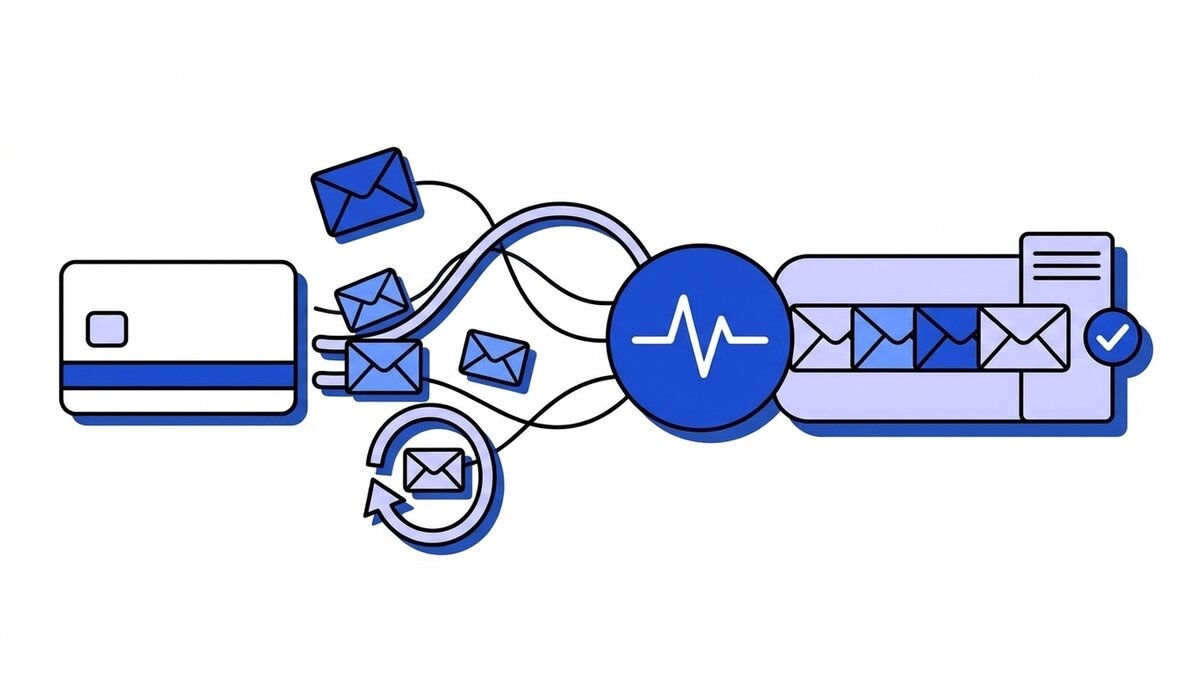
Stripe webhooks are HTTPS POST requests that Stripe sends to an endpoint you register whenever something happens in your account: a payment succeeds, a subscription renews, a customer opens a dispute. Each request carries a JSON Event object and a Stripe-Signature header. If your endpoint does not answer with a 2xx, Stripe retries with exponential backoff for up to three days in live mode. A handler that survives production does four things: verifies the signature, returns 2xx before doing real work, deduplicates on the event id, and never assumes events arrive in order.
This guide covers how delivery behaves, which events to subscribe to, what retries and duplicates look like on a live account, and how to test all of it locally. Two narrower questions have their own pages: where to find the signing secret and how to verify the signature by hand.
How a Stripe webhook delivery works
You register an endpoint in the Webhooks tab in Workbench under Create an event destination: pick the API version for the event payloads, tick the event types, choose Webhook endpoint as the destination type, and paste the URL. Stripe allows 16 event destinations per account, counted separately for live mode and each sandbox. Live-mode endpoints must be HTTPS with TLS 1.2 or 1.3.
When an event fires, Stripe POSTs something like this, trimmed here:
{
  "id": "evt_3PzQ8kLkdIwHu7ix0Jx2aB1c",
  "object": "event",
  "api_version": "2025-09-30.clover",
  "created": 1788341412,
  "type": "payment_intent.succeeded",
  "livemode": true,
  "pending_webhooks": 1,
  "request": { "id": "req_8Hk2LmPq0sX1yZ", "idempotency_key": "order-4412" },
  "data": {
    "object": {
      "id": "pi_3PzQ8kLkdIwHu7ix0kQ9mR2t",
      "object": "payment_intent",
      "amount": 4900,
      "currency": "eur",
      "status": "succeeded",
      "customer": "cus_QpX7r2mN4bT8wE",
      "metadata": { "order_id": "4412" }
    }
  }
}
Three fields deserve attention before you write a line of handler code.
id is the event identity, and it stays the same on every retry and every manual resend. It is the key you deduplicate on.
data.object is a snapshot of the resource at the moment the event was created, rendered in the API version of the endpoint. It can be stale by the time you process it, and Stripe itself recommends fetching the current object from the API when the state matters. Upgrading your account’s API version later does not rewrite events that already exist.
metadata is whatever you attached when you created the object. Setting your own order id there at creation time is the cheapest way to join an event back to a row in your database without a lookup on amounts or email addresses.
Snapshot events and thin events
Everything above is a snapshot event, the classic format that API v1 resources emit. Stripe also offers thin events: a small notification with the event type and the id of the related object, and nothing else. Your handler then calls fetchRelatedObject() or fetchEvent() through the SDK to get the data. Thin events are unversioned, so an API upgrade does not change what arrives at the endpoint, and they need a separate destination. Most integrations built on Checkout, PaymentIntents and Billing still run on snapshot events, and the rest of this guide assumes them.
Which Stripe events to listen for
Stripe’s advice is to subscribe only to the event types your integration uses. Subscribing to everything means your endpoint receives a steady stream of customer.updated and payment_method.attached noise, and at the start of the month, when every subscription renews at once, that noise arrives in the same spike as the events you care about.
| What you are building | Events to handle |
|---|---|
| One-time payments with Checkout or Payment Links | checkout.session.completed, checkout.session.async_payment_succeeded, checkout.session.async_payment_failed |
| Payments with PaymentIntents directly | payment_intent.succeeded, payment_intent.payment_failed |
| Subscriptions | invoice.paid, invoice.payment_failed, customer.subscription.updated, customer.subscription.deleted, customer.subscription.trial_will_end |
| Refunds and disputes | charge.refunded, charge.dispute.created |
The full catalogue lives in Stripe’s event types reference. For subscriptions, the Stripe subscription webhooks guide walks the lifecycle event by event and maps each status to access. Two of the rows above hide traps.
Delayed payment methods and checkout.session.completed
checkout.session.completed fires when the customer finishes Checkout, not when you have the money. For cards those are the same moment. For methods with delayed notification, SEPA Direct Debit being the one most European stores run into, the session completes with payment_status set to unpaid, and the actual outcome arrives days later as checkout.session.async_payment_succeeded or checkout.session.async_payment_failed.
A handler that ships goods on checkout.session.completed without reading payment_status works in every card test and then fulfils orders that never get paid. Stripe’s fulfillment guide routes both completed and async_payment_succeeded into a single fulfilment function that re-reads the session and only acts when payment_status is not unpaid. The checkout.session.completed vs payment_intent.succeeded deep dive walks through the event sequence for SEPA, subscriptions and free orders.
Checkout waits for your webhook
There is a second, less known coupling. If you set a success_url and have an endpoint listening for checkout.session.completed, Checkout waits up to ten seconds for your server to answer that delivery before redirecting the customer. A handler that fulfils synchronously, sends the receipt email and updates the CRM before returning 200 makes every customer stare at a spinner. Answer fast, and trigger the same idempotent fulfilment function from your landing page too, since Stripe notes that webhooks can be delayed and the customer is right there waiting.
Retries: what Stripe does when your endpoint fails
Any response outside 2xx counts as a failed delivery. That includes the ones people do not expect:
- Redirects. A
301fromhttptohttps, from the bare domain towww, or from/webhookto/webhook/is a failure. Stripe does not follow it. Register the final URL. - Timeouts. Stripe marks a slow response as timed out and does not publish a fixed number to design against. Treat anything beyond a couple of seconds as a risk.
- TLS errors. An expired certificate or a missing intermediate certificate fails every delivery until it is fixed.
- CSRF protection. Rails, Django and similar frameworks reject a POST without a CSRF token, so the webhook route needs an explicit exemption.
In live mode Stripe retries a failed event with exponential backoff for up to three days. In a sandbox it retries three times over a few hours, which means you will not see the live-mode retry curve during development. Every attempt gets a fresh timestamp and a fresh signature, so a verifier with a five-minute tolerance still accepts a retry that arrives two days late. If you disable or delete the destination while retries are pending, Stripe stops retrying those events.
The Event deliveries tab on the endpoint in Workbench shows each event as Delivered, Pending or Failed, with the HTTP status of every attempt and the time of the next retry. That tab is the first place to look when events seem to be missing. The general mechanics behind the schedule are in our piece on exponential backoff and jitter.
Resending events by hand
Stripe gives you two manual paths, with different windows:
- Dashboard. Open the event and click Resend. This works for up to 15 days after the event was created.
- CLI.
stripe events resend evt_... --webhook-endpoint=we_...works for up to 30 days.
A manual resend that succeeds does not cancel the automatic retries already scheduled for that event. Your handler will see the same event id again, which is fine as long as it deduplicates.
Recovering after an outage longer than three days
Three days sounds generous until an endpoint breaks on a Friday evening, the alert goes to an inbox nobody reads over a long weekend, and the fix ships on Tuesday. Events older than the retry window are not redelivered automatically. To get them back, list the events that failed to deliver and process them yourself:
curl -G https://api.stripe.com/v1/events \
  -u "$STRIPE_API_KEY:" \
  -d ending_before=evt_LAST_GOOD_EVENT \
  -d "types[]=checkout.session.completed" \
  -d "types[]=invoice.paid" \
  -d delivery_success=false
delivery_success=false returns events that failed to reach at least one of your endpoints. Using ending_before with auto-pagination walks them in chronological order. The API only returns events from the last 30 days, so after a month the events are gone from Stripe’s side, and your only record is whatever you stored yourself. Run the script through the same deduplication as the live handler, because Stripe may still be retrying some of those events while the script runs.
Duplicates and ordering
Stripe’s documentation states that an endpoint can receive the same event more than once. A retry after your server processed the event but the response was lost, a manual resend, a recovery script overlapping with an automatic retry: each one hands you an event id you have already seen. Record processed event ids and skip repeats. Stripe also documents a rarer case where two separate Event objects describe the same change; the pair of data.object.id and type identifies those. Our guide to idempotency keys for webhook consumers covers the storage side.
Order is not guaranteed either. Creating a subscription can produce customer.subscription.created, invoice.created, invoice.paid and charge.created, and they can arrive in any sequence. The created timestamp has one-second resolution, so distinct events often share it and it cannot break the tie. Stripe’s recommendation is to make each handler independent of the others and fetch any object you need from the API rather than wait for the event that would have delivered it. A separate post covers when FIFO delivery is actually required and what it costs; for Stripe it almost never is.
A handler that holds up in production
Stripe asks you to return 2xx before any complex logic and to process events through an asynchronous queue. Put together with deduplication, the receiving side is short:
const express = require("express");
const Stripe = require("stripe");
const { Pool } = require("pg");

const stripe = new Stripe(process.env.STRIPE_API_KEY);
const database = new Pool();
const app = express();

app.post("/webhooks/stripe", express.raw({ type: "application/json" }), async (req, res) => {
  let event;
  try {
    event = stripe.webhooks.constructEvent(
      req.body,
      req.headers["stripe-signature"],
      process.env.STRIPE_WEBHOOK_SECRET,
    );
  } catch (verificationError) {
    return res.status(400).send("invalid signature");
  }

  // event_id is the primary key, so a redelivered event inserts nothing.
  await database.query(
    `INSERT INTO stripe_events (event_id, type, payload, status)
     VALUES ($1, $2, $3, 'pending')
     ON CONFLICT (event_id) DO NOTHING`,
    [event.id, event.type, event],
  );

  res.sendStatus(200);
});
The route uses express.raw() so constructEvent hashes the exact bytes Stripe signed. Mount a global express.json() before it and verification fails with “No signatures found matching the expected signature for payload”, which has its own troubleshooting page.
A worker then claims pending rows, with FOR UPDATE SKIP LOCKED if several workers share the table, and dispatches on type:
async function processStripeEvent(storedEvent) {
  const resource = storedEvent.payload.data.object;

  switch (storedEvent.type) {
    case "checkout.session.completed":
    case "checkout.session.async_payment_succeeded":
      // Re-reads the session and acts only if payment_status is not "unpaid".
      return fulfillCheckout(resource.id);
    case "checkout.session.async_payment_failed":
      return notifyPaymentFailed(resource.id);
    case "invoice.payment_failed":
      return startDunning(resource.customer);
    default:
      return null;
  }
}
fulfillCheckout has to be safe to call twice, possibly at the same moment, because the landing page calls it too. A unique constraint on the Checkout Session id in your orders table does that more reliably than a check-then-insert in application code.
Testing Stripe webhooks locally
The Stripe CLI forwards events from your account to a local server without registering a public URL:
stripe login
stripe listen --forward-to localhost:4242/webhooks/stripe
stripe listen prints a whsec_ secret on its first line. That secret belongs to the forwarding session, not to any registered endpoint, so it goes into your local STRIPE_WEBHOOK_SECRET and nowhere else. Mixing it up with the dashboard secret is a common cause of the test-works-production-fails pattern.
In a second terminal, fire events:
stripe trigger checkout.session.completed
stripe trigger invoice.payment_failed
A few flags keep the session useful. --events checkout.session.completed,invoice.paid limits forwarding to the types your handler knows, so the log is not buried in fixture noise. --load-from-webhooks-api copies the event list of an endpoint you already registered. Thin events use --forward-thin-to with --thin-events "*".
Before you rely on the CLI, know where it differs from live delivery:
- Fixtures are not your flow.
stripe triggercreates throwaway customers and objects to produce the event. The payload has the right shape, but your metadata, your price ids and your customer are not in it. Run a real sandbox Checkout with the4242 4242 4242 4242test card for anything that readsmetadata. - Events stop when the terminal does. Close the laptop and the events generated in the meantime are not forwarded anywhere.
- Checkout does not wait for the CLI. With
stripe listen, Checkout redirects tosuccess_urlimmediately, so the ten-second wait described above never shows up in local testing. - Retries look different. Sandbox retries three times over a few hours, not over three days.
To see what a real delivery carries before your handler exists, point a Workbench destination or stripe listen --forward-to at our online webhook tester and paste the signing secret: it checks the Stripe-Signature header against the raw body in your browser and shows the exact t.body string that was signed.
Test the failure path on purpose. Return a 500 from the handler, trigger an event, and watch the Event deliveries tab schedule the retry. Then fix the handler and confirm the retried delivery is processed exactly once.
Without the CLI at all, our webhook-mock-sender posts a signed payment_intent.succeeded or invoice.paid straight at localhost, signed with the secret your app already verifies against, and can send the requests Stripe never will: a wrong signature, a ten-minute-old timestamp, the same delivery twice. --expect 400 turns each of those into an assertion your CI can run.
Diagnosing a failing Stripe endpoint
The status that Workbench records for each attempt narrows the cause quickly:
| Delivery status | What it means | Usual fix |
|---|---|---|
| Unable to connect | Stripe could not reach the host | The endpoint is not publicly reachable; check DNS, firewall and that the service is running |
3xx | Your server redirected | Register the final URL, including the exact scheme, host and trailing slash |
400, 401, 403, 404, 405 | Your server refused the request | Wrong path, auth middleware or CSRF on the route, or a signature check returning 400 |
5xx | Your handler threw | Read the application log for that timestamp |
| TLS error | The certificate chain did not validate | Run an SSL test; fix an expired or incomplete chain |
| Timed out | Your handler was too slow | Return 2xx first and move the work to a queue |
A run of 400s that started right after a deploy is nearly always signature verification: a new body parser, a rotated secret, or test and live secrets swapped in configuration. Rolling the secret without dropping events covers the overlap window, and Stripe publishes its webhook IP addresses if you also want a firewall allowlist on top of the signature, as a second layer rather than a replacement.
Putting a gateway in front of Stripe
Most of the constraints above come from one coupling: Stripe’s delivery attempt only succeeds while your application is up and fast. A slow service holds up Checkout for as long as ten seconds. An outage longer than three days pushes events out of the retry window, and after 30 days they are no longer in the API either.
A webhook gateway breaks that coupling by accepting the event on your behalf and delivering it later. With Webhooker you create a source, paste its ingest URL (https://app.webhooker.eu/in/<token>) into the Stripe endpoint field, and set the source’s verification to HMAC-SHA256 with the endpoint’s whsec_ value.
The gateway checks the Stripe-Signature header, stores the event and answers 200 OK before any delivery to your service starts, so Checkout’s wait is not spent on your handler. A request with a bad signature gets 401 and goes nowhere. Delivery to your own endpoint then retries with exponential backoff behind a per-destination circuit breaker, and events that exhaust their retries sit in a dead-letter queue until you replay them, one at a time or in bulk. Paid plans keep the payload and every delivery attempt for 30 or 90 days, compared with the 15-day resend window in the Stripe Dashboard; the free plan keeps 14 days.
Several services can hang off one source. Add a destination for billing and another for analytics, and each receives the event with a stable X-Webhooker-Event-Id to deduplicate on and verifies Webhooker’s signature instead of holding a Stripe secret.
Stripe events also carry customer names, email addresses and billing addresses in data.object, which makes them personal data under GDPR. Webhooker keeps ingest, storage and delivery inside the EU, with a DPA on paid plans, and the free plan covers 10,000 events a month. To route a Stripe endpoint through it, follow the quick start: create a source, paste the ingest URL into Stripe, add a destination and verify the signature on delivery.
Frequently asked questions
How long does Stripe retry failed webhooks?
In live mode, for up to three days with exponential backoff. In a sandbox, three attempts over a few hours. Each retry carries a new timestamp and signature. After the automatic window ends, you can resend an event from the Dashboard for up to 15 days, with stripe events resend for up to 30 days, or list undelivered events through the API with delivery_success=false for up to 30 days.
Does Stripe send webhook events in order?
No. Stripe does not guarantee that events arrive in the order they were created, and events created in the same second share a created value. Make each handler independent, and fetch the current object from the API when your logic depends on state that another event might not have delivered yet.
Why does my endpoint receive the same Stripe event twice?
Because delivery is at-least-once. A lost response, a retry, a manual resend or a recovery script can all redeliver an event you already processed. Store the event id with a unique constraint and skip ids you have seen. For the rare case of two distinct events describing the same change, compare data.object.id together with type.
How do I test Stripe webhooks locally?
Run stripe listen --forward-to localhost:PORT/your-route, copy the whsec_ secret it prints into your local environment, and fire events with stripe trigger <event_type>. For payloads that include your own metadata and prices, complete a real Checkout in a sandbox with the test card 4242 4242 4242 4242 while stripe listen is running.
Which Stripe webhook events do I need for subscriptions?
At minimum invoice.paid to extend access, invoice.payment_failed to start dunning, customer.subscription.updated for plan changes and cancellations scheduled at period end, and customer.subscription.deleted to revoke access. customer.subscription.trial_will_end is useful if you remind customers before a trial converts. The subscription webhooks guide covers the full sequence, including 3D Secure renewals and the invoice.created delay.
Why does Stripe mark my webhook as failed when my server responded?
Probably because the response was not a 2xx. Redirects count as failures, so an http to https or trailing-slash redirect fails every delivery. A 403 usually means CSRF protection or auth middleware on the webhook route, and a 400 right after a deploy usually means signature verification broke. The Event deliveries tab in Workbench shows the exact status of each attempt.














