 Webhooker
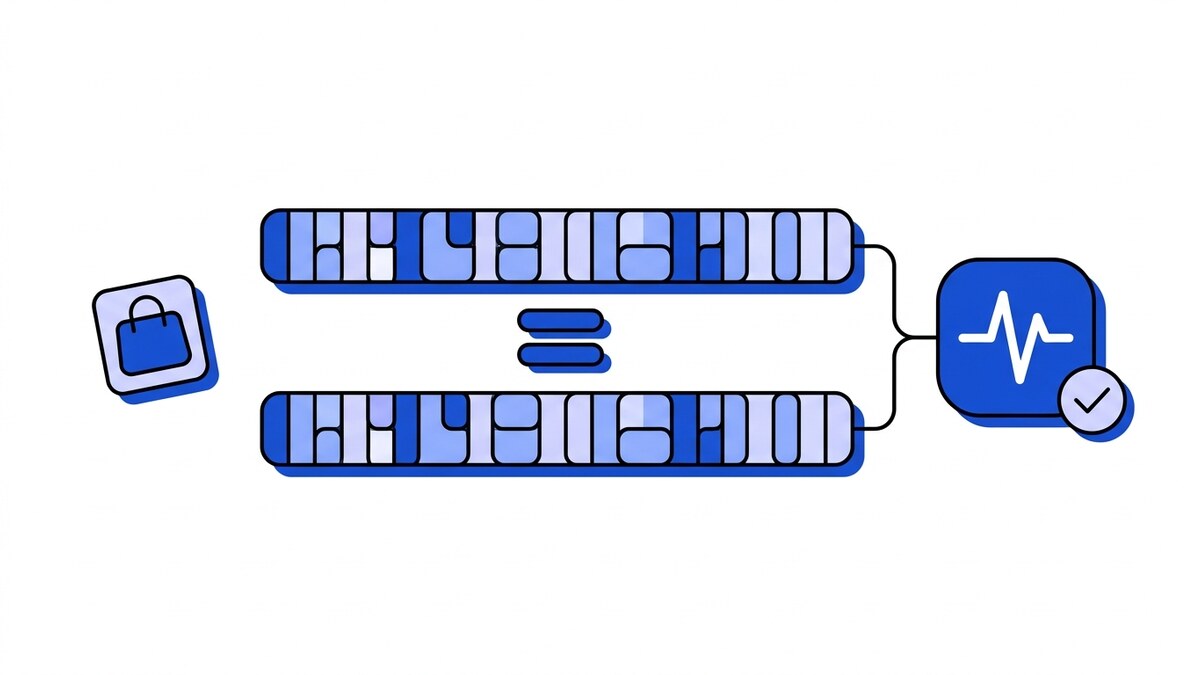
Shopify signs every webhook with an X-Shopify-Hmac-Sha256 header. Shopify webhook verification means computing an HMAC-SHA256 over the raw, unparsed request body using your app’s API secret, encoding that digest as base64, then comparing it to the header value with a constant-time check. The bug that catches most integrations is comparing as hex instead of base64.
That failure is confusing to debug. The signature looks plausible and the hash underneath is correct, yet the comparison fails every time, because one side is 64 hex characters and the other is a 44-character base64 string. This article covers verification, the three mandatory GDPR webhooks Shopify sends, and how to make sure a redaction request is never lost between Shopify and your database. For subscriptions, topics, timeouts and retries, see the Shopify webhooks guide.
How Shopify signs its webhooks
When Shopify sends a webhook, it computes an HMAC-SHA256 of the exact bytes it is about to POST, keyed with your app’s API secret (the same secret from your app settings, not the API access token). It base64-encodes that digest and puts it in the X-Shopify-Hmac-Sha256 header. Two other headers ride along, next to the signature itself:
X-Shopify-Topictells you which event fired, for exampleorders/createorcustomers/redact.X-Shopify-Shop-Domaintells you which store it came from, useful when one app serves many merchants.X-Shopify-Hmac-Sha256is the signature you verify against.
What Shopify hashes is the raw body, byte for byte, as it went over the wire. A re-serialized or pretty-printed JSON object from your framework will not produce the same digest. Shopify’s webhook verification docs state this explicitly and are short enough to read before you write the handler.
Verifying the signature correctly
Here is the whole check in pseudocode. The logic is short; failures come from the inputs around it.
raw_body   = request.raw_bytes          // before any JSON parsing
secret     = app_api_secret
computed   = base64(hmac_sha256(secret, raw_body))
received   = header["X-Shopify-Hmac-Sha256"]

if constant_time_equals(computed, received):
    accept()
else:
    reject(401)
Three things decide whether this works.
Use the raw bytes. If your web framework parses the JSON body before your handler runs, and you then re-encode that object to hash it, the bytes will differ from what Shopify signed. Key order, whitespace, and Unicode escaping all shift, and the signature breaks. Capture the body before any middleware touches it. In Express that means a raw body parser on the webhook route; in Rails it means reading request.body.read rather than params.
Encode as base64, not hex. Shopify’s signature is base64. If your HMAC library defaults to a hex digest, which many do, you will produce a string that can never match no matter how correct the hash is underneath. Encode the digest bytes as base64 before comparing. Encoding is one of six causes behind a failed signature check, and the only one where the digest itself was correct all along.
Compare in constant time. Do not use a plain == string comparison. A normal comparison can leak, through timing, how many leading characters matched, which over enough requests helps an attacker forge a signature. Use a constant-time comparison function: crypto.timingSafeEqual in Node, hmac.compare_digest in Python, Rack::Utils.secure_compare in Ruby.
To test the comparison without a store, webhook-mock-sender sends an orders/create or app/uninstalled event signed with your app’s client secret, base64 as Shopify does it, plus X-Shopify-Topic and X-Shopify-Webhook-Id. Run it once with --invalid-signature --expect 401 to prove a forged request is refused. To check a real delivery by hand, send it to our online webhook tester and paste the client secret: it computes the base64 HMAC in the browser and says whether the signature matches.
The same check can also run outside your app: a Shopify source in Webhooker reads X-Shopify-Hmac-Sha256, compares the base64 digest, and rejects a request that does not match before it reaches your code.
The three mandatory GDPR webhooks
Any public Shopify app has to handle three compliance webhooks. Shopify sends them, and your app is expected to respond. They are your hook into a merchant’s data-subject obligations, and Shopify documents the contract for each in its privacy law compliance guide. What each one asks of your app:
customers/data_requestfires when a shopper asks the merchant for the data you hold about them. You do not respond in the webhook body. You are expected to gather whatever customer data your app stores and get it to the merchant so they can pass it back to the shopper.customers/redactfires when a merchant asks you to erase a specific customer’s personal data. If the customer hasn’t placed an order in the past six months, Shopify sends it 10 days after the deletion request; otherwise it arrives after six months. You have 30 days from receiving it to complete the erasure. When you receive it, you delete or anonymize that customer’s data on your side.shop/redactfires 48 hours after a merchant uninstalls your app. It is the signal to erase all data you hold for that entire shop.
All three arrive signed with the same X-Shopify-Hmac-Sha256 header, so verify them exactly like any other webhook before acting. Acting on a forged shop/redact deletes a merchant’s data for no reason, and ignoring a real customers/redact leaves an erasure obligation unmet. Read Shopify’s guide for the current response expectations and timelines, since those are Shopify’s terms and they can change.
Handling redactions reliably
Missing the occasional orders/create is a nuisance you might be able to live with. A dropped redaction request is a data-deletion obligation you failed to meet, and nothing on your side shows it was ever sent. Nobody retries it for you on a schedule you control, so the handling has to be durable.
The order that keeps a redaction from getting lost is verify, persist, then erase:
- Verify the signature first. No valid HMAC, no action.
- Persist the request before doing the deletion work. Write the redaction job to durable storage and acknowledge receipt, so a crash mid-processing does not lose it.
- Do the actual erasure as a tracked job, and record that it completed.
The reason to persist before processing is simple. Deletions can touch several systems, some of them slow, and if your process dies halfway through, you want a record that says “this redaction is owed” so it gets picked up again. At-least-once delivery from a durable queue covers the step before your handler. Webhooker writes each event to a durable queue before answering, retries with backoff and a circuit breaker when your endpoint is down, and drops anything that exhausts retries into a dead-letter queue you can replay. A redaction request that failed at 3am because your service was mid-deploy is still sitting in the DLQ, ready to replay once the deploy finishes.
Where data residency matters
Every one of these webhooks can carry customer personal data: names, email addresses, and the identifiers tied to a customers/redact. That is enough to make the payload itself personal data under GDPR, with the retention and erasure duties that follow. That payload flows through whatever receives your webhooks before it reaches your database, which makes your webhook layer part of your data-processing footprint.
For a merchant serving EU shoppers, that layer’s location shows up in the records of processing. Webhooker processes and stores events in the EU, and Pro and Team plans include a DPA, so the webhook layer carrying Shopify customer PII does not add a transfer outside the EU to document. The longer reasoning is in keeping Shopify customer data in the EU.
Reliable delivery so nothing gets lost
Signature verification tells you a webhook is authentic. It says nothing about whether you processed it, and that second problem is the one that goes unnoticed until a merchant asks why a customer’s data is still there.
Shopify expects a response within 5 seconds and retries a failed delivery up to 8 times over 4 hours. That window is fixed by Shopify, so an endpoint that is down for an afternoon can outlast it. A gateway in front of your app answers Shopify with 200 OK within milliseconds, then delivers to your service out of band on its own retry schedule, with the DLQ from the previous section as the backstop. Keeping verification, retries and replay for Shopify events in one layer means each handler only has to process events, not guard them.
To see it on a development store, point an orders/create subscription at a Webhooker ingest URL on the free tier, stop your own endpoint, place a test order, and check the event’s attempt history for the signature result and the retries to your service.
Frequently asked questions
Hex or base64?
Base64. Shopify’s X-Shopify-Hmac-Sha256 header is the base64 encoding of the raw HMAC-SHA256 digest, not its hex representation. If your HMAC library returns a hex string by default, which many do, convert the digest to base64 before you compare. A signature that fails despite correct key and body is almost always this: the right hash in the wrong encoding.
Do I have to implement all three GDPR topics?
For a public app, yes. Shopify requires public apps to subscribe to and respond to customers/data_request, customers/redact, and shop/redact, and it verifies this during app review. Even a private or custom app benefits from handling them, since the underlying obligation to delete customer data on request does not disappear just because Shopify is not enforcing it. Check Shopify’s compliance docs for current requirements.
Where is the data stored?
With Webhooker, in the EU. Ingest endpoints, the delivery queue, the workers that process events, and backups all run in EU regions, and a DPA is available on paid plans. For Shopify merchants whose webhooks carry customer PII, that keeps the webhook layer inside the EU rather than adding another cross-border transfer to account for in your GDPR records.














