 Webhooker
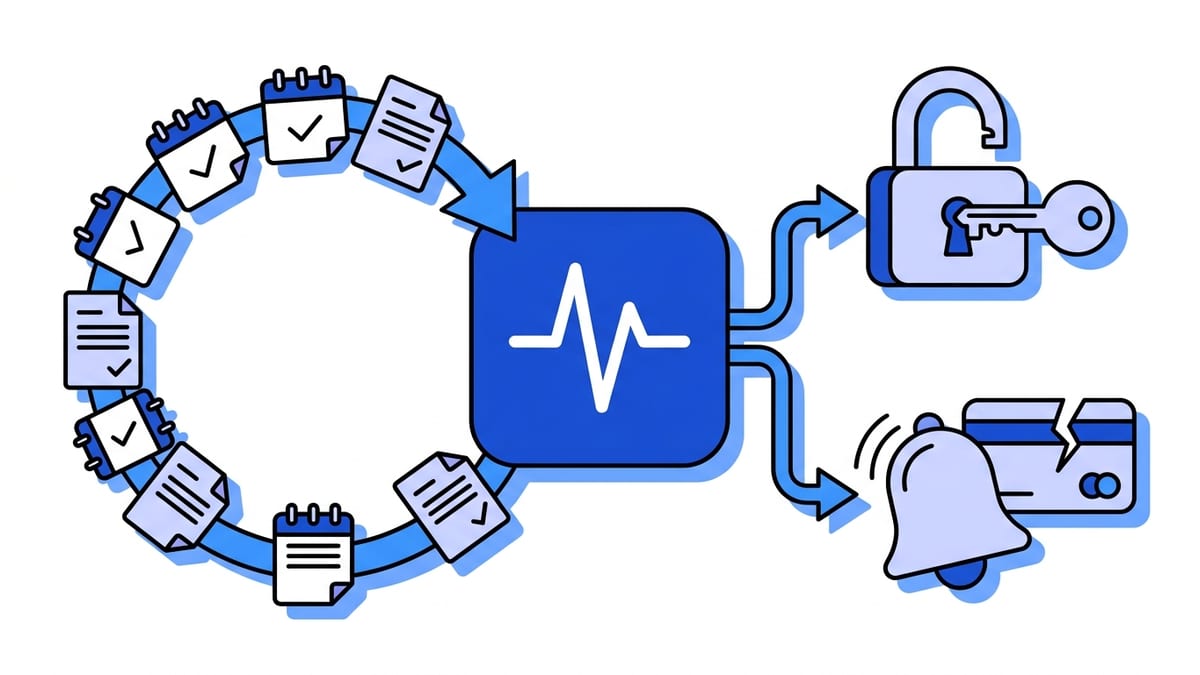
A Stripe subscription integration needs six webhook events. invoice.paid extends access each billing period. invoice.payment_failed starts your dunning emails. customer.subscription.updated catches plan changes, status changes and cancellations scheduled for the end of the period. customer.subscription.deleted revokes access when the subscription ends. customer.subscription.trial_will_end warns you three days before a trial converts. invoice.payment_action_required tells you a renewal is stuck waiting for 3D Secure. Everything else is optional until a specific feature needs it.
Choosing the events is the easy part. The bugs come from the sequence: the order in which these events arrive, what the subscription status is at each step, and which of them should move a customer’s access. This guide walks through every stage of the lifecycle with the events Stripe sends. All Stripe behaviour below links to docs.stripe.com, checked on 16 October 2026.
The events at a glance
| Event | Fires when | What to do |
|---|---|---|
customer.subscription.created | A subscription is created; status may be incomplete or trialing | Store the subscription id against your user. Do not grant access yet unless it is trialing |
invoice.paid | An invoice payment succeeds, or an invoice is marked paid out of band | Re-read the subscription; if active, extend access to the new period end |
invoice.payment_failed | A payment attempt is declined, including soft declines, or there is no payment method | Email the customer a link to update their card; keep access during retries if your policy allows |
invoice.payment_action_required | The payment needs customer authentication, usually 3D Secure | Send the customer back to complete the payment |
customer.subscription.updated | Anything on the subscription changes: status, price, quantity, cancel_at_period_end, renewal | Re-sync status, plan and period end; read previous_attributes to see what changed |
customer.subscription.deleted | The subscription ends, immediately or at the end of the period | Revoke access |
customer.subscription.trial_will_end | Three days before a trial ends, or immediately when it is ended early | Check there is a payment method; remind the customer they will be charged |
invoice.upcoming | A configurable number of days before a renewal is charged | Optional: add usage or one-off items to the next invoice |
invoice.created | A renewal invoice is created as a draft | Answer 2xx quickly. Stripe holds the charge until you do |
invoice.finalization_failed | Stripe cannot finalise the invoice, often missing tax location | Fix the customer’s address; no payment can be collected until then |
customer.subscription.paused / resumed | A subscription enters or leaves status: paused | Suspend and restore access |
The descriptions follow Stripe’s event types reference and the subscription webhooks guide. If you use Entitlements, entitlements.active_entitlement_summary.updated can replace part of this: Stripe computes which features a customer has and tells you when that set changes.
A new subscription, event by event
When you create a subscription that charges immediately, Stripe creates the subscription, its first invoice and a PaymentIntent together. Per the subscription lifecycle docs, the subscription starts as incomplete and becomes active once the first invoice is paid. A successful card sign-up produces roughly this set:
customer.subscription.created    status: incomplete
invoice.created                  status: draft → open
invoice.finalized
payment_intent.succeeded
invoice.paid                     status: paid
invoice.payment_succeeded
customer.subscription.updated    status: incomplete → active
Those events can reach your endpoint in any order. Stripe does not guarantee delivery order, and the created timestamps have one-second resolution, so several of these share the same second. If your code grants access in customer.subscription.created because “a subscription exists now”, a declined card still gets a free account. If it waits for customer.subscription.updated with status: active, it works, but only because you happened to pick the event that carries the final state.
The first invoice has a deadline. If the payment fails or needs authentication, the customer has 23 hours to complete it. After that the subscription moves to incomplete_expired, the invoice is voided, and the only way back is a new subscription. incomplete_expired subscriptions never bill anyone; they exist so you can see who abandoned the sign-up.
If you sign customers up through Stripe Checkout, checkout.session.completed also fires once, when the subscription is created. It is a good moment to link the Stripe customer to your user record. For whether it means the money arrived, see checkout.session.completed vs payment_intent.succeeded.
Trials and customer.subscription.trial_will_end
A subscription with a trial starts as trialing, and Stripe says you can safely provision access in that state. No payment happens up front, so there is no invoice.paid for real money to wait for: the first invoice is a zero-amount trial invoice.
customer.subscription.trial_will_end fires three days before the trial ends. It also fires immediately in two cases that catch people out. If the trial is shorter than three days, there is no “three days before”. And if the trial is ended early, with trial_end=now or because the customer switched plans in the Customer Portal, the event can fire in the same transaction that collects the first payment. Stripe’s own event description advises checking the subscription status and latest invoice before sending a “your card will be charged” email. Otherwise customers get a reminder about a charge that already happened.
At the end of the trial Stripe charges the card. Success sends invoice.paid and a customer.subscription.updated from trialing to active. What happens if the customer never added a card depends on trial_settings.end_behavior.missing_payment_method: cancel ends the subscription (customer.subscription.deleted), pause moves it to paused (customer.subscription.paused), and create_invoice bills anyway, so the invoice goes unpaid and the subscription goes past_due.
Renewals and the invoice.created delay
Every renewal starts with invoice.created. Stripe creates the invoice as a draft and then waits. Per the invoice finalisation section, Stripe waits an hour after it receives a successful response to invoice.created before attempting payment. If your endpoint never answers successfully, it keeps retrying for up to 72 hours before finalising the invoice and charging anyway.
The delay counts responses from every webhook endpoint on the account, not only the one that cares about invoices. A dead endpoint left over from an old integration, or a Connect platform’s broken endpoint, delays every subscription renewal on the account by up to three days. Stripe also emails you that the webhook is failing. If renewals lag days behind their dates, check the endpoint list in Workbench first.
After finalisation (invoice.finalized), Stripe charges the default payment method. On success you receive invoice.paid, invoice.payment_succeeded and a customer.subscription.updated whose previous_attributes show the billing period moving forward. A few days before all of this, if you configured it, invoice.upcoming gives you a chance to add usage charges. Its invoice object has no id yet, because the invoice does not exist.
Failed renewals: past_due, retries and dunning
A declined renewal sends invoice.payment_failed, and the subscription moves from active to past_due. The invoice stays open, and Stripe retries according to your Smart Retries or custom retry rules. Each retry that fails sends another invoice.payment_failed. The invoice’s next_payment_attempt tells you when the next try is, and it is null when there is none left.
What happens after the last retry is a Dashboard setting, not something the API decides for you. The subscription can move to canceled (you receive customer.subscription.deleted), to unpaid (customer.subscription.updated; invoices keep being created but nobody tries to charge them), or stay past_due. By default Stripe cancels after up to eight unsuccessful attempts. Find out which one your account uses before writing the access logic, because each produces a different final event.
When a retry finally succeeds, or the customer pays the open invoice from the hosted invoice page, invoice.paid arrives and the subscription goes back to active.
Renewals can also fail for a different reason. Under SCA in Europe, the issuing bank can demand 3D Secure on a renewal. You then get invoice.payment_action_required instead of a plain decline. The PaymentIntent sits in requires_action, and only the customer can resolve it. Send them to the invoice’s hosted_invoice_url, or bring them back into your app and call stripe.handleNextAction with the PaymentIntent’s client secret. Retrying the charge on your side does nothing until they authenticate.
Plan changes and cancellations
Upgrades, downgrades, quantity changes and coupons all arrive as customer.subscription.updated. The event carries the full new subscription in data.object. It also includes a data.previous_attributes object containing only the fields that changed, with their old values. A trimmed event for an upgrade:
{
  "type": "customer.subscription.updated",
  "data": {
    "object": {
      "id": "sub_1Q9...",
      "status": "active",
      "cancel_at_period_end": false,
      "items": {
        "data": [{
          "price": { "id": "price_team_monthly" },
          "quantity": 5,
          "current_period_end": 1763251200
        }]
      }
    },
    "previous_attributes": {
      "items": {
        "data": [{
          "price": { "id": "price_starter_monthly" },
          "quantity": 5,
          "current_period_end": 1763251200
        }]
      }
    }
  }
}
Use previous_attributes to decide what to do (send an “upgraded to Team” email, log a downgrade) and the current object for what to store.
Cancellation produces one or two events, depending on the timing:
- Immediate cancellation (API
DELETEor the Dashboard):customer.subscription.deletedstraight away. A canceled subscription is final. To bring the customer back you create a new one. - Cancel at period end: setting
cancel_at_period_end: truesendscustomer.subscription.updated. The customer has paid for the period, so keep access and show “ends on 15 November”. When the period ends, Stripe sendscustomer.subscription.deleted. If the customer changes their mind first,cancel_at_period_endgoes back tofalsein anotherupdatedevent. cancel_ata specific date: same as above, but the period end moves to that date.
A common bug is revoking access on the first customer.subscription.updated because the customer clicked “Cancel” in the Customer Portal. Only customer.subscription.deleted, or a status of canceled, means the subscription is over.
Which statuses get access
Stripe’s status table gives clear guidance at both ends and leaves the middle to you:
status | Meaning | Access |
|---|---|---|
trialing | In a trial | Yes |
active | In good standing | Yes |
past_due | Latest invoice failed; retries may follow | Your call: a grace period is common |
incomplete | First payment pending, failed or awaiting 3DS, 23-hour window | No |
incomplete_expired | First payment never completed | No |
unpaid | Retries exhausted, subscription kept | No. Stripe says to revoke |
canceled | Ended, terminal | No |
paused | Trial ended without a payment method, pause behaviour | No |
Two details from Stripe’s docs matter here. After invoice.paid, Stripe tells you to retrieve the subscription and confirm it is active before extending access, because a paid invoice does not move the subscription to active when status resolution counts all outstanding invoices. And with delayed payment methods such as ACH Direct Debit, a new subscription can go straight to active while the payment is still processing. If that payment fails later, Stripe voids the invoice and the subscription stays active, so you will need to handle that invoice.payment_failed yourself.
The 2025 basil field moves
Stripe API version 2025-03-31.basil moved two fields that nearly every subscription webhook handler reads. Code written against older examples breaks silently: the old fields are simply undefined.
- Subscription on an invoice.
invoice.subscriptionis gone. Useinvoice.parent.subscription_details.subscription, after checking thatinvoice.parent.typeissubscription_details(changelog). One-off invoices have a different parent type. - Billing period.
current_period_startandcurrent_period_endwere removed from the subscription and now live on each subscription item:items.data[].current_period_end(changelog). As a side effect,previous_attributesoncustomer.subscription.updatednow also includes the items whenever a period rolls over.
Your webhook endpoint has its own API version, set when you registered it, and the payload shape follows that version, not the version your SDK uses for API calls. After upgrading the SDK, upgrade the endpoint version too, or your handler will receive old-shaped events and read them with new-shaped code.
A handler that syncs from the API
The most robust pattern ignores the snapshot in the event. Take the subscription id from whichever event arrived, fetch the subscription from Stripe, and write its current state to your database. Order stops mattering, because whichever event is processed last writes the latest state. Duplicates stop mattering, because writing the same state twice changes nothing.
import express from "express";
import Stripe from "stripe";

const stripe = new Stripe(process.env.STRIPE_SECRET_KEY);
const app = express();

const SYNC_EVENTS = new Set([
  "customer.subscription.created",
  "customer.subscription.updated",
  "customer.subscription.deleted",
  "customer.subscription.paused",
  "customer.subscription.resumed",
  "invoice.paid",
  "invoice.payment_failed",
  "invoice.payment_action_required",
]);

app.post("/webhooks/stripe", express.raw({ type: "application/json" }), async (request, response) => {
  let event;
  try {
    event = stripe.webhooks.constructEvent(
      request.body,
      request.headers["stripe-signature"],
      process.env.STRIPE_WEBHOOK_SECRET,
    );
  } catch {
    return response.sendStatus(400);
  }

  if (SYNC_EVENTS.has(event.type) || event.type === "customer.subscription.trial_will_end") {
    await jobQueue.add("stripe-subscription-event", { eventId: event.id, type: event.type });
  }
  response.sendStatus(200);
});

function subscriptionIdFromEvent(event) {
  const object = event.data.object;
  if (object.object === "subscription") return object.id;
  if (object.parent?.type === "subscription_details") {
    return object.parent.subscription_details.subscription;
  }
  return null;
}

async function processSubscriptionEvent({ eventId }) {
  const event = await stripe.events.retrieve(eventId);
  const subscriptionId = subscriptionIdFromEvent(event);
  if (!subscriptionId) return;

  await syncSubscription(subscriptionId);

  if (event.type === "invoice.payment_failed") await sendUpdateCardEmail(event.data.object);
  if (event.type === "invoice.payment_action_required") await sendAuthenticateEmail(event.data.object);
  if (event.type === "customer.subscription.trial_will_end") await sendTrialEndingEmail(subscriptionId);
}

const STATUSES_WITH_ACCESS = new Set(["trialing", "active", "past_due"]);

async function syncSubscription(subscriptionId) {
  const subscription = await stripe.subscriptions.retrieve(subscriptionId);
  const periodEnd = Math.max(...subscription.items.data.map((item) => item.current_period_end));

  await database.query(
    `INSERT INTO subscriptions
       (stripe_subscription_id, stripe_customer_id, status, price_id, has_access,
        cancel_at_period_end, current_period_end)
     VALUES ($1, $2, $3, $4, $5, $6, to_timestamp($7))
     ON CONFLICT (stripe_subscription_id) DO UPDATE SET
       status = EXCLUDED.status,
       price_id = EXCLUDED.price_id,
       has_access = EXCLUDED.has_access,
       cancel_at_period_end = EXCLUDED.cancel_at_period_end,
       current_period_end = EXCLUDED.current_period_end`,
    [
      subscription.id,
      subscription.customer,
      subscription.status,
      subscription.items.data[0].price.id,
      STATUSES_WITH_ACCESS.has(subscription.status),
      subscription.cancel_at_period_end,
      periodEnd,
    ],
  );
}
Why it is built this way:
express.rawkeeps the exact bytes Stripe signed. Parsing JSON before verifying is the usual cause ofNo signatures found matching the expected signature.- The route verifies, enqueues and answers. It answers
invoice.createdtoo, even though it does nothing with it: answering quickly is what stops the 72-hour finalisation delay. Enqueue before returning200, otherwise a failed enqueue loses the event for good, because Stripe considers it delivered. past_duekeeps access here, as a grace period while Stripe retries. If your product should lock on the first failure, remove it from the set. That is a business decision, not a Stripe one.subscriptionIdFromEventuses the basilparentpath. On an older endpoint version it would beobject.subscription.- The emails are not idempotent by themselves. Stripe can send the same event more than once, so record the event id before sending, for example with a unique row as in webhook idempotency keys. The sync itself needs no dedupe.
- The access check in your app reads
has_accessandcurrent_period_endfrom your own table. It never calls Stripe on a page load.
The cost of syncing from the API is one GET per event. On accounts with thousands of renewals on the first of the month that adds up, so check your rate limits and let the queue worker process jobs at a steady rate instead of all at once.
Testing the lifecycle
stripe listen --forward-to localhost:3000/webhooks/stripe forwards sandbox events to your machine. stripe trigger customer.subscription.created and stripe trigger invoice.payment_failed send fixture events, which are fine for checking that the handler parses them. They do not test the lifecycle, because a renewal only happens when time passes.
For that, Stripe has test clocks. Create a test clock, create a customer attached to it, subscribe them with a trial, then advance the clock past the trial end. Stripe generates the real sequence (trial_will_end, invoice.created, invoice.paid, the updated event) and sends it to your endpoint as it would in production. Attach the card 4000000000000341, which can be saved but declines when charged, and advance another month to watch the invoice.payment_failed and past_due path run through your retry settings. The Stripe webhooks guide covers the CLI flags, and how to test webhooks covers replaying captured payloads.
Routing subscription events through a gateway
Subscription events usually have more than one consumer. Billing state goes to the app’s database, failed payments go to the dunning tool, cancellations go to the CRM, and everything goes to analytics. With one Stripe endpoint, the handler grows a switch for all of them. With several endpoints, each one verifies signatures separately, and because of the invoice.created rule any one of them failing delays renewals for the whole account.
A webhook gateway such as Webhooker gives Stripe a single ingest URL (https://app.webhooker.eu/in/<token>). Webhooker verifies the Stripe-Signature with your whsec_ secret, stores the event and answers 200 straight away. That covers invoice.created even while your billing service is down for a deploy. Filters on the body route by type: type contains customer.subscription. or invoice. goes to the billing service, type in invoice.payment_failed, invoice.payment_action_required goes to the dunning tool, and everything goes to analytics.
Each destination gets its own retries with exponential backoff, a dead-letter queue and replay. A stable X-Webhooker-Event-Id header lets every consumer deduplicate. Subscription events carry customer emails, names and billing addresses, which makes them personal data under GDPR; Webhooker processes and stores them in the EU. The free plan covers 10,000 events a month.
Frequently asked questions
Which Stripe webhook events do I need for subscriptions?
Six cover most integrations: invoice.paid to extend access, invoice.payment_failed to start dunning, invoice.payment_action_required for 3D Secure on renewals, customer.subscription.updated for plan, status and scheduled-cancellation changes, customer.subscription.deleted to revoke access, and customer.subscription.trial_will_end if you offer trials. Add invoice.upcoming for usage billing and invoice.finalization_failed if you use Stripe Tax.
Should I use invoice.paid or invoice.payment_succeeded?
Use invoice.paid. It fires when a payment attempt succeeds and also when an invoice is marked as paid out of band, for example a bank transfer you reconcile by hand. invoice.payment_succeeded only fires on a successful payment attempt, so access tied to it misses invoices settled any other way. Listening to both for the same action processes every renewal twice.
When should I grant access to a Stripe subscription?
When the subscription status is active or trialing. Don’t grant access on customer.subscription.created alone, because a new subscription starts as incomplete until the first invoice is paid. After invoice.paid, retrieve the subscription and confirm it is active before extending access, as Stripe recommends.
What is customer.subscription.trial_will_end?
It is sent three days before a subscription’s trial ends, so you can check that the customer has a payment method and tell them a charge is coming. It fires immediately if the trial is shorter than three days or is ended early, sometimes in the same transaction as the first payment. Check the subscription status before sending a reminder.
When does customer.subscription.deleted fire?
When the subscription actually ends: right away for an immediate cancellation, or at the end of the billing period when cancel_at_period_end was true. It also fires when Stripe cancels a subscription after the final failed payment retry, if your settings say so. Setting cancel_at_period_end itself sends customer.subscription.updated, not deleted.
Why did my subscription renewal not get charged on time?
Most often because a webhook endpoint on the account is not answering invoice.created with a 2xx. Stripe waits for a successful response before finalising renewal invoices and holds them for up to 72 hours. Check every endpoint in Workbench, including old or third-party ones, and disable the ones that fail.
What does past_due mean on a Stripe subscription?
The latest invoice’s payment failed or was not attempted, and the subscription keeps creating invoices. Stripe may retry according to your Smart Retries or custom rules. After the last retry, your Dashboard settings move the subscription to canceled, to unpaid, or leave it past_due. Whether customers keep access during past_due is up to you.
Where is invoice.subscription in new Stripe API versions?
Since API version 2025-03-31.basil it is at invoice.parent.subscription_details.subscription, used when invoice.parent.type is subscription_details. The subscription’s current_period_end moved too, to items.data[].current_period_end on each subscription item. Webhook payloads follow the API version of the endpoint, so upgrade the endpoint when you upgrade your code.
How do I test Stripe subscription webhooks?
Use stripe listen to forward events locally and stripe trigger for single fixture events. To test trials, renewals and failed payments, create a test clock in a sandbox, attach a customer and subscription to it, and advance time. Stripe then sends the real event sequence to your endpoint.














